 Specs

Belkin Connect USB-C 11-in-1 Pro GaN Dock 150W
An 11-port USB-C dock with the power supply built into the body: 146W total, up to 96W to the laptop and 50W to accessories, for $179.99 on belkin.com
Scored on the published rubric, from documentation, pricing and verified user reports.
Best for: A home desk where socket space is short: the power supply is inside the dock, so one AC cable and one USB-C cable replace a brick and a tangle.
Verdict
The Belkin Connect USB-C 11-in-1 Pro GaN Dock 150W is the one dock in this group with no separate power brick. Belkin's embedded offer data listed $179.99 and in stock on October 30, 2026. The specification block lists 146W of Power Delivery split as up to 96W to the host laptop and up to 50W to accessories, a built-in 150W supply running on 100-240V, 11 ports, data up to 10Gbps, Gigabit Ethernet, SD 3.0 and microSD 3.0 readers, and a two-year warranty. A 1 metre USB-C cable is in the box. This is a documentation review built from Belkin's product page, its specification tabs and its embedded offer data; this site has not connected the dock to a laptop. Two things to read carefully. The dual-screen figure contradicts itself across two blocks of the same page, and the Ethernet jack is Gigabit, not 2.5Gbps.
Visit Belkin Connect USB-C 11-in-1 Pro GaN Dock 150W
We have no affiliate relationship with this vendor. Link goes to the official site.
Where it is strong
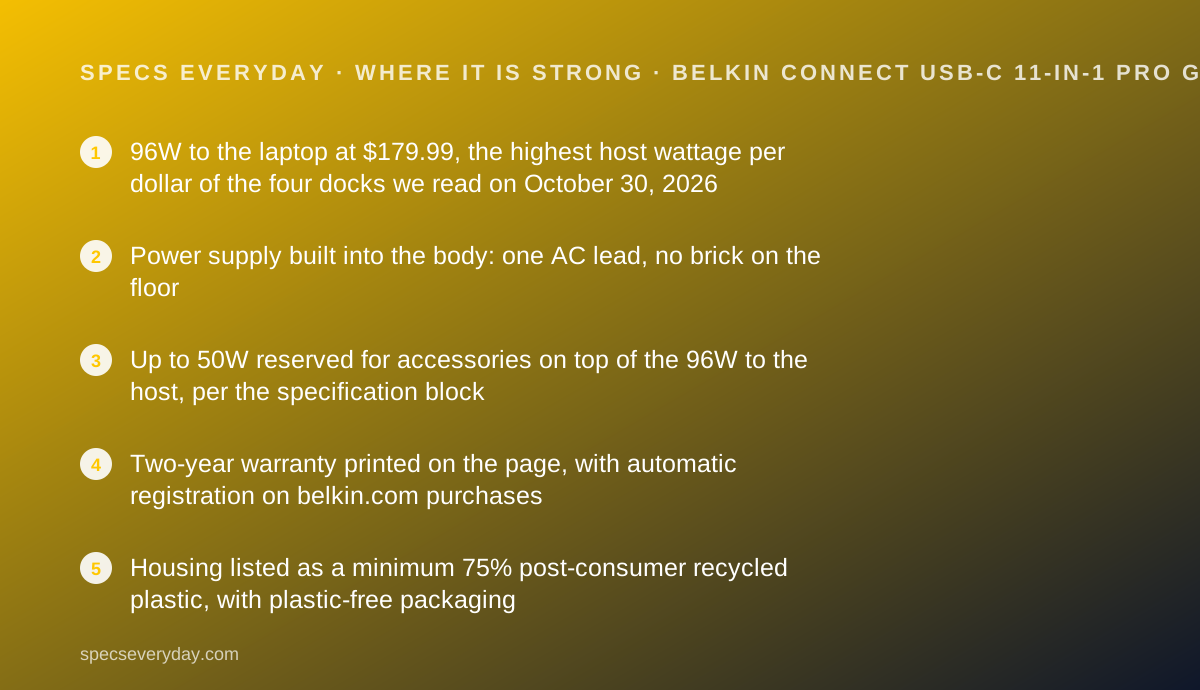
- 96W to the laptop at $179.99, the highest host wattage per dollar of the four docks we read on October 30, 2026
- Power supply built into the body: one AC lead, no brick on the floor
- Up to 50W reserved for accessories on top of the 96W to the host, per the specification block
- Two-year warranty printed on the page, with automatic registration on belkin.com purchases
- Housing listed as a minimum 75% post-consumer recycled plastic, with plastic-free packaging
Where it falls short
- The page states two different dual-display figures, 4K at 120Hz in one block and 4K at 60Hz in another
- Ethernet is Gigabit, where the two Thunderbolt docks in this group list 2.5Gbps
- Card readers are SD 3.0 and microSD 3.0, not the UHS-II readers on the Thunderbolt docks
- On macOS, Belkin states only one extra monitor extends; the second mirrors
- The published dimensions disagree between the spec table and the structured product data
At a glance
| Host connection | USB-C; Belkin lists compatibility with USB-C, Thunderbolt 3, Thunderbolt 4 and Thunderbolt 5 ports |
|---|---|
| Total power | 146W Power Delivery, from a built-in 150W supply (AC in 100-240V, 50-60Hz) |
| Laptop charging | Up to 96W (USB-C PD 3.0) |
| Accessory power | Up to 50W across the other ports |
| Video ports | 2 x HDMI 2.0 (4K at 60Hz) plus 1 x USB-C DisplayPort Alt Mode (8K at 30Hz / 4K at 120Hz, 10Gbps, 15W) |
| Displays | Up to 3 external monitors on Windows; macOS extends one and mirrors the second |
| USB ports | 1 x USB-A 10Gbps (7.5W), 1 x USB-C 3.2 10Gbps (7.5W), 1 x USB-C 3.2 5Gbps (20W) |
| Ethernet | 1 x Gigabit |
| Card readers | SD 3.0 and microSD 3.0 |
| Audio | 1 x 3.5mm in and out |
| Dimensions | 3.6 x 2.1 x 5.2 inches (9.1 x 5.4 x 13.2 cm) in the spec table; the structured product data on the same page lists 5.4 x 6.3 x 4 and a weight of 2.8, without units |
| In the box | Dock plus a 3.3 ft / 1 m USB-C to USB-C cable |
| Warranty | 2 years, stated on the product page |
| Price | $179.99 on belkin.com US, checked October 30, 2026 |
| Pricing note | $179.99 on belkin.com US and listed in stock (embedded offer data, checked October 30, 2026); a buy-one-get-one 30% banner on the same page was dated to end October 31 |
What the Belkin 11-in-1 Pro GaN Dock actually is
This is a USB-C dock that swallowed its own charger. The 150W supply sits inside the housing, so the desk gets one AC cable instead of a brick on a cable on a brick.
That is the whole pitch, and it is a good one for a home desk. Belkin credits GaN components for the size, the same material used in modern phone chargers.
The host connection is plain USB-C, not Thunderbolt. Belkin lists compatibility with USB-C, Thunderbolt 3, Thunderbolt 4 and Thunderbolt 5 ports, plus Windows, macOS and ChromeOS.
We read Belkin's product page, its specification tabs and the structured product data embedded in it on October 30, 2026. Nothing here was connected, timed or measured by this site.
Who this dock is best for
The short version: a tidy desk with limited sockets and a laptop that wants real wattage.
- Home workers whose desk has one or two free sockets and no room for a power brick
- Owners of 14-inch laptops that ask for more than the 85W a cheaper dock supplies
- People who also charge a phone or tablet at the desk, inside the 50W accessory budget
- Windows users who want three screens from a non-Thunderbolt laptop
- Buyers who want a stated warranty term rather than a slogan
- Anyone who cares that the housing is declared as at least 75% recycled plastic
Who should skip it
Three groups are better served by a different dock.
- Mac users who want two extended displays; Belkin says the second mirrors
- Photographers moving large card loads; the readers are SD 3.0, not UHS-II
- Homes with multi-gigabit internet, since the Ethernet jack is Gigabit

The spec sheet, translated
Power. 146W of Power Delivery from a 150W internal supply. Up to 96W goes to the laptop, up to 50W to accessories.
Video. Two HDMI 2.0 ports at 4K 60Hz, plus a USB-C DisplayPort Alt Mode port rated 8K at 30Hz or 4K at 120Hz.
Data. One USB-A at 10Gbps, one USB-C at 10Gbps and one USB-C at 5Gbps that also carries 20W.
Everything else. Gigabit Ethernet, SD 3.0, microSD 3.0 and a 3.5mm audio jack in and out.
Size. The spec table lists 3.6 x 2.1 x 5.2 inches. A separate data block on the same page lists 5.4 x 6.3 x 4 with no units.
96W is the figure that sets this dock apart
Among USB-C docks at this price, host wattage is where the differences bite, and Belkin leads on paper.
96W covers a 14-inch laptop under load, where 85W holds the battery steady but fills it slowly. It will not cover a 16-inch workstation, which usually ships with a 140W charger.
The 50W accessory budget is the second half of the number. It means a phone and a pair of earbuds can charge from the dock without stealing from the laptop.
Our USB-C Power Delivery explainer sets out how those two figures are negotiated, and the USB-C charger guide covers what a dedicated charger adds beside a dock.
The dual-display figure contradicts itself
This is the one place the page cannot be trusted at a glance, so we print both readings.
The at-a-glance list states: single display up to 8K at 30Hz, dual display up to 4K at 120Hz, triple display up to 4K at 60Hz.
A feature block further down the same page states: single display up to 8K at 30Hz, dual displays up to 4K at 60Hz, or triple displays up to 4K at 60Hz.
Both were live on October 30, 2026. The safe assumption for a buyer is the lower figure, 4K at 60Hz on two screens, and a question to Belkin before paying if 120Hz is the reason you are buying.
For what those refresh numbers do to text and motion, our monitor specs explainer covers the ones that change what you actually see.
The macOS limit is printed, and it matters
Belkin's own footnote says it plainly: on macOS, 4K at 60Hz extends to one additional monitor, and the second monitor mirrors.
The reason is in the next footnote. Windows and ChromeOS support Multi-Stream Transport, which splits one video signal into several; macOS uses Single-Stream Transport and does not.
So a Mac buyer who wants two separate desktops should look at a Thunderbolt dock instead, where each display gets its own stream.
The MacBook Air 13 review lists how many external displays that machine supports on its own, which is the first thing to check before blaming a dock.
The port list, in plain terms
Belkin counts 11. Grouped by what a desk actually plugs in, they are:
- Laptop: 1 x USB-C Power Delivery 3.0 at 96W
- Screens: 2 x HDMI 2.0 and 1 x USB-C DisplayPort Alt Mode at 15W
- Fast accessories: 1 x USB-C 3.2 at 10Gbps and 7.5W
- Phone or tablet: 1 x USB-C 3.2 at 5Gbps and 20W
- Keyboard or mouse: 1 x USB-A at 10Gbps and 7.5W
- Network: 1 x Gigabit Ethernet
- Cameras: SD 3.0 and microSD 3.0 slots
- Headset: 1 x 3.5mm in and out
One USB-A port is the real compromise
Eleven ports sounds generous until you count the USB-A sockets. There is one.
Most desk peripherals still ship with USB-A plugs. A keyboard receiver, a mouse receiver and a webcam already exceed what this dock offers without a splitter.
Bluetooth peripherals sidestep the problem. The Logitech MX Keys S and MX Master 3S both pair over Bluetooth, which leaves the single USB-A port for the webcam.
If your webcam is USB-A, plan for it. The Logitech Brio 500 connects over USB-C, which fits this dock better than most.
Data tops out at 10Gbps
Belkin lists up to 10Gbps for data transfer. That is the USB 3.2 Gen 2 ceiling, shared across the dock.
It is plenty for a keyboard, a mouse, a webcam and a wired network connection running at once.
It is a quarter of what a Thunderbolt 4 dock carries, which shows up when an external SSD and a card reader work at the same time.
How the pricing is structured
Belkin's embedded offer data listed $179.99 in US dollars, with availability shown as in stock, read on October 30, 2026.
The visible page added a buy-one-get-one 30% off banner dated to end October 31, free standard shipping over $75, free two-day shipping over $125 and a 30-day money back guarantee.
That makes this the cheapest dock in the group of four we read the same day, $20 below the Anker USB-C dock and $110 below the Plugable Thunderbolt 4 dock.
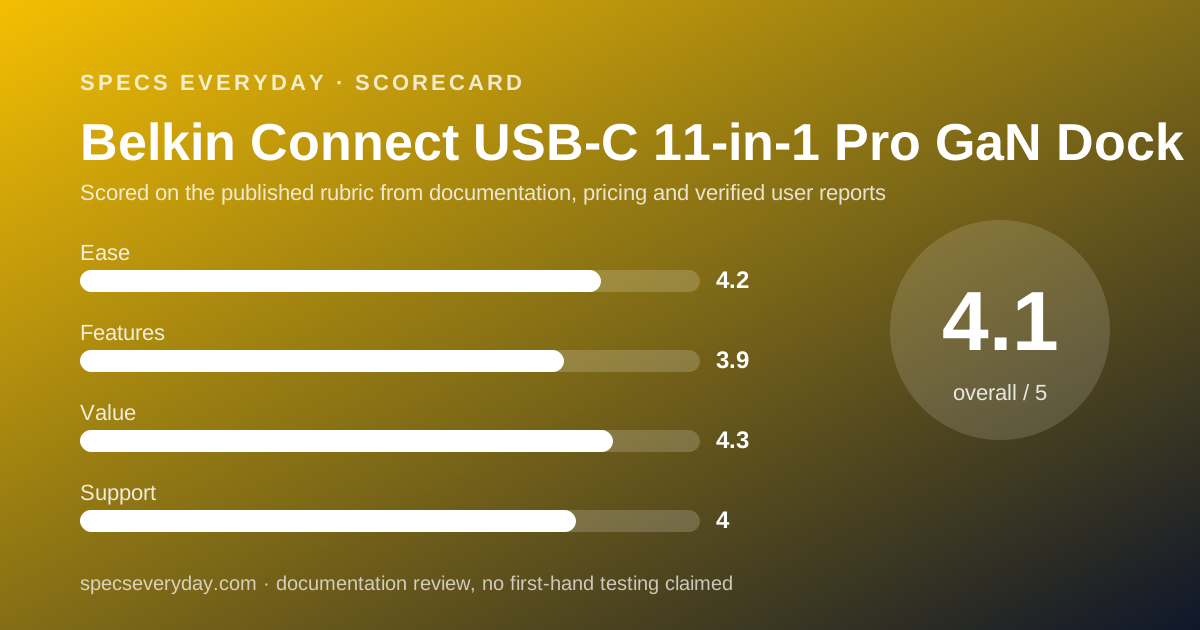
Ease of use: what the 4.2 is built from
No brick to hide, a cable in the box, HDMI ports rather than adapters and a broad operating system list earn the score.
Points come off for the contradictory display figures, for the single USB-A port, and because the macOS mirroring limit needs reading before purchase rather than after.
Features: what the 3.9 is built from
146W split across host and accessories, three video outputs and a 20W charging port make a complete desk hub.
The score stays below 4 because of Gigabit rather than 2.5Gbps Ethernet, SD 3.0 rather than UHS-II card readers, and the 10Gbps bus.
Value: what the 4.3 is built from
$179.99 for 96W to the host and a built-in supply is the strongest price-to-watts figure of the four docks we read on October 30, 2026.
The two-year warranty and the 30-day money back guarantee add to that. What you give up against a Thunderbolt dock is bandwidth and card reader speed, not ports.
Support: what the 4.0 is built from
A printed two-year warranty, automatic registration on direct purchases, a published safety list and a downloadable sales sheet are more than most docks offer.
The score is held at 4.0 because the page contradicts itself on two displays and on its own dimensions, which is a documentation fault rather than a hardware one.
What the page does not list
Two figures were absent from the page we read on October 30, 2026: the dock's weight in a stated unit, and any firmware or utility version number for the dock utility the page advertises.
The structured product data carries a weight of 2.8 with no unit and dimensions that do not match the spec table, so we print both sets and treat neither as settled.
We read the fully rendered page, including that structured data. These numbers may exist in Belkin's sales sheet; they were not on the page a buyer reads before paying.
Setting it up: what the documentation implies
Belkin's published notes point to a short checklist before the first workday.
- Confirm your laptop's USB-C port carries DisplayPort Alt Mode, or no screen will light up
- Confirm it accepts Power Delivery charging, or you keep the laptop's own charger
- On a Mac, plan for one extended screen and one mirrored one
- On Windows, check that Multi-Stream Transport is enabled for three screens
- Keep the 20W USB-C port free for a phone rather than a hub
- Use the included 1 metre cable; a longer cable must still carry 96W
Alternatives
A Thunderbolt 4 dock. Choose one if you use a Mac and want two extended screens, or if you move files over fast external storage. Expect to pay about $110 more at the prices we read on October 30, 2026.
A cheaper USB-C dock. Choose one if 85W covers your laptop and you want three separate video outputs. The trade is a separate power brick on the floor.
A monitor with a hub built in. Choose it if one screen is enough. The BenQ PD2706U and the Dell UltraSharp U2724D both carry their own USB ports, and our office monitor guide covers that route.
Where it fits on a finished desk
This dock earns its place on desks where the socket strip is already full.
It pairs naturally with a laptop that has two USB-C ports and nothing else. Our everyday laptop guide and the Dell XPS 13 review cover exactly that shape of machine.
For the wired network side, the TP-Link Deco BE63 review lists the Ethernet ports on a current mesh unit, and our mesh Wi-Fi guide covers when a cable still beats radio.
Bottom line
The Belkin Connect 11-in-1 Pro GaN Dock is the best-value USB-C dock of the four we read, mainly because the power supply is inside it and 96W reaches the laptop.
Read the display figures twice, count the single USB-A port against your peripherals, and accept Gigabit Ethernet. The two-year warranty is printed, which not every rival manages.
Buy it if
- Your desk is short of sockets - the 150W supply is inside the dock, so there is no brick to place.
- Your laptop wants more than 85W - Belkin lists up to 96W to the host, the highest USB-C figure in this group.
- You charge a phone and a tablet at the desk too - up to 50W is set aside for accessories.
- You want a printed warranty - two years, stated on the page, with registration handled when you buy direct.
Skip it if
- You need two extended screens on a Mac - Belkin states macOS extends one monitor and mirrors the second.
- You move camera cards daily - the readers are SD 3.0 and microSD 3.0, not UHS-II.
- Your network runs above 1Gbps - this dock's Ethernet port is Gigabit.
- You need the dock to be small - the built-in supply makes it taller than a brick-fed hub.
Frequently asked
How much does the Belkin 11-in-1 Pro GaN Dock cost?
Belkin's US page listed $179.99 and in stock in its embedded offer data on October 30, 2026. The same page carried a buy-one-get-one 30% off banner dated to end on October 31, which is a promotion rather than a list price change.
How many watts does the Belkin dock give a laptop?
Up to 96W. Belkin lists 146W of total Power Delivery from a built-in 150W supply, split as up to 96W to the host device and up to 50W to connected peripherals, per the specification block checked October 30, 2026.
Does the Belkin 11-in-1 dock need a separate power brick?
No. Belkin states the 150W power supply is built into the dock, which it credits to GaN components, and lists AC input of 100-240V at 50-60Hz. The box contains the dock and a 1 metre USB-C cable, with no external brick.
How many monitors can the Belkin dock run?
Up to three on Windows, through two HDMI 2.0 ports and one USB-C DisplayPort Alt Mode port. Belkin states macOS extends only one additional monitor and mirrors the second, because macOS does not support Multi-Stream Transport.
What resolution does the Belkin dock support on two screens?
The page says two different things. The at-a-glance list reads dual display up to 4K at 120Hz; the feature block lower down reads dual displays up to 4K at 60Hz. Both were on the page on October 30, 2026, so confirm at checkout.
What warranty does the Belkin 11-in-1 Pro GaN Dock have?
Two years. Belkin prints the term twice on the product page and adds that buying on belkin.com registers the product automatically to simplify replacement. The page also lists a 30-day money back guarantee.
Is the Belkin dock made from recycled material?
Belkin states the housing is made of a minimum 75% post-consumer recycled plastic and that packaging is 100% plastic free. These are the vendor's own declarations, read on the product page on October 30, 2026.
Sources
- Belkin US: Connect USB-C 11-in-1 Pro GaN Dock 150W (INC020) product page, specification tabs and embedded offer data - checked October 30, 2026
Update history
- October 30, 2026 - First published. Figures read from Belkin's US product page for the Connect USB-C 11-in-1 Pro GaN Dock 150W (INC020), including its specification tabs and embedded offer data, on October 30, 2026.
Visit Belkin Connect USB-C 11-in-1 Pro GaN Dock 150W
We have no affiliate relationship with this vendor. Link goes to the official site.