 Specs

Logitech Brio 500
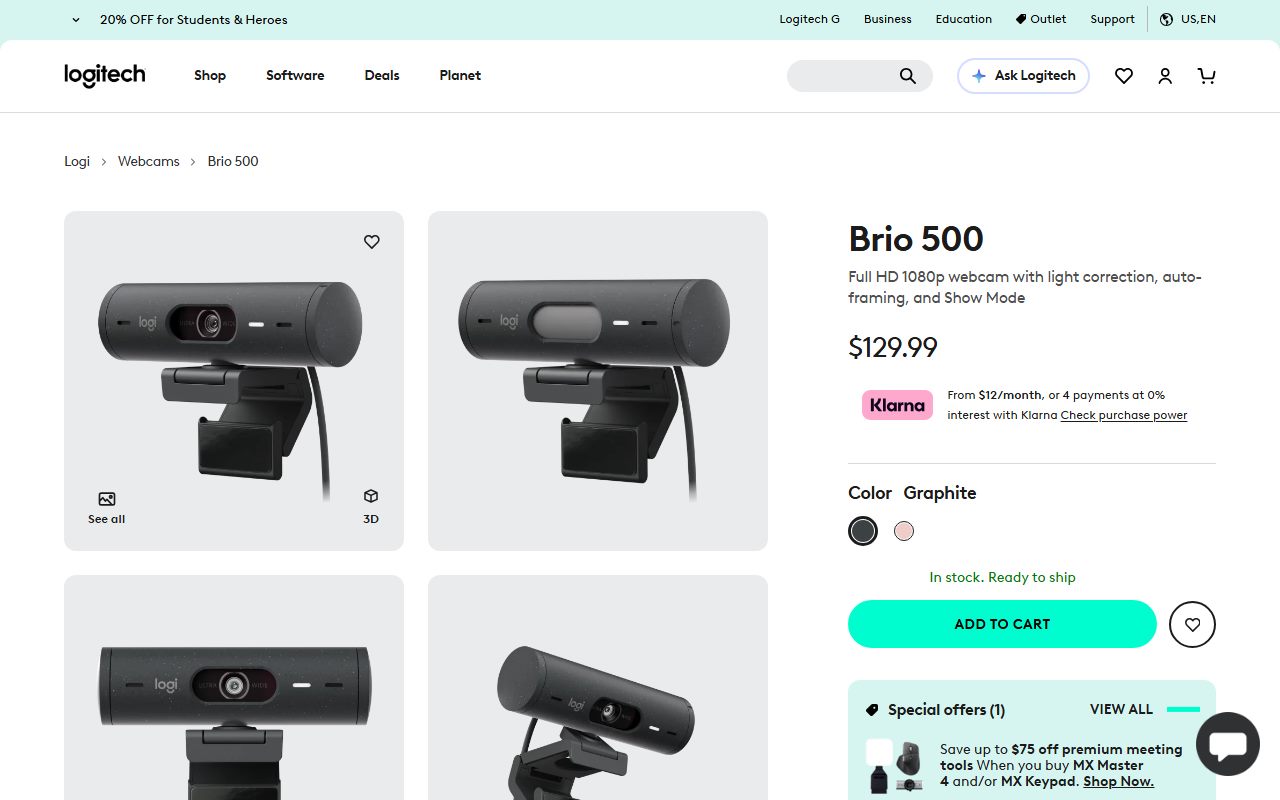
A 1080p USB-C webcam with a 4MP sensor, three fields of view up to 90 degrees, a privacy shutter and a tilt-down Show Mode
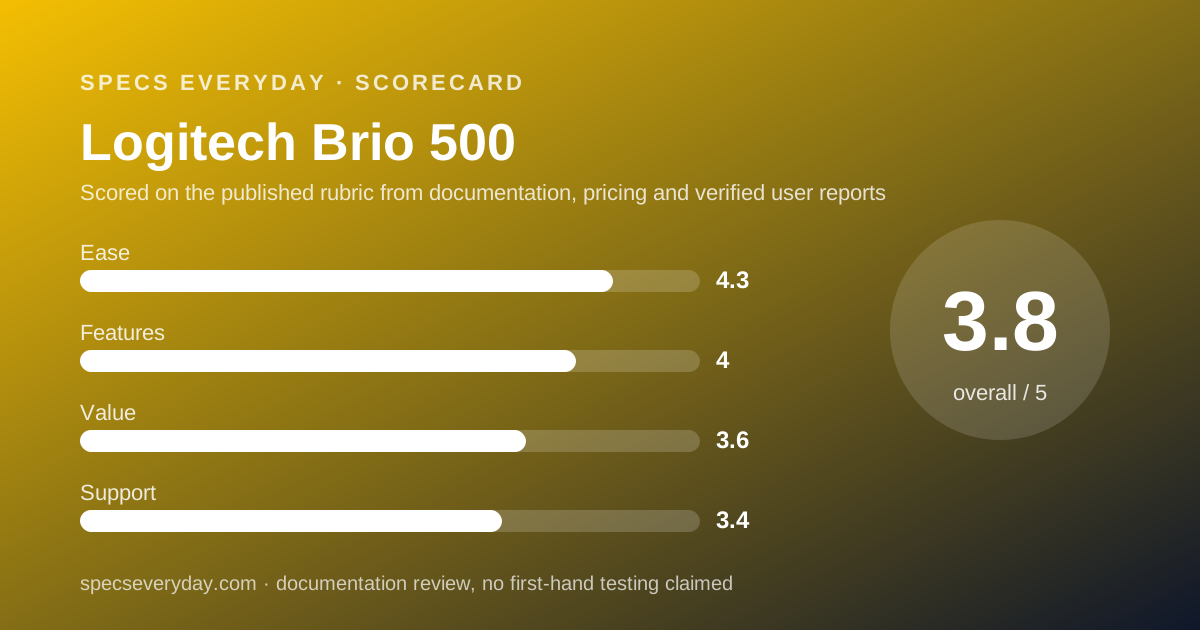
Scored on the published rubric, from documentation, pricing and verified user reports.
Best for: Hybrid workers who take several video calls a day on a laptop or an external monitor and want a wider, adjustable view, a real privacy shutter and a way to show papers on the desk.
Verdict
The Logitech Brio 500 is a USB-C webcam for laptop and monitor video calls. On October 21, 2026 Logitech's US store listed it at $129.99 with no sale shown, while the same store discounted the 4K MX Brio to $169.99 and the basic Brio 100 to $24.99. Logitech's spec tab lists 1080p at 30fps or 720p at 60fps from a 4MP sensor, autofocus behind a glass lens, three diagonal fields of view of 90, 78 and 65 degrees, 4x digital zoom, a stereo microphone rated to 4 ft and an integrated privacy shutter. This is a documentation review built from Logitech's store page, its refurbished listing and the pages of two sibling webcams; this site has not operated the camera. On paper it is the sensible middle of Logitech's range: an adjustable view, a real shutter and a mount that tilts down to show a desk. The weak spots are the full price while its siblings are on sale, an attached cable, Show Mode and auto-framing that need the Logi Tune app, and a 1-year warranty.
Visit Logitech Brio 500
We have no affiliate relationship with this vendor. Link goes to the official site.
Where it is strong
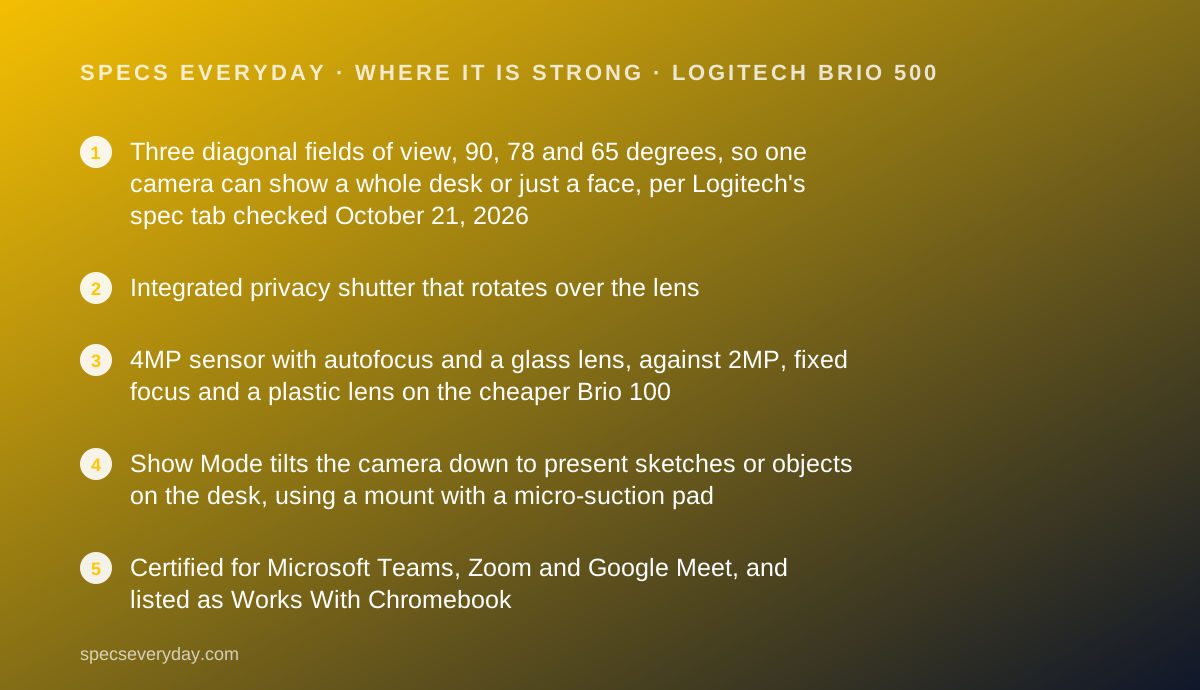
- Three diagonal fields of view, 90, 78 and 65 degrees, so one camera can show a whole desk or just a face, per Logitech's spec tab checked October 21, 2026
- Integrated privacy shutter that rotates over the lens
- 4MP sensor with autofocus and a glass lens, against 2MP, fixed focus and a plastic lens on the cheaper Brio 100
- Show Mode tilts the camera down to present sketches or objects on the desk, using a mount with a micro-suction pad
- Certified for Microsoft Teams, Zoom and Google Meet, and listed as Works With Chromebook
Where it falls short
- $129.99 with no sale on October 21, 2026, while the 4K MX Brio was $169.99 and the Brio 100 $24.99 on the same store
- 1080p tops out at 30fps; 60fps is listed only at 720p
- The 1.5 m USB-C cable is attached, not detachable, and the box lists no USB-A adapter
- Auto-framing and Show Mode need Logi Tune, which Logitech says is not available for ChromeOS
- 1-year warranty, the term Logitech's refurbished listing says new products carry
At a glance
| Video resolution | 1080p at 30fps (1920 x 1080 pixels); 720p at 60fps (1280 x 720 pixels) |
|---|---|
| Sensor | 4MP |
| Field of view | 90, 78 or 65 degrees diagonal, selectable |
| Zoom | 4x digital |
| Focus and lens | Autofocus; glass lens |
| Image processing | RightLight 4 with HDR |
| Microphone | Stereo; range up to 4 ft (1.22 m) |
| Connection | USB-C plug-and-play; attached cable, 1.5 m (4.92 ft) |
| Dimensions | Webcam 31.5 x 110 x 31.5 mm (height x width x depth); with mount 51.5 mm tall and 45 mm deep |
| Weight | 121 g (4.27 oz) webcam with mount; mount clip 4 g (0.14 oz) |
| Privacy | Integrated rotating privacy shutter |
| Compatibility | Windows 8 or later, macOS 10.10 or later, ChromeOS; 2 GB RAM or more for 1080p streaming |
| Warranty | 1 year (Logitech US store, refurbished Brio 500 listing, October 2026) |
| Price | $129.99 on logitech.com US, no sale shown, checked October 21, 2026 |
| Pricing note | $129.99 on logitech.com US with no sale shown; refurbished $79.99 but sold out; 1-year warranty (store pages, checked October 21, 2026) |
What the Brio 500 actually is
The Brio 500 is a clip-on USB-C webcam built for meetings rather than streaming.
It sits in the middle of Logitech's current webcam line, above the $24.99 Brio 100 and below the $169.99 MX Brio, at the prices the US store showed on October 21, 2026.
Its selling point is not resolution. It records 1080p at 30fps, the same top resolution as the Brio 100. What it adds is a wider and adjustable view, autofocus, a stereo microphone, a privacy shutter and a mount that tilts down to show the desk.
We read Logitech's US store page, its spec tab and its refurbished listing on October 21, 2026, and compared them with the Brio 100 and MX Brio pages. Nothing here was run or measured by this site.
Who the Brio 500 is best for
The short version: people who live in video calls and work at a desk, not on the move.
- Hybrid workers who dock a laptop to an external monitor, where the laptop camera ends up off to the side or under the screen
- People on several calls a day who want the camera at eye level on top of a monitor
- Teachers, designers and engineers who sketch on paper and want Show Mode to point the camera at the desk
- Two people sharing one desk on a call, using the 90-degree setting
- Anyone who wants a visible, built-in shutter instead of tape or a stick-on cover
- Mac and Windows users who will install Logi Tune to get auto-framing
Who should skip it
Some buyers will get more from a different camera, or from none.
- Streamers and content creators who want 4K or 1080p at 60fps; Logitech lists both only on the MX Brio
- Chromebook users who want auto-framing, since Logi Tune is not available for ChromeOS
- Laptop-only workers whose built-in camera already lists 1080p and sits at a reasonable height
The spec sheet, translated
Resolution and frame rate. Logitech lists two modes: 1080p at 30fps (1920 x 1080) and 720p at 60fps (1280 x 720). For a video call, 30fps is the normal rate. 60fps makes motion smoother, but only at the lower resolution.
Sensor. A 4MP sensor feeding a 1080p image has more pixels than the output needs. 1080p is about 2.1 million pixels, by our arithmetic. That spare resolution is what digital zoom and auto-framing crop into.
Lens and focus. Autofocus behind a glass lens. The Brio 100 lists fixed focus and a four-element plastic lens, which matters if you hold papers up to the camera.
Light. RightLight 4 with HDR, which Logitech says adjusts for anything from low light to direct sunlight. It is processing, not a light, so a dark room is still a dark room.
Field of view: what 90, 78 and 65 degrees change
Field of view changes what a call looks like more than any other number, and it is where the Brio 500 differs most from cheaper cameras. The Brio 100 lists one fixed 58-degree view. The Brio 500 lists three diagonal settings, picked in Logi Tune.
90 degrees shows a wide slice of the room: your shoulders, the desk edge and whatever hangs on the wall behind you. It suits two people on one camera, or a camera mounted high on a large monitor.
78 degrees is a middle setting for one person at arm's length.
65 degrees crops close to a head and shoulders and hides more of the background. That is the setting for a busy home office.
The MX Brio lists the same three angles, so the step up to 4K does not buy a wider view.
Laptop camera or Brio 500?
Most laptops now list a usable camera, so the case for an external one is placement as much as image.
The MacBook Air 13 lists a 12MP Center Stage camera with 1080p video, per our review. The HP OmniBook X Flip 14 and Lenovo Yoga 9i 2-in-1 Aura Edition list 5MP IR cameras.
The Dell XPS 13 page we read listed no webcam resolution at all, which makes an external camera the safer plan if call quality matters.
The bigger problem is docking. Once a laptop sits beside a monitor, its camera looks at you from the side. A Brio 500 on top of the monitor puts the lens where your eyes already are.
Our everyday laptop guide lists which laptops have IR cameras for face sign-in. The Brio 500 spec tab lists no IR sensor, so we would not count on it for Windows Hello.
Show Mode, auto-framing and the Logi Tune requirement
Two of the Brio 500's headline features depend on software. RightSight 4 auto-framing keeps you centred as you move, and Show Mode tilts the camera down to present sketches or objects. Logitech's page says both require the free Logi Tune app.
Logi Tune is also where you change the field of view, mute the microphone, adjust colour and resolution, use digital zoom and receive firmware updates. Logitech states it is not available for ChromeOS.
The mount matters for Show Mode. Logitech says it has a micro-suction pad that holds the webcam to the back of the monitor, so it can be tilted with one hand. The mount clip itself weighs 4 g, per the spec tab.
Connection, cable and where to plug it in
The Brio 500 connects by USB-C, and Logitech lists the requirement simply as an available USB-C port. The box lists the camera with an attached USB-C cable, the mount clip with a removable adapter, and documentation. There is no USB-A adapter listed.
The cable is 1.5 m, which reaches from a monitor top to a laptop beside it, but not much further.
A monitor with a downstream USB-C port is the tidy answer. The BenQ PD2706U lists one USB-C downstream port and the Dell UltraSharp U2724D lists one at 15 W, per our reviews.
Logitech also lists 2 GB of RAM or more for 1080p streaming, which any current laptop meets.
How the pricing is structured
Logitech's US store showed the Brio 500 at $129.99 on October 21, 2026, with no sale price, in stock in Graphite. The store also lists free shipping in 3 to 5 business days and free returns within 30 days.
A refurbished Brio 500 was listed at $79.99, down from $103.99, in Off-white, but marked sold out temporarily.
The pricing problem is the neighbours. The same store showed the MX Brio at $169.99, down from $199.99, and the Brio 100 at $24.99, down from $39.99. During those sales the 4K camera costs $40 more than the Brio 500, by our arithmetic.
Ease of use: what the 4.3 is built from
Plug-and-play USB-C, certification for Teams, Zoom and Google Meet, a shutter you can see and a mount that clips to a laptop or monitor earn the score. Points come off because auto-framing, Show Mode and field-of-view changes all need a separate app.
Features: what the 4.0 is built from
Three fields of view, autofocus, a glass lens, HDR processing, a stereo microphone, 4x digital zoom and Show Mode make a complete meeting camera.
The score stops at 4.0 because 1080p is limited to 30fps, the cable is not detachable and no tripod thread is listed, which the MX Brio does list.
Value: what the 3.6 is built from
At $129.99 the Brio 500 is fairly priced for what the spec tab lists, but the price did not move while both neighbours were discounted.
With the MX Brio $40 away during its sale, buyers who might ever want 4K should compare the two before ordering.
Support: what the 3.4 is built from
Logitech's refurbished Brio 500 listing says refurbished units get the same 1-year warranty and Logitech support as new products.
A year is short for a desk device that should last several. Free 30-day returns help. The main store page links to warranty information without stating a term.
What owners report
The Brio 500 page carries an embedded review summary of 4.52 out of 5 from 175 reviews, read in the page data on October 21, 2026. The page did not display the review text itself, so we read no individual owner reviews and quote none.
An average without the text tells you owners are broadly satisfied; it does not tell you which feature they rate or criticise. Treat it as a weak signal.
Limits stated by the vendor
1080p is 30fps; 60fps needs 720p. Auto-framing and Show Mode require Logi Tune, which is not available for ChromeOS.
The camera needs a USB-C port. The blurred background in Logitech's photos is made by the meeting app, not the camera, according to the page's own note.
Alternatives
Logitech MX Brio. Choose it if you record or stream and want 4K at 30fps or 1080p at 60fps, an 8.5MP sensor, a detachable USB-C cable and a tripod thread; it needs a USB-C port supporting USB 3.0.
Otherwise choose the Brio 500 if 1080p calls are the job and $129.99 is the budget.
Logitech Brio 100. Choose it if you need a basic USB-A camera for $24.99 on sale: 1080p at 30fps, 2MP, fixed focus, a 58-degree view and a shutter. Otherwise choose the Brio 500 if you want autofocus, a wider adjustable view and Show Mode.
A monitor with a built-in camera. The Apple Studio Display lists a 12MP Center Stage camera, per our review, at a monitor price. Our office monitor guide covers screens without one, which is most of them.
Building the rest of the call setup
A camera is half of a call. The other half is sound, and a headset or earbuds usually beats a webcam microphone in a shared room. Our earbuds for commuting and calls guide ranks the pairs we graded on call features.
On the same desk, the Logitech MX Master 3S is the mouse we graded in this category, and our MacBook Air 13 vs Dell XPS 13 comparison covers the two laptops whose camera listings differ the most.
Bottom line
The Brio 500 is the meeting webcam to pick when the problem is framing, not pixels: three fields of view, a real shutter, a monitor mount and a desk view.
Install Logi Tune to get its best features, check that you have a USB-C port, and compare it with the MX Brio while that model is on sale.
Buy it if
- Your laptop camera shows only your face, or your ceiling - the 90-degree setting and a monitor mount fix both the angle and the framing.
- You want a shutter you can see - the privacy cover rotates over the lens, so a closed camera is obvious at a glance.
- You explain things on paper - Show Mode tilts the camera down to the desk, with Logi Tune on Windows or macOS.
- Your computer or monitor has a spare USB-C port - the attached cable is USB-C only.
Skip it if
- You only need a clear face on calls and your laptop already lists a 1080p camera - the gain is framing and placement, not resolution.
- You stream or record and want 4K or 1080p at 60fps - the MX Brio lists both, at $169.99 on sale the same day.
- Your desk is all USB-A - nothing in the box converts the USB-C plug.
Frequently asked
Is the Logitech Brio 500 4K?
No. Logitech lists 1080p at 30fps and 720p at 60fps from a 4MP sensor, checked October 21, 2026. Logitech's 4K model is the MX Brio, which lists 4K at 30fps and 1080p at 60fps from an 8.5MP sensor and was $169.99 on sale the same day.
How much does the Brio 500 cost?
Logitech's US store listed the Brio 500 at $129.99 on October 21, 2026, with no sale shown. A refurbished Brio 500 was listed at $79.99, down from $103.99, but marked sold out temporarily. Free returns within 30 days were listed for both.
Does the Brio 500 have a privacy shutter?
Yes. Logitech's spec tab lists an integrated privacy shutter, and the feature section says it rotates to block the camera completely. It is part of the camera body, so there is no clip-on cover to lose.
Does the Brio 500 work with a Mac or a Chromebook?
Logitech lists Windows 8 or later, macOS 10.10 or later and ChromeOS, with Works With Chromebook certification. Logi Tune, which unlocks auto-framing, Show Mode and field-of-view changes, is not available for ChromeOS, so a Chromebook gets the basic camera.
What field of view does the Brio 500 have?
Three diagonal settings: 90, 78 and 65 degrees, chosen in Logi Tune. 90 degrees suits a camera on a large monitor or two people on screen. 65 degrees crops in for a single face and hides more of the room behind you.
What warranty does the Brio 500 have?
One year in the US. Logitech's refurbished Brio 500 listing, checked October 21, 2026, says refurbished units get the same 1-year warranty and support as new products. The store also lists free returns within 30 days of purchase.
Sources
- Logitech US store: Brio 500 product page and spec tab - checked October 21, 2026
- Logitech US store: Refurbished Brio 500 (warranty statement) - checked October 21, 2026
- Logitech US store: MX Brio 4K webcam product page - checked October 21, 2026
- Logitech US store: Brio 100 webcam product page - checked October 21, 2026
Update history
- October 21, 2026 - First published. Figures from Logitech's US store pages for the Brio 500, refurbished Brio 500, MX Brio and Brio 100, all checked October 21, 2026.
Visit Logitech Brio 500
We have no affiliate relationship with this vendor. Link goes to the official site.