 Specs

Apple MacBook Air 13-inch (M5)
A 2.7 lb fanless 13.6-inch laptop with 16GB of memory, 512GB of storage and an 18-hour video claim, from $1,299
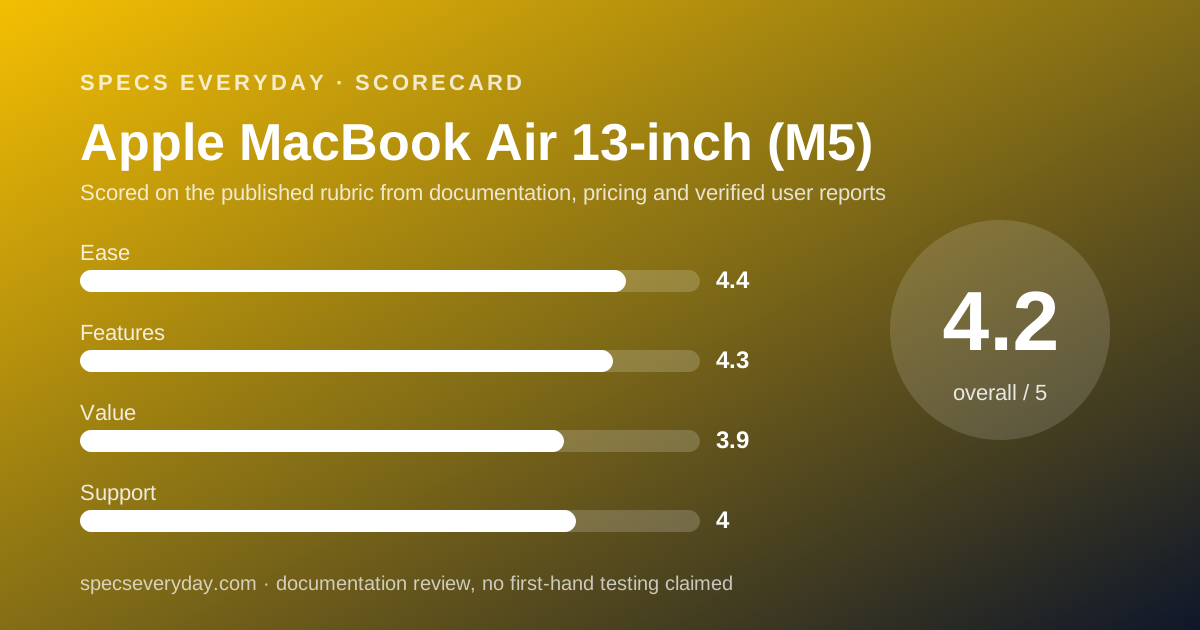
Scored on the published rubric, from documentation, pricing and verified user reports.
Best for: Office workers, students and freelancers who want a light laptop that lasts a full working day on battery, already live in the Apple ecosystem or are happy to move to macOS, and do not need a touchscreen.
Verdict
The 13-inch MacBook Air with the Apple M5 chip is the everyday office laptop with the fewest weak lines on its spec sheet. Per apple.com, checked October 17, 2026, the base model has a 10-core CPU, an 8-core GPU, 16GB of unified memory and a 512GB SSD for $1,299 USD. It weighs 2.7 lb (1.23 kg), lists up to 18 hours of video streaming and 15 hours of wireless web from a 53.8 Wh battery, and ships with a 40W Dynamic Power Adapter. This is a documentation review, built from the Apple spec page and the Apple Store configurator; no unit was used by this site. The trade-offs are a non-touch display, only two Thunderbolt 4 ports plus MagSafe, a one-year standard warranty, and a starting price that is $500 above the cheapest Dell XPS 13 we read the same day. For most people who type, browse, call and edit documents all day, it is still the safest buy in this cluster.
Visit Apple MacBook Air 13-inch (M5)
We have no affiliate relationship with this vendor. Link goes to the official site.
Where it is strong
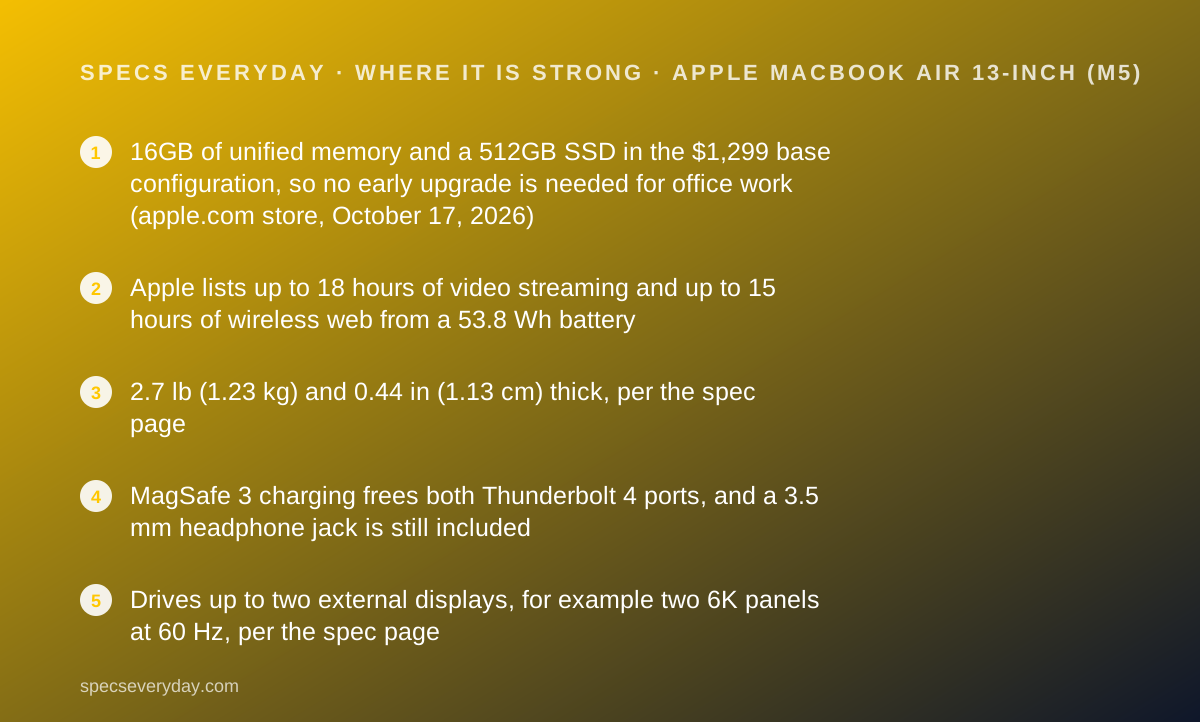
- 16GB of unified memory and a 512GB SSD in the $1,299 base configuration, so no early upgrade is needed for office work (apple.com store, October 17, 2026)
- Apple lists up to 18 hours of video streaming and up to 15 hours of wireless web from a 53.8 Wh battery
- 2.7 lb (1.23 kg) and 0.44 in (1.13 cm) thick, per the spec page
- MagSafe 3 charging frees both Thunderbolt 4 ports, and a 3.5 mm headphone jack is still included
- Drives up to two external displays, for example two 6K panels at 60 Hz, per the spec page
- 12MP Center Stage camera, Wi-Fi 7 and Bluetooth 6
Where it falls short
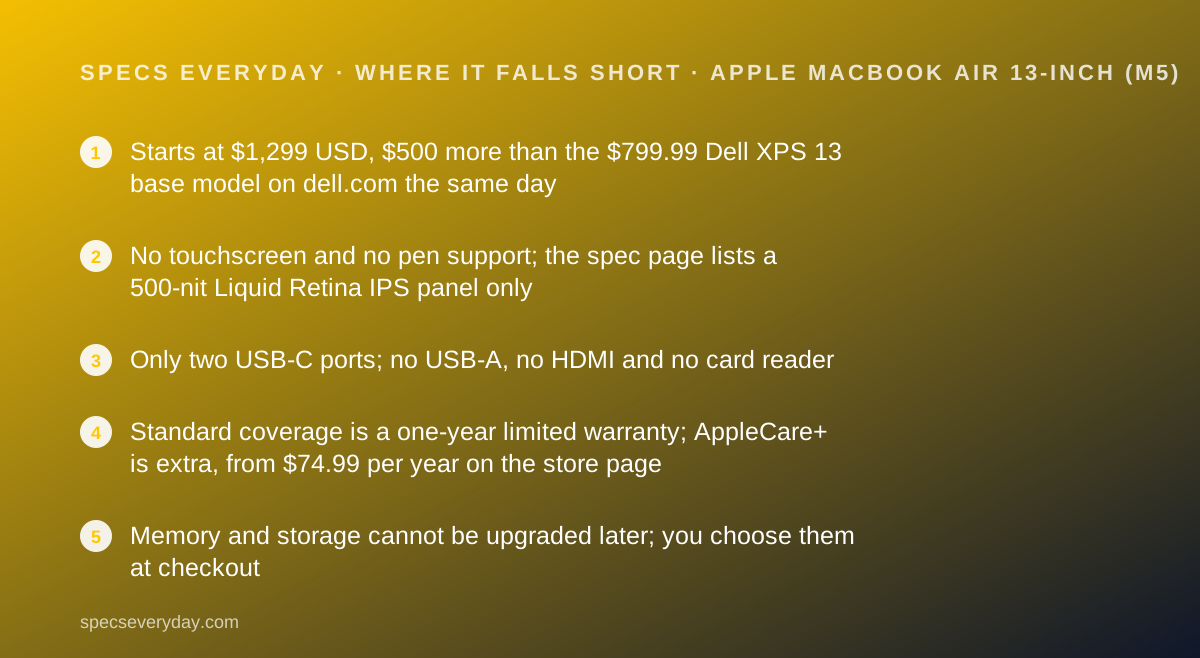
- Starts at $1,299 USD, $500 more than the $799.99 Dell XPS 13 base model on dell.com the same day
- No touchscreen and no pen support; the spec page lists a 500-nit Liquid Retina IPS panel only
- Only two USB-C ports; no USB-A, no HDMI and no card reader
- Standard coverage is a one-year limited warranty; AppleCare+ is extra, from $74.99 per year on the store page
- Memory and storage cannot be upgraded later; you choose them at checkout
At a glance
| Chip | Apple M5, 10-core CPU (4 super + 6 efficiency), 8-core GPU base, 10-core GPU optional |
|---|---|
| Memory | 16GB unified memory base; 24GB or 32GB optional |
| Storage | 512GB SSD base; 1TB, 2TB or 4TB optional |
| Display | 13.6 in Liquid Retina IPS, 2560 x 1664, 224 ppi, 500 nits, P3, True Tone; no touch |
| Battery | 53.8 Wh; up to 18 hours video streaming, up to 15 hours wireless web (Apple figures) |
| Weight and size | 2.7 lb (1.23 kg); 11.97 x 8.46 x 0.44 in (30.41 x 21.5 x 1.13 cm) |
| Ports | MagSafe 3, 2 x Thunderbolt 4 / USB 4 (40Gb/s), 3.5 mm headphone jack |
| Charger in the box | 40W Dynamic Power Adapter with 60W Max; fast charge with a 70W or higher USB PD source |
| Wireless and camera | Wi-Fi 7, Bluetooth 6; 12MP Center Stage camera, 1080p video |
| Warranty | One-year limited hardware warranty; AppleCare+ from $74.99 USD per year or $7.49 per month |
| Price | From $1,299 USD; 10-core GPU from $1,399 USD (apple.com store, October 17, 2026) |
| Pricing note | From $1,299 USD for M5 with 10-core CPU, 8-core GPU, 16GB and 512GB; 10-core GPU models from $1,399 (apple.com store, checked October 17, 2026) |
What the 13-inch MacBook Air actually is
The MacBook Air is Apple's thin, fanless laptop line, sold in 13-inch and 15-inch sizes. This review covers the 13-inch model with the Apple M5 chip, the version on apple.com when we read the spec page and store on October 17, 2026.
Apple sells three ready-made 13-inch configurations and lets you build up from them. Every one has a 10-core CPU and at least 16GB of unified memory. The base model has an 8-core GPU and 512GB of storage; the others have a 10-core GPU.
The design is a thin, flat slab: 0.44 in (1.13 cm) thick, 11.97 in wide, 8.46 in deep and 2.7 lb (1.23 kg). The Apple product page describes a silent, fanless design, and the spec page does not list a refresh rate for the display.
What it is not: a touchscreen laptop, a convertible, or a machine with many ports. It has MagSafe 3 for charging, two Thunderbolt 4 ports and a headphone jack.
Keep that list in mind if you plug in projectors, USB-A drives or SD cards at work.
Who the MacBook Air 13 is best for
Based on what Apple lists, these are the people the 13-inch Air suits best.
- Office workers who move between desk, meeting room and home and want one charger to last the day.
- Students who carry a laptop all day and type more than they render.
- Freelancers who write, design slides, edit photos lightly and run video calls.
- iPhone owners who want messages, files and calls to move between devices without extra apps.
- Anyone who plugs into one or two external monitors at a desk; the Air supports two.
- Buyers who want 16GB of memory as standard rather than as a paid upgrade.
Who should skip it
Three groups should look at the Windows laptops in this cluster instead.
- Anyone with a firm budget under $1,000 USD; the Dell XPS 13 and HP OmniBook X Flip 14 cost less on the days we read their stores.
- Anyone who needs a touchscreen, a pen or tablet mode.
- Teams that depend on Windows-only line-of-business software.
The spec sheet, translated
Here is what each line of the apple.com spec page, read October 17, 2026, means for a normal working week.
Apple M5, 10-core CPU. Four performance cores and six efficiency cores. For documents, browsers, spreadsheets and calls, the chip is not the limit; the 16GB of memory and the battery matter more for office work.
8-core or 10-core GPU. The extra two GPU cores cost $100 more on the store page and matter for photo, video and games. For office work the 8-core base is enough.
16GB unified memory. Memory is shared by the CPU and GPU and is fixed at purchase. Sixteen is a sensible floor for a laptop you plan to keep four or five years; 24GB or 32GB is optional.
13.6 in, 2560 x 1664, 224 ppi, 500 nits, P3. Text is sharp, and 500 nits is enough for a bright office. The 16:10-like shape gives more vertical space for documents than a 16:9 screen. There is no touch.
53.8 Wh, 18 hours video, 15 hours web. Apple's figures from its own test setup. A day of browsing, documents and some calls should fit, but video calls with the camera on draw more power than video playback.
Ports, charging and monitors
The Air has three connectors on its sides plus a headphone jack: MagSafe 3, two Thunderbolt 4 ports at up to 40Gb/s that also carry USB 4, DisplayPort and charging, and a 3.5 mm jack.
MagSafe is the practical win. Because charging has its own magnetic port, both USB-C ports stay free for a monitor and a drive. You can still charge over USB-C if you leave the MagSafe cable at home.
The 13-inch box includes a 40W Dynamic Power Adapter with 60W Max and a 2 m USB-C to MagSafe 3 cable, per the spec page. Apple states that fast charging needs a 70W or higher USB Power Delivery charger.
For desks with monitors, the spec page lists up to two external displays: two at up to 6K and 60 Hz or 4K and 144 Hz, or one at up to 8K and 60 Hz.
A USB-C monitor with power delivery, such as the BenQ PD2706U, can charge the Air and carry video on one cable.
What is missing: USB-A, HDMI and an SD card reader. Budget for a small USB-C hub if your office still uses USB-A sticks or HDMI projectors.
How the pricing is structured
Apple's store, checked October 17, 2026, listed the 13-inch MacBook Air from $1,299 USD for the 10-core CPU, 8-core GPU, 16GB, 512GB model. Configurations with the 10-core GPU started at $1,399 USD.
From there, the configurator offers 24GB or 32GB of memory, 1TB, 2TB or 4TB of storage, and a choice of three power adapter options. Apple shows the price change for each option inside the configurator.
AppleCare+ was listed from $74.99 USD per year or $7.49 per month on the same page, covering accidental damage repairs and battery service. Without it, the Mac has Apple's one-year limited warranty.
By our arithmetic, the base Air costs $500 more than the $799.99 base Dell XPS 13 and $300 more than the $999.99 16GB Dell XPS 13 on dell.com the same day. The Dell base model has 8GB, so the fair comparison is the 16GB version.
Apple runs education pricing for college students and teachers, and the store lists trade-in credit. Neither is included in the prices above.
Ease of use: what the 4.4 is built from
The Air scores high on ease because the defaults are right: 16GB memory, 512GB storage, a charger in the box, a separate charging port and a full-size headphone jack. There are few configuration traps.
It loses points for the port count. Two USB-C ports mean many people need a hub or a USB-C monitor, and Windows users moving to macOS face a learning curve that the spec sheet cannot measure.
Features: what the 4.3 is built from
On the plus side: a 224 ppi, 500-nit P3 display, Wi-Fi 7, Bluetooth 6, a 12MP Center Stage camera with Desk View, support for two external displays, and a fanless design with no noise at all.
On the minus side: no touch, no pen, no HDMI, no USB-A and no card reader. The Lenovo Yoga 9i in this cluster lists an OLED panel and more ports; the HP OmniBook X Flip lists HDMI and two USB-A ports.
Value: what the 3.9 is built from
At $1,299 USD, the Air is the most expensive base model among the three laptops in this cluster with a readable US price. It is also the only one whose base configuration already has 16GB of memory and 512GB of storage at the listed price.
Value drops because Apple charges more for every upgrade and because the cheapest Windows option, the Dell XPS 13, starts $500 lower. Value rises over time if the Air lasts five years, but that is a forecast, not a measurement.
Support: what the 4.0 is built from
Apple's Mac support page, read October 17, 2026, says most Apple products come with one year of hardware coverage through the limited warranty. That is the same length as HP and Lenovo base terms in this cluster.
Apple runs its own stores for walk-in repairs in many US cities, plus mail-in service and authorized providers. AppleCare+ adds accidental damage cover. We have not measured repair times and do not quote user-reported waits.
Limits stated by the vendor
Apple's footnotes state that battery life varies by use and configuration, and that the 18-hour and 15-hour figures come from Apple's own tests with preproduction systems. Wi-Fi 7 availability varies by region.
Weight is listed as 2.7 lb and varies by configuration. Memory and storage are chosen at purchase and cannot be changed afterwards, which Apple makes clear by offering them only in the configurator.
Alternatives
Dell XPS 13. Choose the Dell if you want a lighter 2.2 lb Windows laptop with a 120 Hz touchscreen for less money; it started at $799.99 USD on dell.com on October 17, 2026.
Otherwise choose the Air for 16GB as standard and a longer battery claim.
Lenovo Yoga 9i 2-in-1 Aura Edition 14. Choose the Lenovo if you want an OLED touchscreen, a pen in the box and HDMI plus USB-A. Otherwise choose the Air if weight and a readable US price matter more.
HP OmniBook X Flip 14. Choose the HP for a pen, HDMI and two USB-A ports at $999.99 sale price. Otherwise the Air has the much brighter, sharper and wider-colour screen.
What to pair it with on the desk
A laptop for office work usually ends up on a desk with a monitor and a decent network. If you are buying those at the same time, our guide to the best monitors for everyday office work ranks four 27-inch panels by spec sheet.
For a Mac, a USB-C monitor with power delivery keeps the desk to one cable. The BenQ PD2706U lists 90 W USB-C. The Apple Studio Display is the Apple option, at a much higher price.
A monitor without USB-C video, such as the Dell UltraSharp U2724D, still works with a USB-C to DisplayPort cable; the Air simply charges over MagSafe instead. Our note on monitor specs that change what you see explains which lines matter.
Wi-Fi 7 on the Air only helps if your router supports it. Our note on what the Wi-Fi 7 numbers on the box mean explains what to check, and the mesh Wi-Fi guide covers routers for a normal house.
Bottom line
The 13-inch MacBook Air with M5 is the most complete everyday office laptop in this cluster on paper: 16GB and 512GB as standard, an 18-hour video claim, 2.7 lb, MagSafe, a headphone jack and support for two monitors, from $1,299 USD as of October 17, 2026.
Skip it if the budget is under $1,000 USD, if you want touch or a pen, or if your work depends on Windows software.
This is a documentation review. Figures are Apple's, read from apple.com on October 17, 2026, and may have changed since.
Buy it if
- You want the longest listed battery life in this cluster without a heavy laptop - Apple lists 18 hours of video streaming at 2.7 lb.
- You want 16GB of memory without paying for an upgrade - it is standard in every 13-inch configuration on the store page.
- You already use an iPhone or iPad - features such as AirDrop and iPhone Mirroring are part of macOS, not add-ons.
- You want to run two external monitors from a thin laptop - the spec page lists support for two displays at up to 6K and 60 Hz.
Skip it if
- Your budget is under $1,000 USD - the Dell XPS 13 started at $799.99 on dell.com the same day, and the HP OmniBook X Flip 14 was on sale at $999.99.
- You need a touchscreen or a pen - the MacBook Air has neither; a 2-in-1 Windows laptop does.
- Your office runs Windows-only software - check every app your job needs before buying a Mac.
Frequently asked
How much is the 13-inch MacBook Air with M5?
The apple.com store listed the 13-inch MacBook Air from $1,299 USD on October 17, 2026, for the 10-core CPU, 8-core GPU, 16GB memory and 512GB SSD model. Configurations with the 10-core GPU started at $1,399 USD. Education pricing is offered separately.
How long does the MacBook Air 13 battery last?
Apple lists up to 18 hours of video streaming and up to 15 hours of wireless web browsing from a 53.8 Wh battery. These are Apple figures from its own test conditions, not measurements by this site, and real use with video calls will be shorter.
What charger comes with the M5 MacBook Air?
The spec page lists a 40W Dynamic Power Adapter with 60W Max and a 2 m USB-C to MagSafe 3 cable in the box for the 13-inch model. Apple says it can fast-charge with a 70W or higher USB Power Delivery source.
Can the MacBook Air 13 run two monitors?
Yes, per the spec page: up to two external displays at up to 6K and 60 Hz or 4K and 144 Hz each, with the built-in screen still on. A single external display can run at up to 8K at 60 Hz or 5K at 120 Hz.
Is 16GB enough on the MacBook Air for office work?
For email, browsers with many tabs, documents, spreadsheets and video calls, 16GB is the amount most office laptops in this cluster ship with or charge extra for. Apple offers 24GB or 32GB at checkout, and memory cannot be added later.
Does the MacBook Air have a touchscreen?
No. The spec page lists a 13.6-inch Liquid Retina IPS display at 2560 x 1664 and 500 nits with no touch input. If you want touch and a pen, the Lenovo Yoga 9i and HP OmniBook X Flip in this cluster are 2-in-1 designs.
Sources
- Apple MacBook Air technical specifications - checked October 17, 2026
- Apple Store: Buy MacBook Air 13-inch (prices and configurations) - checked October 17, 2026
- Apple MacBook Air product page - checked October 17, 2026
- Apple Mac support: warranty and coverage - checked October 17, 2026
Update history
- October 17, 2026 - First published from the apple.com spec page, the Apple Store configurator and Apple's Mac support page.
Visit Apple MacBook Air 13-inch (M5)
We have no affiliate relationship with this vendor. Link goes to the official site.