 Specs

Logitech MX Master 3S
A 141 g right-handed wireless mouse with a 200 to 8,000 DPI sensor, quiet clicks, a 70-day battery claim and USB-C charging
Scored on the published rubric, from documentation, pricing and verified user reports.
Best for: Right-handed desk workers who spend the day in spreadsheets, documents and design apps and want a programmable mouse that charges once every few weeks.
Verdict
The Logitech MX Master 3S is a right-handed wireless mouse that Logitech's US store sold on October 17, 2026 as the MX Master 3S Bluetooth Edition, at $79.99 on a sale running through November 1 against a $99.99 list price. Logitech's specification pages list a 200 to 8,000 DPI Darkfield sensor that tracks on glass of 4 mm or thicker, 7 customizable buttons, a MagSpeed scroll wheel rated at up to 1,000 lines per second, a 500 mAh battery rated for up to 70 days per charge, and a weight of 141 g. Clicks are rated 90% quieter by sound power than the MX Master 3. This is a documentation review built from Logitech's store page, its two support specification pages and its refurbished listing; this site has not operated the mouse. On paper it is still the reference productivity mouse: long battery life, deep per-app customization and a sensor that works on almost any desk. The weak spots are a 1-year warranty, a Bluetooth Edition that ships without the Logi Bolt receiver or a cable, and a newer MX Master 4 at $119.99 sitting one shelf up.
Visit Logitech MX Master 3S
We have no affiliate relationship with this vendor. Link goes to the official site.
Where it is strong
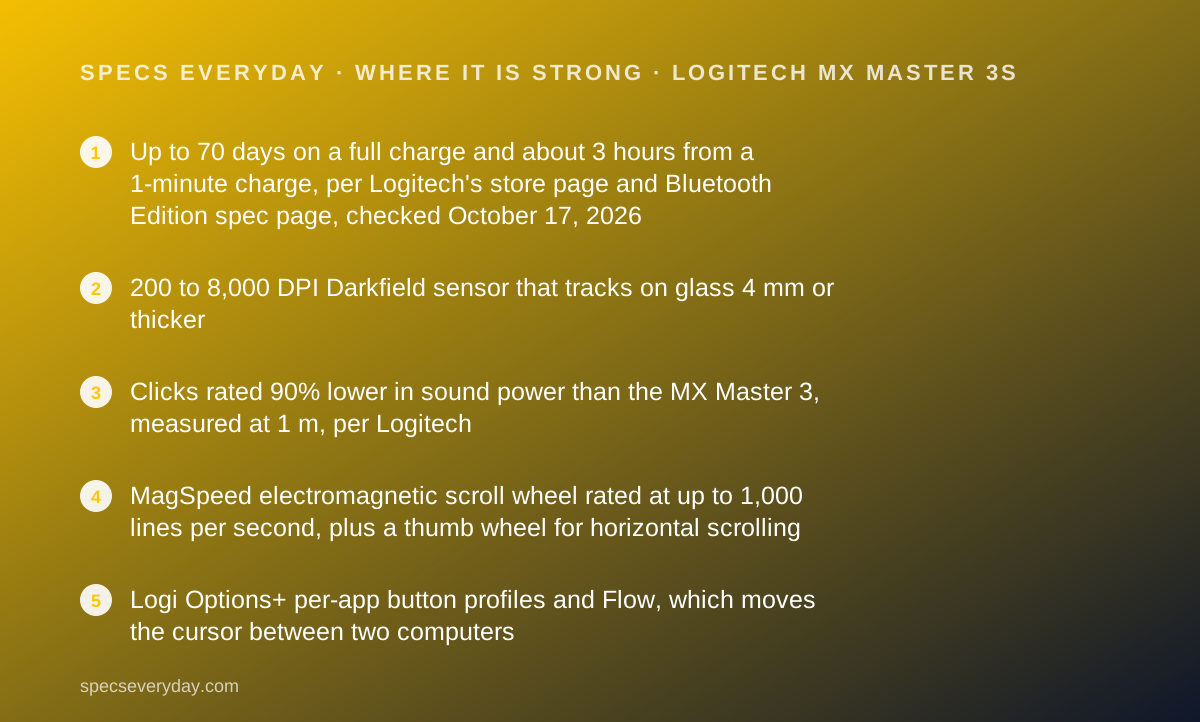
- Up to 70 days on a full charge and about 3 hours from a 1-minute charge, per Logitech's store page and Bluetooth Edition spec page, checked October 17, 2026
- 200 to 8,000 DPI Darkfield sensor that tracks on glass 4 mm or thicker
- Clicks rated 90% lower in sound power than the MX Master 3, measured at 1 m, per Logitech
- MagSpeed electromagnetic scroll wheel rated at up to 1,000 lines per second, plus a thumb wheel for horizontal scrolling
- Logi Options+ per-app button profiles and Flow, which moves the cursor between two computers
- Logitech lists 85% post-consumer recycled plastic in the dark colour
Where it falls short
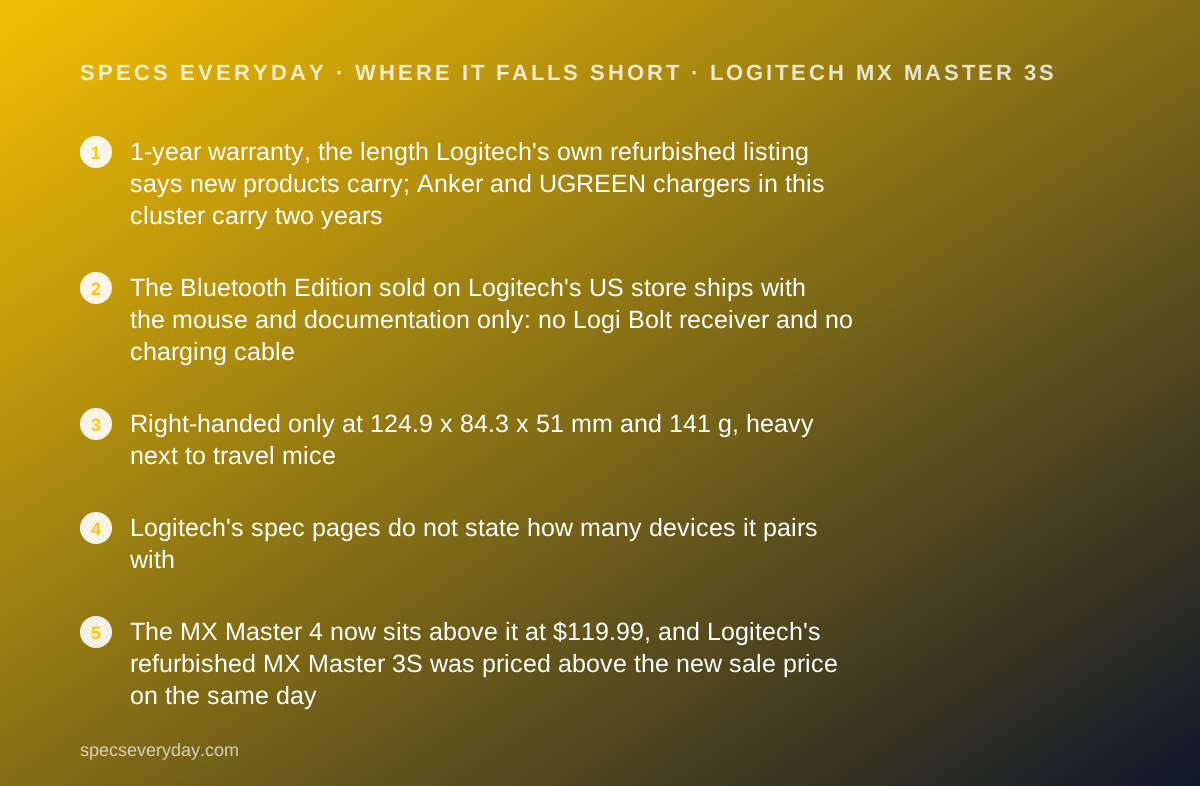
- 1-year warranty, the length Logitech's own refurbished listing says new products carry; Anker and UGREEN chargers in this cluster carry two years
- The Bluetooth Edition sold on Logitech's US store ships with the mouse and documentation only: no Logi Bolt receiver and no charging cable
- Right-handed only at 124.9 x 84.3 x 51 mm and 141 g, heavy next to travel mice
- Logitech's spec pages do not state how many devices it pairs with
- The MX Master 4 now sits above it at $119.99, and Logitech's refurbished MX Master 3S was priced above the new sale price on the same day
At a glance
| Model | MR0077 (standard edition), MR0096 (Bluetooth Edition) |
|---|---|
| Dimensions | 124.9 x 84.3 x 51 mm (4.92 x 3.32 x 2.01 in), height x width x depth |
| Weight | 141 g (4.97 oz) |
| Sensor | Darkfield high precision; 200 to 8,000 DPI, nominal 1,000 DPI; glass tracking at 4 mm minimum thickness |
| Buttons | 7 customizable (left, right, back, forward, app switch, wheel mode shift, middle click); left and right rated for 10 million clicks |
| Scrolling | MagSpeed electromagnetic wheel, up to 1,000 lines per second; thumb wheel |
| Battery | 500 mAh rechargeable Li-Po; up to 70 days per full charge; about 3 hours from a 1-minute charge |
| Charging | USB-C port; cable included with the standard edition only (USB-A to USB-C) |
| Connection | Logi Bolt receiver and Bluetooth Low Energy; Bluetooth Edition is Bolt-compatible, receiver not included |
| Wireless range | 10 m (32.8 ft), standard edition spec page |
| Compatibility | Windows 10, 11 or later; macOS 10.15 or later; iPadOS 14 or later; Android 8.0 or later; Linux; ChromeOS. Logi Options+ on Windows and macOS |
| Warranty | 1 year (Logitech US store, refurbished MX Master 3S listing, October 2026) |
| Price | Bluetooth Edition $79.99 sale through November 1, $99.99 list on logitech.com US, checked October 17, 2026 |
| Pricing note | Bluetooth Edition $79.99 sale (through November 1), $99.99 list on logitech.com US; 1-year warranty (store pages, checked October 17, 2026) |
What the MX Master 3S actually is
The MX Master 3S is Logitech's full-size productivity mouse: a right-handed, sculpted shape with a main scroll wheel, a thumb wheel, a thumb rest with a gesture button, and back and forward buttons.
It replaced the MX Master 3 with two changes Logitech leads with. The clicks are quieter, rated at 90% lower sound power for the left and right buttons measured at 1 m. The sensor rises to 8,000 DPI at the top of its range.
On October 17, 2026 Logitech's US store sold it as the MX Master 3S Bluetooth Edition, in black. The standard edition URL resolved to that same Bluetooth Edition page when we read it.
Who the MX Master 3S is best for
The short version: a right hand, a desk and a long working day.
- Spreadsheet and document workers who scroll long files and switch apps all day
- Designers and video editors using the predefined Logi Options+ profiles Logitech lists for Photoshop, Premiere Pro and Final Cut Pro
- People with two computers on one desk, using Logitech Flow to move the cursor and copy files between them
- Anyone working on a glass desk, which the sensor is rated for at 4 mm thickness or more
- People who forget to charge things, given the 70-day rating
- Open-office workers who want quieter clicks
Who should skip it
Some people will want a different mouse.
- Left-handed users; the shape is right-handed
- Travellers; 141 g and 124.9 mm long is a desk size
- Gamers; Logitech sells this as a productivity mouse and lists no polling-rate figure
The spec sheet, translated
Sensor. Logitech lists a Darkfield sensor from 200 to 8,000 DPI, with 1,000 DPI as the nominal value. DPI is how far the cursor moves per inch of hand movement. Higher settings help on 4K and 5K screens, where 1,000 DPI means a lot of wrist travel.
Buttons. Seven are customizable: left, right, back, forward, app switch, wheel mode shift and middle click. Logitech rates the left and right buttons for 10 million clicks.
Scrolling. The MagSpeed wheel is electromagnetic. It clicks line by line in one mode and spins freely in the other, and Logitech rates it at up to 1,000 lines per second.
Size. 124.9 mm long, 84.3 mm wide and 51 mm tall, at 141 g. That is a hand-filling mouse; it does not suit a small grip.
What 8,000 DPI means on a 4K or 5K monitor
DPI only matters relative to the screen. Ignoring pointer acceleration, a 3840-pixel-wide 4K screen at 1,000 DPI needs 3.84 inches of hand movement to cross edge to edge. At 2,000 DPI it needs 1.92 inches. That is our arithmetic from Logitech's nominal figure and the screen width.
A 5K screen is 5120 pixels wide, so the same crossing at 1,000 DPI is 5.12 inches. The Apple Studio Display is 5K, and the BenQ PD2706U and LG 27UP850K-W are 4K, per our reviews.
The practical point is that the 8,000 DPI ceiling is headroom, not a setting most people will use. What matters is that the range reaches past 2,000 DPI, so a high-resolution monitor does not force big arm movements, and that Options+ lets the setting change per app.
Battery and charging: the desk-accessory part
The battery is a 500 mAh rechargeable Li-Po. Logitech's store page states up to 70 days on a full charge and about 3 hours from a 1-minute charge, with the usual note that life varies with use.
It charges over USB-C. The standard edition includes a USB-A to USB-C cable. The Bluetooth Edition spec page lists no cable, so plan on one you own.
A mouse draws very little, so any spare port works. The USB-A port on a desk charger such as the Anker Prime 100W or UGREEN Nexode 100W is enough, and so is a downstream USB port on a monitor. The BenQ PD2706U lists three USB 3.2 downstream ports and the LG 27UP850K-W lists two USB 3.0 ports, per our reviews.
The Bluetooth Edition spec page adds a status LED that shows green from 100% to 11% and red from 10% down.
Connection: Bolt, Bluetooth and Flow
The standard edition lists two connections: Logitech's Logi Bolt USB receiver and Bluetooth Low Energy, with a 10 m range. The Bluetooth Edition lists Bluetooth Low Energy and is Bolt-compatible, but the receiver is not included.
Bolt matters on locked-down work laptops where Bluetooth is disabled, and in crowded offices. If either applies, either buy the standard edition where it is still sold or add a Bolt receiver.
Logitech's spec pages do not state how many devices the mouse pairs with, so we do not quote a number. Flow, through Logi Options+, moves the cursor and clipboard between Windows and macOS computers, per Logitech's store page.
A monitor with a KVM switch solves the same problem in hardware. The BenQ PD2706U lists a built-in KVM, which our Dell U2724D vs BenQ PD2706U comparison covers.
Compatibility
Logitech lists Windows 10, 11 or later; macOS 10.15 or later; iPadOS 14 or later; Android 8.0 or later; Linux and ChromeOS. Logi Options+, which handles button mapping, app profiles and Flow, runs on Windows 10 and 11 and macOS 10.15 or later.
On iPad, Android, Linux and ChromeOS the mouse works as a mouse, without Options+ customization, by our reading of that list.
Setting it up: what the box and the spec pages imply
The spec pages point to a short checklist before the first workday.
- Check which edition arrived: the standard edition box lists a Logi Bolt receiver and a cable, the Bluetooth Edition box lists neither
- Pair over Bluetooth, or plug in a Bolt receiver if Bluetooth is blocked on a work laptop
- Install Logi Options+ on Windows or macOS to map the seven buttons and set app profiles
- Raise the tracking speed above the 1,000 DPI nominal value if the monitor is 4K or 5K
- Top the battery up from any USB-C cable; the LED turns red at 10%
How the pricing is structured
Logitech's US store showed the Bluetooth Edition at $79.99, 20% off a $99.99 list, as LogiWork Deal Days pricing through November 1, 2026. At the time of reading, the page also offered an MX Travel case as a Logitech.com exclusive.
The refurbished MX Master 3S was listed at $89.99, 10% off $99.99, with the same 1-year warranty. During the sale, new is the cheaper choice.
The MX Master 4 was listed at $119.99. Logitech also sells combos with MX keyboards; the store showed one with MX Keys S and a palm rest at $199.99.
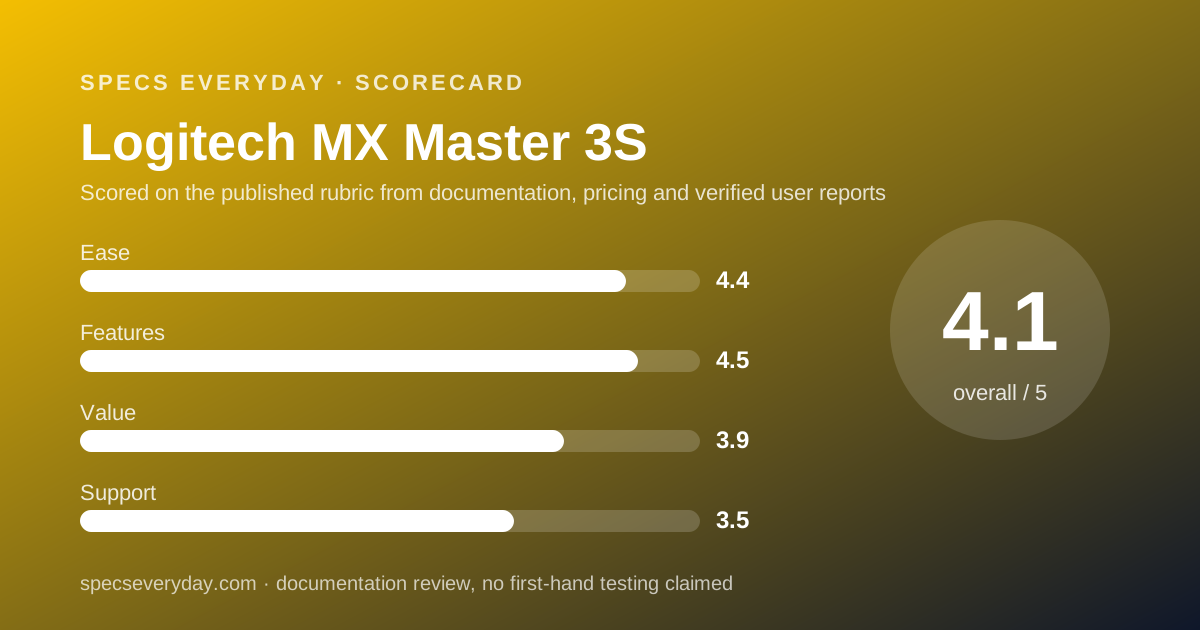
Ease of use: what the 4.4 is built from
A shape built for a right hand, a thumb wheel for horizontal scrolling, a 70-day battery and Options+ profiles that switch with the app earn the score. Points come off because the Bluetooth Edition leaves out the Bolt receiver and the cable.
Features: what the 4.5 is built from
8,000 DPI, glass tracking, quiet clicks, the MagSpeed wheel, seven programmable buttons and Flow make this the most complete productivity mouse in its price band. The missing pairing count on the spec pages and the newer haptic MX Master 4 cost the rest.
Value: what the 3.9 is built from
$79.99 on sale is fair for what the spec sheet lists. At the $99.99 list, with no receiver and no cable in the Bluetooth Edition box, it is less so. The MX Master 4 at $119.99 narrows the gap.
Support: what the 3.5 is built from
Logitech states 1 year of warranty for new products in the US, on its refurbished listing, and 30 days of free returns. That is half the cover the Anker and UGREEN chargers in this cluster carry. Logitech's general warranty terms say the length is printed on the package or listed in the specifications; the specification pages we read link to warranty information without stating it.
Materials and footprint Logitech publishes
Logitech's Bluetooth Edition spec page lists 85% post-consumer recycled plastic for the dark colour and PTFE feet. The store page lists a carbon footprint of 7.78 kg CO2e for the product.
These are Logitech's own declarations. They are useful for comparing Logitech models with each other, since the same company calculates all of them, and less useful across brands that publish nothing comparable.
Limits stated by the vendor
Glass tracking needs glass at least 4 mm thick. Battery life varies with use and computing conditions. Options+ is Windows and macOS only. The Bluetooth Edition has no receiver or cable in the box. Each of these is printed by Logitech, not inferred.
Alternatives
Logitech MX Master 4. Choose it if you want haptic feedback and the newest model, at $119.99. Choose the MX Master 3S if you want the lower price and published battery figures, which the MX Master 4 page did not list on October 17, 2026.
A monitor with a KVM. If the goal is one mouse for two computers, a KVM monitor like the BenQ PD2706U does it with any mouse. Our office monitor guide lists which monitors have one.
Keep your current mouse. If it works and your complaint is noise or scroll speed, the MX Master 3S fixes both. If your complaint is wrist posture, a vertical mouse is a different category this site has not yet graded.
Building the rest of the desk
A mouse is one piece of a desk that usually also holds a monitor, a laptop charger and headphones. Our monitor specs explainer covers the screen, our noise-cancelling headphones guide covers open-office calls, and the Sony WH-1000XM6 vs Bose QuietComfort Ultra comparison covers two of the over-ear pairs we graded.
Bottom line
The MX Master 3S is still the productivity mouse to beat on the spec sheet: a 70-day battery, a sensor that works on glass, quiet clicks and deep customization. Buy it on sale, check whether your box includes the Bolt receiver, and budget for a USB-C cable if it does not. Its 1-year warranty is the weakest line on the page.
Buy it if
- You live in spreadsheets, documents or design apps - per-app button profiles in Logi Options+ and a free-spinning wheel rated at 1,000 lines per second are built for long scrolls.
- You hate charging things - Logitech rates up to 70 days per charge, and a 1-minute top-up for about 3 hours.
- You work on a glass or glossy desk - the Darkfield sensor is rated for glass 4 mm or thicker.
- You can buy at the $79.99 sale price - $20 below list, through November 1, 2026 per Logitech's store.
Skip it if
- You are left-handed - the shape is right-handed.
- You want a long warranty - Logitech states 1 year.
- You need a mouse for a bag - at 141 g and 124.9 mm long it is a desk mouse.
Frequently asked
How long does the MX Master 3S battery last?
Logitech states up to 70 days on a full charge, and about 3 hours of use from a 1-minute quick charge, adding that battery life varies with use and computing conditions. The battery is a 500 mAh rechargeable Li-Po that charges over USB-C, per the spec page checked October 17, 2026.
What is the difference between the MX Master 3S and the Bluetooth Edition?
Box contents. Logitech's spec pages list the standard edition (MR0077) with a Logi Bolt USB receiver and a USB-A to USB-C cable, and the Bluetooth Edition (MR0096) with the mouse and documentation only. Both list the same sensor, buttons, battery and 141 g weight. The Bluetooth Edition can still pair with a Bolt receiver bought separately.
How much does the Logitech MX Master 3S cost?
Logitech's US store listed the Bluetooth Edition at $79.99 on October 17, 2026, a sale price running through November 1 against a $99.99 list. A refurbished MX Master 3S was listed at $89.99 the same day, which was more than the new sale price.
What DPI is the MX Master 3S?
Logitech lists a range of 200 to 8,000 DPI with a nominal value of 1,000 DPI. The 8,000 figure is the top of the range, not the default. Tracking speed is set in Logi Options+ on Windows and macOS.
What warranty does the MX Master 3S have?
One year in the US. Logitech's refurbished MX Master 3S listing, checked October 17, 2026, says refurbished units get the same 1-year warranty as new products. The store also lists free returns within 30 days of purchase.
Should I buy the MX Master 3S or the MX Master 4?
Logitech listed the MX Master 4 at $119.99 on October 17, 2026, $40 above the MX Master 3S sale price. Its page adds haptic feedback and lists the same 8,000 DPI and 1,000 lines-per-second figures, but does not list battery life or weight, so the two cannot yet be compared on those rows.
Sources
- Logitech US store: MX Master 3S Bluetooth Edition product page - checked October 17, 2026
- Logitech Support: Specification - MX Master 3S - checked October 17, 2026
- Logitech Support: Specification - MX Master 3S Bluetooth Edition - checked October 17, 2026
- Logitech US store: Refurbished MX Master 3S (warranty statement) - checked October 17, 2026
- Logitech US store: MX Master 4 product page - checked October 17, 2026
Update history
- October 17, 2026 - First published. Figures from Logitech's US store pages and two Logitech support specification pages, all checked October 17, 2026.
Visit Logitech MX Master 3S
We have no affiliate relationship with this vendor. Link goes to the official site.