 Specs

Dell UltraSharp U2724D
A 27-inch QHD office monitor with an IPS Black panel, 120 Hz and a 3-year warranty, but no USB-C video or laptop charging
Scored on the published rubric, from documentation, pricing and verified user reports.
Best for: Desktop PC users and docked-laptop users who want sharp QHD text, a smooth 120 Hz desktop and a long warranty, and who do not need the monitor to charge a laptop over one cable.
Verdict
The Dell UltraSharp U2724D is a 27-inch, 2560 x 1440 office monitor built on an IPS Black panel rated at 2,000:1 native contrast, with a 120 Hz refresh rate, 350 cd/m2 brightness and 98% DCI-P3 coverage, per the dell.com product page checked October 16, 2026. It lists at $439.99 and carries a 3-year limited warranty, the longest of the four 27-inch monitors in this cluster. The catch for laptop owners is the USB-C port: on this model it is data only, so there is no single-cable video or charging. Dell sells that as the U2724DE at $599.99. This is a documentation review, built from the Dell product page, the spec table and the support site; no unit was used by this site. For a desktop PC or a laptop that already has a dock, the U2724D is the best value in the group: deepest contrast on paper, the only 120 Hz panel, the longest warranty. For a laptop on the desk with one cable, it is the wrong Dell.
Visit Dell UltraSharp U2724D
We have no affiliate relationship with this vendor. Link goes to the official site.
Where it is strong
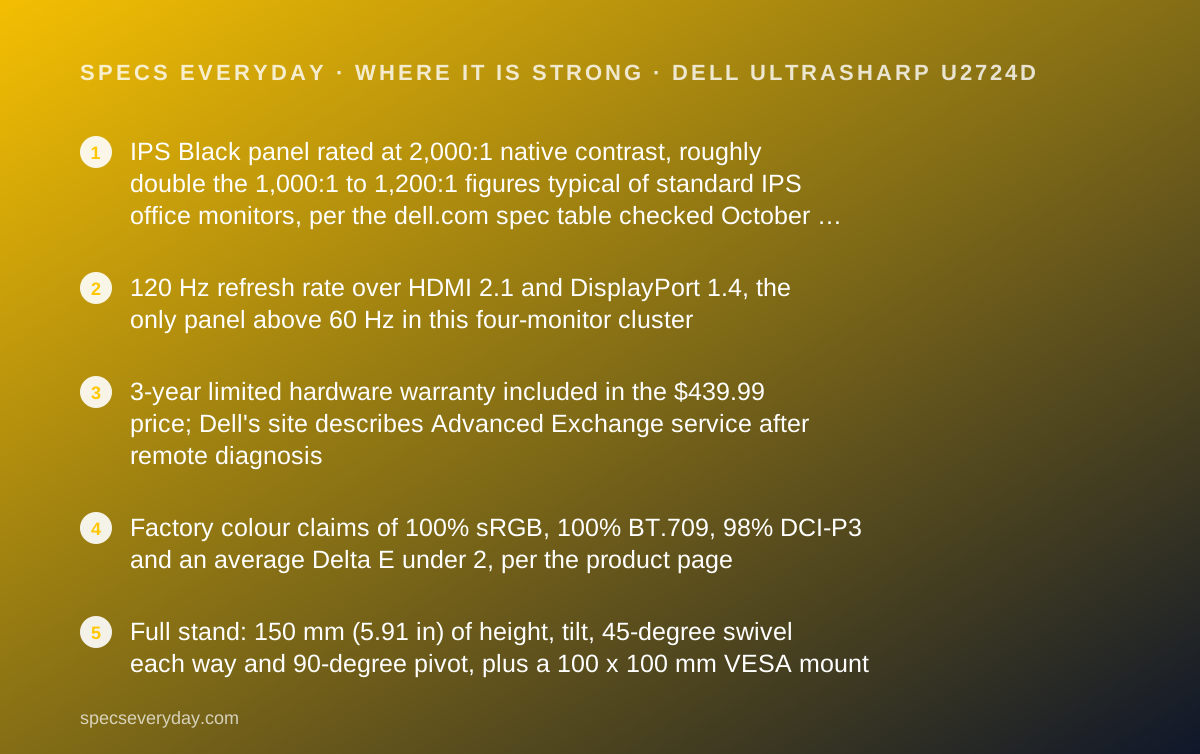
- IPS Black panel rated at 2,000:1 native contrast, roughly double the 1,000:1 to 1,200:1 figures typical of standard IPS office monitors, per the dell.com spec table checked October 16, 2026
- 120 Hz refresh rate over HDMI 2.1 and DisplayPort 1.4, the only panel above 60 Hz in this four-monitor cluster
- 3-year limited hardware warranty included in the $439.99 price; Dell's site describes Advanced Exchange service after remote diagnosis
- Factory colour claims of 100% sRGB, 100% BT.709, 98% DCI-P3 and an average Delta E under 2, per the product page
- Full stand: 150 mm (5.91 in) of height, tilt, 45-degree swivel each way and 90-degree pivot, plus a 100 x 100 mm VESA mount
- DisplayPort 1.4 output for daisy-chaining a second monitor, and an ambient light sensor listed under features
Where it falls short
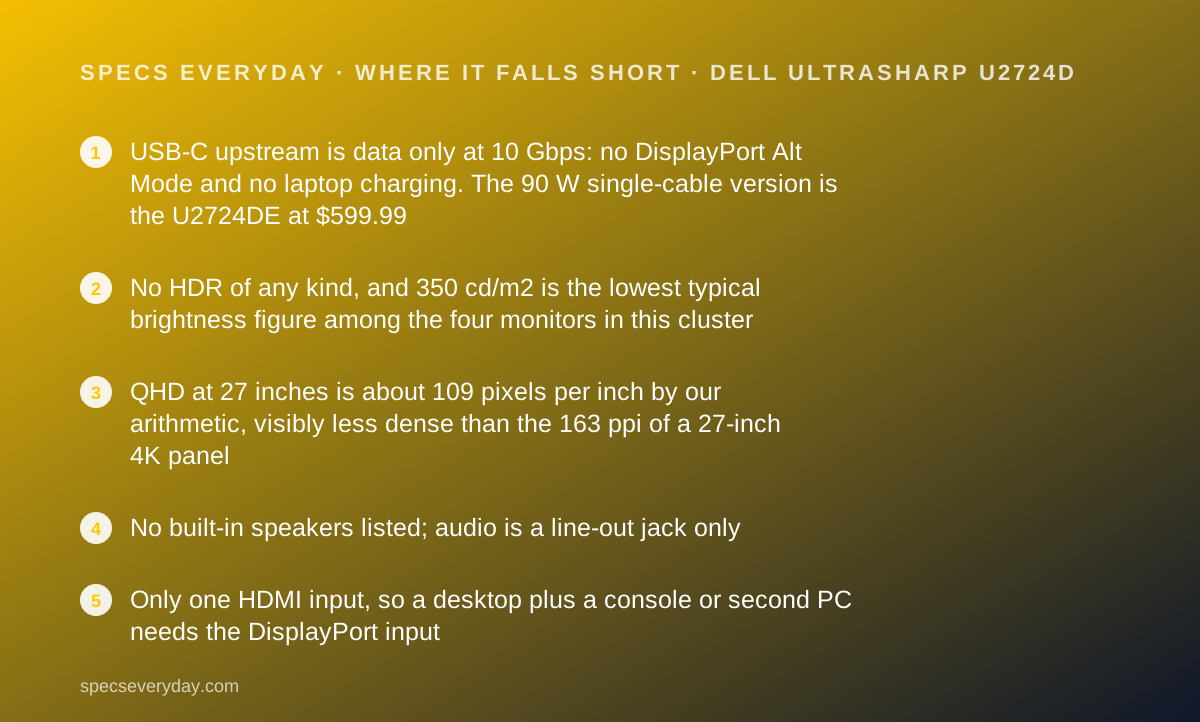
- USB-C upstream is data only at 10 Gbps: no DisplayPort Alt Mode and no laptop charging. The 90 W single-cable version is the U2724DE at $599.99
- No HDR of any kind, and 350 cd/m2 is the lowest typical brightness figure among the four monitors in this cluster
- QHD at 27 inches is about 109 pixels per inch by our arithmetic, visibly less dense than the 163 ppi of a 27-inch 4K panel
- No built-in speakers listed; audio is a line-out jack only
- Only one HDMI input, so a desktop plus a console or second PC needs the DisplayPort input
At a glance
| Screen size | 27 in diagonal, 16:9 |
|---|---|
| Resolution | 2560 x 1440 (QHD) |
| Panel | IPS Black, 2,000:1 native contrast, 5 ms GtG (fast mode) / 8 ms GtG |
| Refresh rate | 120 Hz |
| Brightness | 350 cd/m2 typical; no HDR |
| Color gamut | 100% sRGB, 100% BT.709, 98% DCI-P3; Delta E under 2 average (factory claim) |
| USB-C power delivery | None. USB-C upstream is data only (10 Gbps). One USB-C downstream at 15 W |
| Video inputs | 1 x HDMI 2.1 (QHD at 120 Hz, HDCP 1.4), 1 x DisplayPort 1.4 in, 1 x DisplayPort 1.4 out |
| USB hub | 2 x USB-A 10 Gbps, 1 x USB-A 10 Gbps with BC1.2 charging, 1 x USB-C 15 W, audio line out |
| Stand | Height 150 mm (5.91 in), tilt -5 to 21 degrees, swivel -45 to 45 degrees, pivot 90 degrees; VESA 100 x 100 mm |
| Weight | 9.90 lb without stand, 14.46 lb with stand |
| Warranty | 3-year limited hardware warranty (dell.com, October 2026) |
| List price | $439.99 on dell.com, checked October 16, 2026 |
| Pricing note | $439.99 on dell.com, single configuration, 3-year limited warranty included (product page, checked October 16, 2026) |
What the Dell UltraSharp U2724D actually is
The U2724D is Dell's 27-inch QHD office monitor in the UltraSharp line, the tier above the P-series and S-series panels Dell sells for general business use. The product page on dell.com, read on October 16, 2026, lists a single configuration at $439.99 with the height-adjustable stand included.
The defining spec is the panel. Dell calls it IPS Black and rates it at 2,000:1 native contrast. The other three 27-inch monitors in this cluster are standard IPS panels rated between 1,000:1 and 1,200:1, so Dell is claiming about twice the contrast on paper.
The second defining spec is what is missing. The USB-C port on the back is an upstream data port at 10 Gbps. It does not carry video and it does not charge anything. Dell builds that function into a sibling model, the U2724DE, which adds a Thunderbolt hub, 90 W power delivery and an Ethernet jack, at $599.99 on the same day.
So the U2724D is a monitor for a computer that connects over HDMI or DisplayPort. That describes most desktop PCs and most laptops that already sit in a dock. It does not describe a MacBook or a thin Windows laptop that you want to plug in with one cable. Keep that line in mind through the rest of this review, because it decides who should buy it.
Who the U2724D is best for
The U2724D fits a narrower set of desks than its spec sheet suggests, because of the USB-C limitation. These are the people it suits, based on what the Dell page lists.
- Desktop PC users who want sharper text than 1080p and a smoother 120 Hz cursor without paying for 4K.
- Laptop users who already own a dock or docking station, so the monitor only needs HDMI or DisplayPort.
- Anyone running two monitors from one DisplayPort output, since the U2724D has a DisplayPort 1.4 out for daisy-chaining.
- Buyers who weigh warranty heavily: 3 years is the longest term in this cluster.
- Readers of long documents, spreadsheets and code who care about contrast and anti-glare more than colour volume.
- Offices buying in quantity that want one SKU with a single configuration and a published business warranty.
Who should skip it
Three groups should look elsewhere in our monitors topic rather than at this Dell.
- Anyone who wants one USB-C cable for video plus laptop charging. The U2724D cannot do it; the U2724DE can.
- Photo and video editors who want 4K pixel density. QHD at 27 inches is about 109 ppi by our arithmetic; 4K at 27 inches is about 163 ppi.
- Anyone who wants HDR playback or a bright panel for a sunny room. Dell lists no HDR tier and 350 cd/m2 typical brightness.
The spec sheet, translated
Here is what each line of the Dell spec table, checked October 16, 2026, means for an ordinary week at a desk.
2560 x 1440 at 27 inches. Text is noticeably sharper than a 27-inch 1080p monitor and most people can run it at 100% scaling without squinting. It is not as crisp as 4K, and Windows and macOS both render UI text more cleanly at the higher density.
120 Hz. Scrolling, dragging windows and moving the cursor look smoother than at 60 Hz. For office work this is a comfort feature rather than a necessity, but it is the only panel above 60 Hz in this cluster and it costs nothing extra here.
350 cd/m2 typical brightness. Enough for a normal office or a room with blinds. It is the lowest figure among the four monitors we compared; the LG 27UP850K-W lists 400 cd/m2 and the Apple Studio Display lists 600 nits.
2,000:1 native contrast. This is the IPS Black claim. Dark areas of the screen, dark-mode editors and black text should look deeper than on a 1,000:1 panel. Dell's own figure, not a measurement by this site.
100% sRGB, 100% BT.709, 98% DCI-P3, Delta E under 2 average. These are factory colour claims. For documents and the web, sRGB coverage is what matters, and every monitor in this cluster lists it at or near 100%. The DCI-P3 figure matters for video and photo work, where the Dell is competitive on paper with the 95% figures from BenQ and LG.
Ports: strong for desktops, wrong for single-cable laptops
The Dell spec table lists these connections: one HDMI 2.1 input rated for QHD at 120 Hz, one DisplayPort 1.4 input, one DisplayPort 1.4 output, one USB-C upstream (data only, 10 Gbps), one USB-C downstream with 15 W charging, two USB-A ports at 10 Gbps, one USB-A with BC1.2 charging, and an audio line out.
For a desktop, that is a generous hub. Plug a USB-C data cable from the PC into the upstream port and the monitor becomes a four-port USB hub for a keyboard, mouse, webcam and phone charger.
For a laptop, read the words data only twice. The USB-C port does not accept a video signal and does not deliver power to a laptop. The 15 W downstream port will top up a phone, not a notebook.
The DisplayPort output is the quiet bonus. It lets you chain a second DisplayPort monitor from the U2724D instead of running a second cable to the computer. Neither the LG nor the Apple 27-inch panel in this cluster offers that.
One HDMI input is a real limit if you share the monitor between a PC and a games console or a second computer. The second machine has to use DisplayPort or go through a switch.
How the pricing is structured
Dell sells the U2724D in one configuration: panel, height-adjustable stand, cables and a 3-year limited warranty, at $439.99 on dell.com as of October 16, 2026. There is no cheaper tilt-only stand option and no bundle tier to decode, which is simpler than the Apple Studio Display's six price points.
The decision Dell's catalogue forces on you is U2724D or U2724DE. The DE adds a Thunderbolt hub with 90 W laptop charging, an RJ45 Ethernet jack and more USB ports. On the same day, dell.com listed the U2724DE at $599.99, marked down from $639.99. That is a $160 gap at list price.
By our arithmetic, that $160 is the price of single-cable convenience. If your laptop goes in a dock anyway, keep the $160. If you unplug and replug a laptop every day, the DE pays for itself in not buying a separate dock.
Dell runs frequent promotions, so the $439.99 figure is the day we read it, not a permanent price.
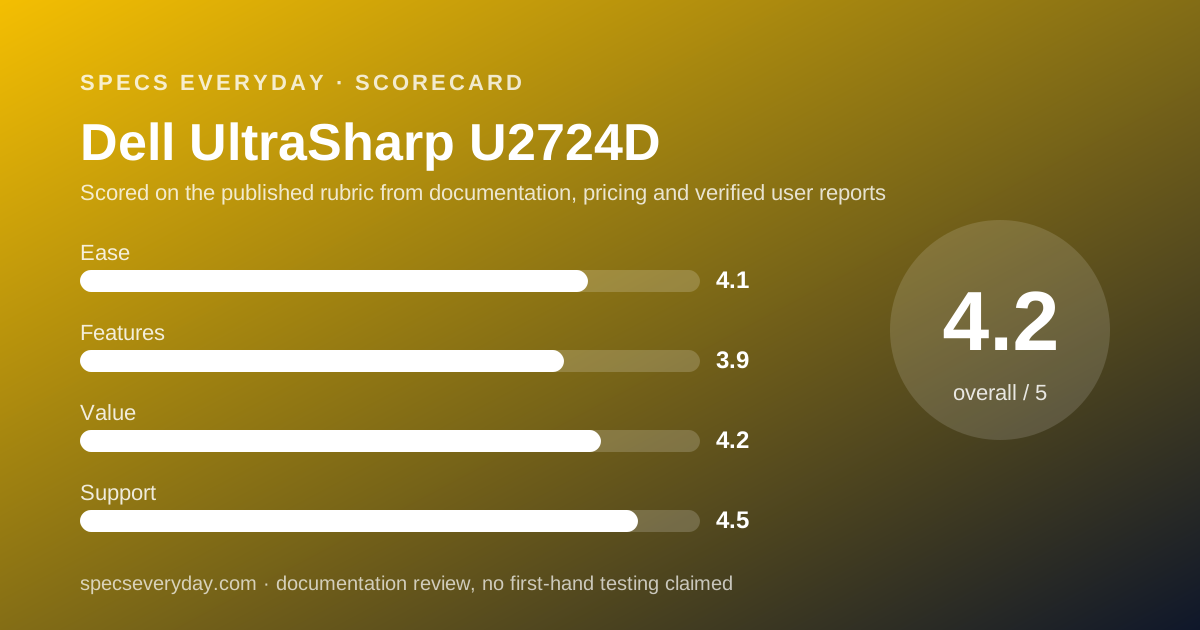
Ease of use: what the 4.1 is built from
The stand does everything an office stand should, per the spec table: 150 mm of height travel, tilt from -5 to 21 degrees, 45 degrees of swivel each way and a 90-degree pivot into portrait. Dell also lists a 100 x 100 mm VESA mount for arms.
Dell lists an ambient light sensor under features, which adjusts brightness to the room, and a 5-star Eye Comfort certification rating on the product page.
The score loses ground on connectivity for laptop users, who need a dock or a separate hub, and on the absence of speakers, which means a headset or external speakers for calls. On a desktop PC with its own audio, neither matters.
Features: what the 3.9 is built from
On the plus side: IPS Black contrast, 120 Hz, DisplayPort daisy-chaining, a four-port USB hub and factory colour calibration claims with a stated Delta E. That is a long list for a QHD office monitor at this price.
On the minus side: no HDR tier, no USB-C video or power, no built-in KVM switch (the BenQ PD2706U lists one), no speakers, and one HDMI input. The U2724DE closes most of those gaps for $160 more.
The 4K monitors in this cluster beat it on pixel density, and the Apple Studio Display beats it on brightness, camera and audio, at nearly four times the price.
Value: what the 4.2 is built from
At $439.99 the U2724D is priced between the BenQ PD2706U ($399.99) and the Samsung ViewFinity S80UA ($429.99) on the days we checked their maker pages, and well under the Apple Studio Display ($1,599 to start). Among those, it is the only QHD panel; the others are 4K.
What you get for the QHD trade-off is 120 Hz, 2,000:1 contrast and a 3-year warranty. For text, code and spreadsheets, that trade is sound. For image work, it is not, and you should spend the same money on 4K.
The warranty is a real part of the value. Three years at $439.99 against one year at $349.99 for the LG means the Dell costs about $90 more and is covered two years longer.
Support: what the 4.5 is built from
Dell's product page lists a 3-year limited hardware warranty. Dell's site describes Advanced Exchange service after remote diagnosis, where a replacement is shipped and the original returned, subject to country availability.
The Dell support site has a dedicated U2724D product page with manuals, drivers and regulatory documents, read October 16, 2026. That is standard for Dell business monitors and better than the thin support pages some consumer brands offer.
We have not tested Dell's response times and do not quote user-reported wait times here, because we could not read a verified source for this specific model on the day of writing.
Limits stated by the vendor
Dell's own spec table carries the limits that matter. The USB-C upstream port is data only. HDMI is listed with HDCP 1.4, which can matter for some protected 4K streaming apps, although this is a QHD panel. There is no HDR support listed. Built-in speakers are not listed.
Dell states that on-site and Advanced Exchange service availability varies by country and that other conditions apply. Read the warranty terms for your region before relying on them.
Alternatives
Dell UltraSharp U2724DE. Choose the DE if you want one USB-C or Thunderbolt cable to carry video, data and 90 W of laptop power, plus Ethernet. It listed at $599.99 on dell.com on October 16, 2026. Otherwise choose the U2724D and keep the $160.
A 27-inch 4K USB-C monitor. Choose one if you edit images or want single-cable laptop charging at a similar price; our monitors topic lists the 4K panels we have graded. Otherwise choose the U2724D if you value 120 Hz and contrast over pixel density.
Apple Studio Display. Choose it only if you own an Apple silicon Mac and want 5K, a webcam and speakers in one piece of glass at $1,599 and up. Otherwise the Dell does the office job at roughly a quarter of the price.
Bottom line
The Dell UltraSharp U2724D is the best-value office monitor in this cluster for desktop PCs and docked laptops: IPS Black contrast, 120 Hz, a full stand, a DisplayPort output and a 3-year warranty for $439.99 as of October 16, 2026.
It is the wrong monitor for anyone who wants to plug a laptop in with one USB-C cable. That buyer should pay $160 more for the U2724DE or pick a 90 W USB-C 4K panel from our monitors topic.
This is a documentation review. Figures are Dell's, read from dell.com on October 16, 2026, and may have changed since.
Buy it if
- Your computer is a desktop, or a laptop that already sits in a dock - the U2724D's inputs are HDMI 2.1 and DisplayPort 1.4, and both carry QHD at 120 Hz.
- You read text and spreadsheets all day and want contrast more than resolution - the 2,000:1 IPS Black rating is the highest contrast claim in this cluster, at a price below the 4K options from Apple and close to BenQ.
- A long warranty matters to you - 3 years is triple the 1-year terms LG and Apple list for their 27-inch monitors.
- You might add a second monitor later - the DisplayPort output supports daisy-chaining, which neither the LG nor the Apple panel in this cluster offers.
Skip it if
- You want one USB-C cable to carry video and charge your laptop - this model cannot do it. Look at the U2724DE ($599.99 on dell.com) or a 90 W USB-C monitor in our monitors topic.
- You edit photos or video and want 4K density - 109 ppi is fine for text and code but noticeably softer than a 27-inch 4K panel for image work.
- You want HDR or very high brightness - the U2724D lists no HDR tier and 350 cd/m2.
Frequently asked
Does the Dell U2724D charge a laptop over USB-C?
No. The dell.com spec table, checked October 16, 2026, lists the USB-C upstream port as data only at 10 Gbps, with no DisplayPort Alt Mode and no power delivery. Dell's single-cable model is the UltraSharp U2724DE, which lists 90 W power delivery and a Thunderbolt hub at $599.99.
Is the Dell U2724D 4K?
No. It is QHD, 2560 x 1440 pixels on a 27-inch panel, which works out to about 109 pixels per inch by our arithmetic. A 27-inch 4K monitor such as the BenQ PD2706U or LG 27UP850K-W is 3840 x 2160, about 163 pixels per inch.
What is IPS Black and does it matter for office work?
Dell's page lists the U2724D as an IPS Black panel with 2,000:1 native contrast. Standard IPS office monitors in this cluster list 1,000:1 to 1,200:1. In plain terms, dark text and dark interface themes should look deeper rather than grey. We have not measured this; the figure is Dell's.
How much is the Dell UltraSharp U2724D?
The dell.com product page listed the U2724D at $439.99 on October 16, 2026, in a single configuration with the stand and a 3-year limited warranty. Dell's prices move often, so treat that as the figure on the day we read it.
What warranty does the Dell U2724D come with?
Dell's product page lists a 3-year limited hardware warranty. Dell's site describes Advanced Exchange service, which ships a replacement after remote diagnosis and asks you to return the original. Availability of that service varies by country, per Dell's terms.
Can the U2724D run at 120 Hz over HDMI?
Yes, according to the spec table: the HDMI port is listed as HDMI 2.1 with QHD at 120 Hz, and the DisplayPort 1.4 input also supports 120 Hz. Your computer's graphics output has to support 2560 x 1440 at 120 Hz as well.
Sources
- Dell UltraSharp 27 Monitor U2724D product page and spec table - checked October 16, 2026
- Dell.com search results for U2724D and U2724DE (prices) - checked October 16, 2026
- Dell support page for U2724D - checked October 16, 2026
Update history
- October 16, 2026 - First published from the dell.com product page and spec table.
Visit Dell UltraSharp U2724D
We have no affiliate relationship with this vendor. Link goes to the official site.