 Specs

Dell XPS 13 (DX13260)
A 2.2 lb, 0.5 in Windows laptop with a 13.4-inch 120 Hz touchscreen and a 52 Wh battery, from $799.99 with 8GB
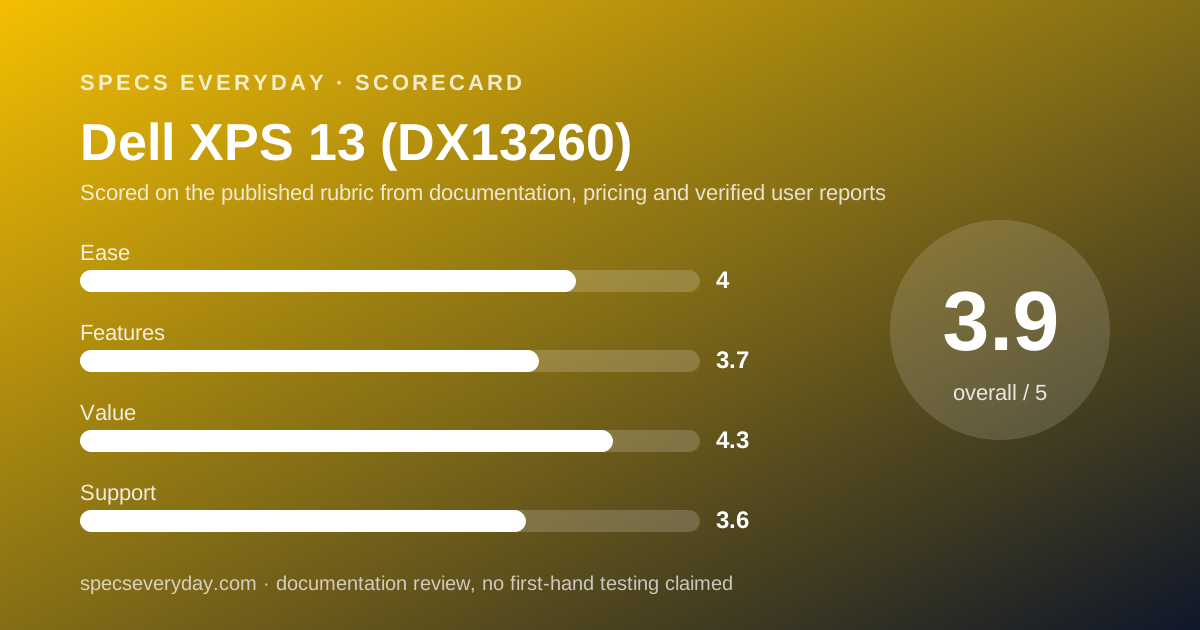
Scored on the published rubric, from documentation, pricing and verified user reports.
Best for: Windows users who carry a laptop all day and want the lightest machine in this cluster with a sharp 120 Hz touchscreen, and who will pay $999.99 for the 16GB version rather than settle for 8GB.
Verdict
The 2026 Dell XPS 13, model DX13260, is the lightest and cheapest laptop in this cluster: 2.2 lb (1 kg), 0.5 in (12.7 mm) thick, from $799.99 USD on dell.com as of October 17, 2026. That price buys an Intel Core 5 320 with six cores, 8GB of LPDDR5x memory, a 512GB SSD and a 13.4-inch 2560 x 1600 touchscreen that runs from 30 to 120 Hz at 500 nits. Dell lists a 52 Wh battery and up to 17 hours of battery life. This is a documentation review, built from the dell.com product page and spec table; no unit was used by this site. The weak points are on the same page: 8GB in the base model, only two USB-C ports with no headphone jack listed, and a base warranty described as mail-in hardware service. The dell.com page we read did not list the charger wattage or the webcam. Buy the $999.99 16GB model and it is the best-value Windows laptop for everyday office work here.
Visit Dell XPS 13 (DX13260)
We have no affiliate relationship with this vendor. Link goes to the official site.
Where it is strong
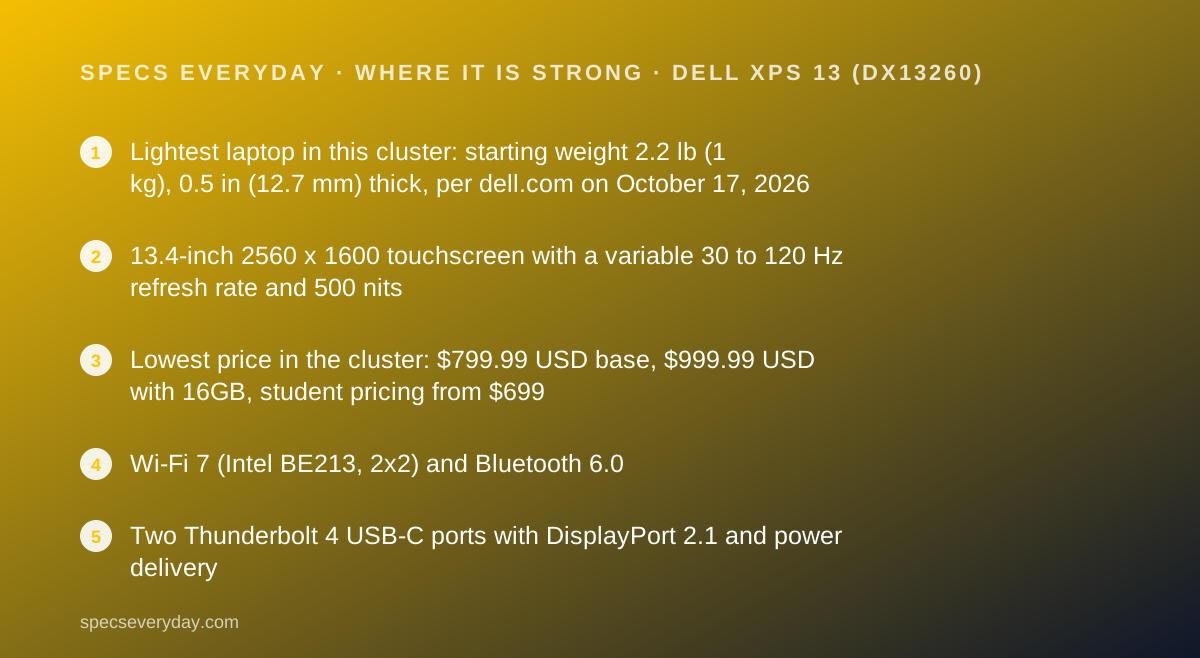
- Lightest laptop in this cluster: starting weight 2.2 lb (1 kg), 0.5 in (12.7 mm) thick, per dell.com on October 17, 2026
- 13.4-inch 2560 x 1600 touchscreen with a variable 30 to 120 Hz refresh rate and 500 nits
- Lowest price in the cluster: $799.99 USD base, $999.99 USD with 16GB, student pricing from $699
- Wi-Fi 7 (Intel BE213, 2x2) and Bluetooth 6.0
- Two Thunderbolt 4 USB-C ports with DisplayPort 2.1 and power delivery
- dell.com showed an average of 4.2 out of 5 from 78 owner reviews on the XPS 13 listing on October 17, 2026
Where it falls short
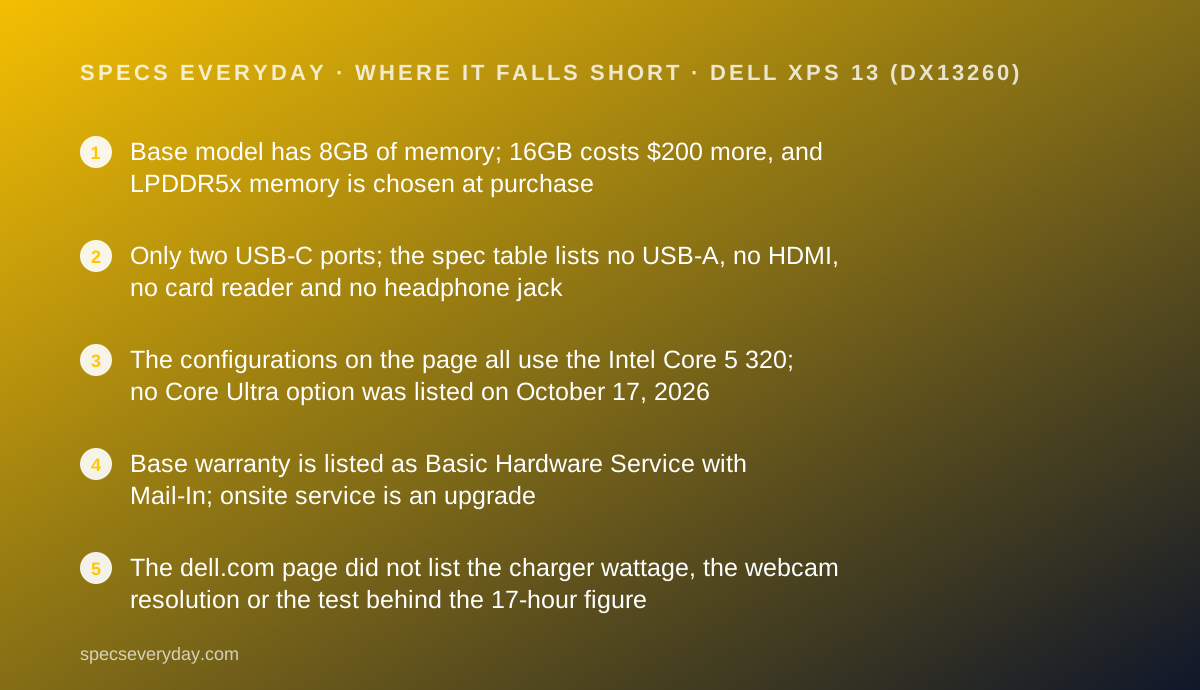
- Base model has 8GB of memory; 16GB costs $200 more, and LPDDR5x memory is chosen at purchase
- Only two USB-C ports; the spec table lists no USB-A, no HDMI, no card reader and no headphone jack
- The configurations on the page all use the Intel Core 5 320; no Core Ultra option was listed on October 17, 2026
- Base warranty is listed as Basic Hardware Service with Mail-In; onsite service is an upgrade
- The dell.com page did not list the charger wattage, the webcam resolution or the test behind the 17-hour figure
At a glance
| Processor | Intel Series 3 Core 5 320, 6 cores, 6MB cache, up to 4.6 GHz; Intel Graphics |
|---|---|
| Memory | 8GB LPDDR5x up to 7467 MT/s (base); 16GB in the $999.99 configuration |
| Storage | 512 GB PCIe Gen4 x4 QLC SSD in every listed configuration |
| Display | 13.4 in touch, 2560 x 1600 (2.5K), 30-120 Hz variable, 500 nits, InfinityEdge |
| Battery | 3-cell 52 Wh; "up to 17 hours" on the product page (test footnote not shown) |
| Weight and size | From 2.2 lb (1 kg); 11.69 x 7.9 x 0.5 in (296.9 x 200.66 x 12.7 mm); CNC aluminium |
| Ports | 2 x Thunderbolt 4 (USB-C) with DisplayPort 2.1 and Power Delivery; no card reader; no headphone jack listed |
| Charger | Wattage not listed on the dell.com product page read October 17, 2026 |
| Wireless | Intel Wi-Fi 7 BE213 2x2 + Bluetooth 6.0 |
| Warranty | Basic Hardware Service with Mail-In; Dell Care Plus and Premium upgrades listed |
| Price | $799.99 USD (8GB), $999.99 USD (16GB); student from $699 (dell.com, October 17, 2026) |
| Pricing note | From $799.99 USD with Intel Core 5 320, 8GB and 512GB; $999.99 USD with 16GB; student pricing from $699 (dell.com, checked October 17, 2026) |
What the 2026 Dell XPS 13 actually is
The XPS 13 is Dell's small premium Windows laptop. The model on dell.com on October 17, 2026 is the DX13260, which Dell markets as the thinnest and lightest XPS laptop it has made.
It is built around a cost-focused Intel chip, the Series 3 Core 5 320, rather than the Core Ultra processors in most premium Windows laptops. That is how Dell reaches a $799.99 USD starting price.
The spec table lists a CNC aluminium chassis 0.5 in (12.7 mm) thick, 11.69 in wide and 7.9 in deep, with a starting weight of 2.2 lb (1 kg). Every configuration we saw had a touchscreen, a backlit keyboard and Windows 11 Home.
Three configurations were listed that day, all with the Core 5 320 and 512GB: one with 8GB at $799.99 and two with 16GB at $999.99, in Sky and Storm colours.
Who the Dell XPS 13 is best for
Based on the dell.com spec table, these are the people the XPS 13 suits.
- Commuters and students who carry a laptop all day and count every ounce.
- Windows users who want a sharp, smooth touchscreen without paying MacBook Air prices.
- People who dock at a desk with one USB-C or Thunderbolt monitor and need few other ports.
- Writers, analysts and support staff whose work is browser, documents and video calls.
- Students eligible for Dell's student pricing, listed from $699.
Who should skip it
Three groups should look elsewhere in this cluster.
- Anyone who needs USB-A, HDMI or a wired headphone jack without carrying adapters.
- Anyone who wants a pen or a convertible screen.
- Buyers who need more processing headroom for heavy spreadsheets, photo work or local AI tools; no Core Ultra configuration was listed.
The spec sheet, translated
Here is what each line of the dell.com spec table, read October 17, 2026, means for a working week.
Intel Core 5 320, 6 cores, up to 4.6 GHz. A modest chip by premium-laptop standards. It is aimed at office work, browsing and calls, not video editing. Dell does not list an AI performance figure for it on this page.
8GB or 16GB LPDDR5x at up to 7467 MT/s. The memory is fast but fixed by configuration. Eight gigabytes is the floor for Windows 11; 16GB is the realistic choice for many tabs and a call at once.
13.4 in, 2560 x 1600, 30-120 Hz, 500 nits, touch. Sharp text and smooth scrolling at 120 Hz.
The variable range lets the panel run as low as 30 Hz, a feature laptop makers generally use to save power on static screens. Five hundred nits matches the MacBook Air figure.
512 GB Gen4 x4 QLC SSD. QLC storage is the cheaper type of flash. For documents and apps it is fine; for large file copies it is usually slower than TLC, though Dell does not publish speed figures here.
52 Wh, up to 17 hours. The battery is slightly smaller than the MacBook Air's 53.8 Wh. Dell's footnote for the 17-hour claim was not visible on the page we read, so we cannot compare the test method with Apple's.
Ports: two USB-C and nothing else listed
The ports line lists two Thunderbolt 4 USB-C ports with DisplayPort 2.1 and Power Delivery, and states there is no card reader. The wording on the page ties part of that line to Core Ultra processors; we report it as Dell wrote it.
Two ports means the charger takes one. When you are charging and using a USB-C monitor or drive, both ports are busy.
No headphone jack is listed. For calls, that means Bluetooth earbuds or a USB-C audio adapter. Our guide to wireless earbuds for commuting and calls covers microphone specs.
At a desk, the simplest setup is a USB-C monitor that also charges the laptop. The BenQ PD2706U lists 90 W USB-C. The Dell UltraSharp U2724D does not carry video over USB-C, so it needs a USB-C to DisplayPort or HDMI cable instead.
How the pricing is structured
On October 17, 2026, dell.com listed three XPS 13 configurations: $799.99 USD with 8GB, and $999.99 USD with 16GB in two colours. All three use the Core 5 320 and a 512GB SSD. Student pricing started at $699.
By our arithmetic, the 16GB model is $299 cheaper than the $1,299 base MacBook Air 13, which also has 16GB, and the same price as the $999.99 sale price HP listed for the OmniBook X Flip 14 that day.
Dell adds optional service plans in the configurator. At the default term shown, Dell Care Plus was +$27 and Dell Care Premium, which adds accidental damage cover, was +$78. Software add-ons such as Adobe and CyberLink bundles are also offered and not needed.
Dell prices move with promotions, and the page carried several offers expiring October 30, 2026. Treat the figures as the prices on the day we read them.
Ease of use: what the 4.0 is built from
The XPS 13 is easy to carry and easy to buy: three configurations, one processor, a touchscreen on all of them. It scores well on portability, which is half of what everyday ease means for a laptop that moves.
It loses points for ports. With two USB-C ports and no listed headphone jack, many owners will need a hub or dongle on day one, which is friction the MacBook Air and the 2-in-1s here partly avoid.
Features: what the 3.7 is built from
On the plus side: a 120 Hz variable-refresh touchscreen, Wi-Fi 7, Bluetooth 6.0, two Thunderbolt 4 ports with DisplayPort 2.1, and the lightest chassis in the cluster.
On the minus side: 8GB in the base model, a QLC SSD, no USB-A, HDMI or headphone jack listed, no pen support listed, and no webcam specification on the page we read. The other three laptops all list their cameras.
Value: what the 4.3 is built from
Value is where the XPS 13 leads. At $999.99 USD with 16GB, it costs $299 less than the 16GB MacBook Air and undercuts the HP OmniBook X Flip's list price by $400, while weighing less than either.
The $799.99 model scores lower on its own because 8GB will feel tight sooner. If the budget allows, the $200 step to 16GB is the best money spent on this laptop.
Support: what the 3.6 is built from
The configurator lists the base warranty as Basic Hardware Service with Mail-In, meaning you send the laptop in for repair. Onsite service after remote diagnosis is listed as an upgrade, and Dell's footnotes describe a 30-day return window.
Dell runs a large support site with drivers, manuals and parts for each model. We have not measured Dell's repair times and do not quote user-reported waits, because we did not find a verified source for this new model.
What verified owners report
The dell.com XPS laptop listing showed the XPS 13 at 4.2 out of 5 stars from 78 reviews on October 17, 2026. Those are reviews collected by Dell on its own store.
We did not read individual reviews closely enough to summarise themes, so we report only the score and count. A rating from 78 owners of a new model is a small sample.
Limits and gaps on the Dell page
Three things a buyer would normally check were missing from the dell.com product page on October 17, 2026. We read the page both as a plain fetch and as a fully rendered copy before writing this, so these are gaps on that day, not guesses.
Charger wattage. The page lists USB-C power delivery but no adapter rating. If you plan to charge from a monitor or a travel charger, check the order confirmation for the adapter Dell ships.
Webcam. No camera line appears in the spec table. Every other laptop in this cluster lists its camera, from Apple's 12MP Center Stage to the 5MP IR cameras on the Lenovo and HP.
Battery test method. The 17-hour figure carries an asterisk, but the matching footnote was not visible. Apple, HP and Lenovo all name their test conditions, so the Dell figure is the hardest to compare.
How the XPS 13 lines up against the cluster
By our arithmetic from the four makers' pages, read October 17, 2026:
- Weight: Dell 2.2 lb, Apple 2.7 lb, Lenovo 2.84 lb, HP 3.05 lb.
- Battery capacity: Lenovo 70 Wh, HP 59 Wh, Apple 53.8 Wh, Dell 52 Wh.
- Price with 16GB: Dell $999.99, HP $999.99 on sale ($1,399.99 list), Apple $1,299. Lenovo's US price could not be read.
- Screen: Dell 2560 x 1600 at up to 120 Hz and 500 nits; HP 1920 x 1200 at 400 nits.
- Ports: Dell 2; Apple 3 plus a headphone jack; HP and Lenovo 5 or more each, including HDMI and USB-A.
Alternatives
Apple MacBook Air 13. Choose the Air for 16GB as standard, MagSafe, a headphone jack and an 18-hour video claim at $1,299 USD. Otherwise choose the XPS 13 at $999.99 if Windows, touch and 2.2 lb matter more.
HP OmniBook X Flip 14. Choose the HP for a Core Ultra 7, a pen, HDMI and two USB-A ports at its $999.99 sale price. Otherwise choose the Dell for a much sharper and brighter screen and 0.85 lb less weight.
Lenovo Yoga 9i 2-in-1 Aura Edition 14. Choose the Lenovo for an OLED panel, 32GB and a pen. Otherwise the XPS 13 has a price we could actually read on the maker's US store.
What to pair it with
If the XPS 13 lives on a desk part of the week, the monitor matters as much as the laptop. Our best monitors for everyday office work guide ranks four panels, and the Dell U2724D vs BenQ PD2706U comparison explains the single-cable question in detail.
The XPS 13 has Wi-Fi 7, which only helps with a Wi-Fi 7 router. Our mesh Wi-Fi guide and the eero Pro 7 review cover the network side.
Bottom line
The 2026 Dell XPS 13 is the lightest and cheapest everyday office laptop in this cluster: 2.2 lb, a 120 Hz 2560 x 1600 touchscreen and Wi-Fi 7 from $799.99 USD as of October 17, 2026. Buy the $999.99 16GB model.
Skip it if you need ports beyond two USB-C, a headphone jack, a pen, or more processor than a Core 5 320.
This is a documentation review. Figures are Dell's, read from dell.com on October 17, 2026, and may have changed since.
Buy it if
- Weight is your first filter - at a listed 2.2 lb, the XPS 13 is 0.5 lb lighter than the MacBook Air 13 and about 0.85 lb lighter than the HP OmniBook X Flip 14, by our arithmetic from the makers' pages.
- You want a Windows laptop with a 120 Hz touchscreen under $1,000 USD - the 16GB model was $999.99 on dell.com on October 17, 2026.
- You work from a desk with a USB-C monitor - both ports are Thunderbolt 4 with DisplayPort 2.1 and power delivery, so one cable can carry video and charging.
- You are a student - Dell listed student pricing from $699.
Skip it if
- You plug in USB-A sticks, HDMI projectors or wired headphones - none of those ports is listed, so you need a hub or adapters for each.
- You were going to buy the $799.99 model with 8GB - for a browser-heavy office day, 16GB is the safer floor; the gap is $200.
- You want a pen or tablet mode - the XPS 13 is a clamshell; the Lenovo Yoga 9i and HP OmniBook X Flip are 2-in-1s.
Frequently asked
How much is the 2026 Dell XPS 13?
On October 17, 2026, dell.com listed the XPS 13 (DX13260) at $799.99 USD with an Intel Core 5 320, 8GB of memory and a 512GB SSD, and at $999.99 USD with 16GB. The page also showed student pricing starting at $699. Dell runs frequent promotions.
How long does the Dell XPS 13 battery last?
Dell's product page lists up to 17 hours of battery life from a 3-cell 52 Wh battery. The footnote describing the test was not readable on the page we saw, so we cannot say what workload produced that figure. Treat it as a maximum.
Does the Dell XPS 13 have a headphone jack?
The ports line in the dell.com spec table, read October 17, 2026, lists two Thunderbolt 4 USB-C ports and no card reader. It does not list a 3.5 mm headphone jack, so plan on Bluetooth or a USB-C audio adapter.
Is 8GB enough on the Dell XPS 13?
For light use, perhaps. For an office day with many browser tabs, a video call and documents open together, 16GB is the safer choice. Dell listed the 16GB configuration at $999.99 USD, $200 more than the 8GB model.
What charger does the Dell XPS 13 use?
It charges over USB-C, since both Thunderbolt 4 ports list power delivery. The dell.com product page we read on October 17, 2026 did not state the wattage of the included adapter, in either a plain or a rendered copy of the page. Check your order details.
What warranty does the Dell XPS 13 come with?
The configurator lists Basic Hardware Service with Mail-In as the base warranty, with upgrades to onsite service after remote diagnosis, Dell Care Plus (+$27) and Dell Care Premium with accidental damage (+$78) at the default term shown on October 17, 2026.
Sources
- Dell XPS 13 Laptop (DX13260) product page and tech specs - checked October 17, 2026
- Dell XPS laptops listing (prices and owner ratings) - checked October 17, 2026
- Dell XPS 13 configurator page - checked October 17, 2026
Update history
- October 17, 2026 - First published from the dell.com product page, spec table and configurator.
Visit Dell XPS 13 (DX13260)
We have no affiliate relationship with this vendor. Link goes to the official site.