 Specs

CalDigit TS4 Thunderbolt 4 Dock
An 18-port Thunderbolt 4 dock with a 230W power supply, three downstream Thunderbolt ports and sustained 98W host charging, sold through retailers rather than CalDigit's own store
Scored on the published rubric, from documentation, pricing and verified user reports.
Best for: A Thunderbolt desk with a lot of accessories, where the owner wants charging that does not sag when a drive and a phone are plugged in at the same time.
Verdict
The CalDigit TS4 is the port count champion of this group: 18 connectors, including three downstream Thunderbolt 4 ports at 40Gb/s, three USB-C at 10Gb/s and five USB-A at 10Gb/s. Its technical specification page also lists DisplayPort 1.4, UHS-II SD and microSD readers, 2.5 Gigabit Ethernet and three separate 3.5mm audio jacks. Host charging is stated as up to 98W, fed by a 230W power supply, which is the largest brick in this group by a wide margin. The spec table lists a two-year warranty, and the dock measures 141 x 42 x 113 mm and weighs 1.41 lbs. This is a documentation review built from CalDigit's product page, its technical specification table and its FAQ; this site has not connected the dock to a laptop. The honest gap in this review is money: CalDigit does not print a price on its own site, so we print none.
Visit CalDigit TS4 Thunderbolt 4 Dock
We have no affiliate relationship with this vendor. Link goes to the official site.
Where it is strong
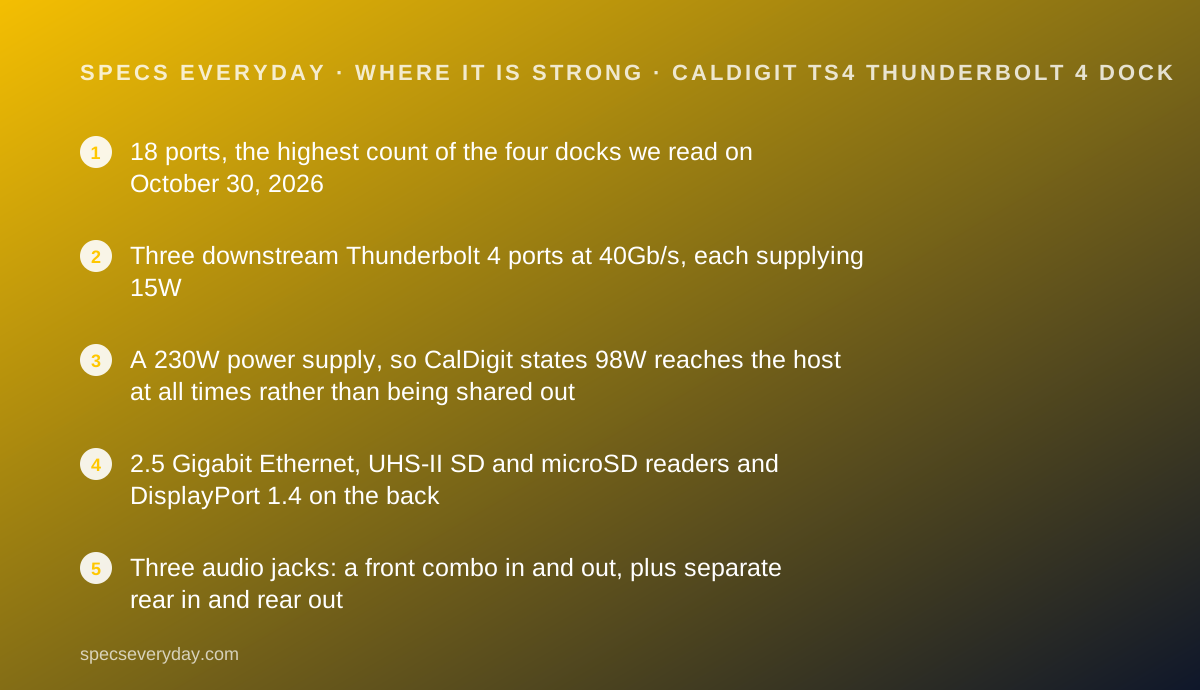
- 18 ports, the highest count of the four docks we read on October 30, 2026
- Three downstream Thunderbolt 4 ports at 40Gb/s, each supplying 15W
- A 230W power supply, so CalDigit states 98W reaches the host at all times rather than being shared out
- 2.5 Gigabit Ethernet, UHS-II SD and microSD readers and DisplayPort 1.4 on the back
- Three audio jacks: a front combo in and out, plus separate rear in and rear out
- Two-year warranty listed in the product specification table, and NDAA compliance stated
Where it falls short
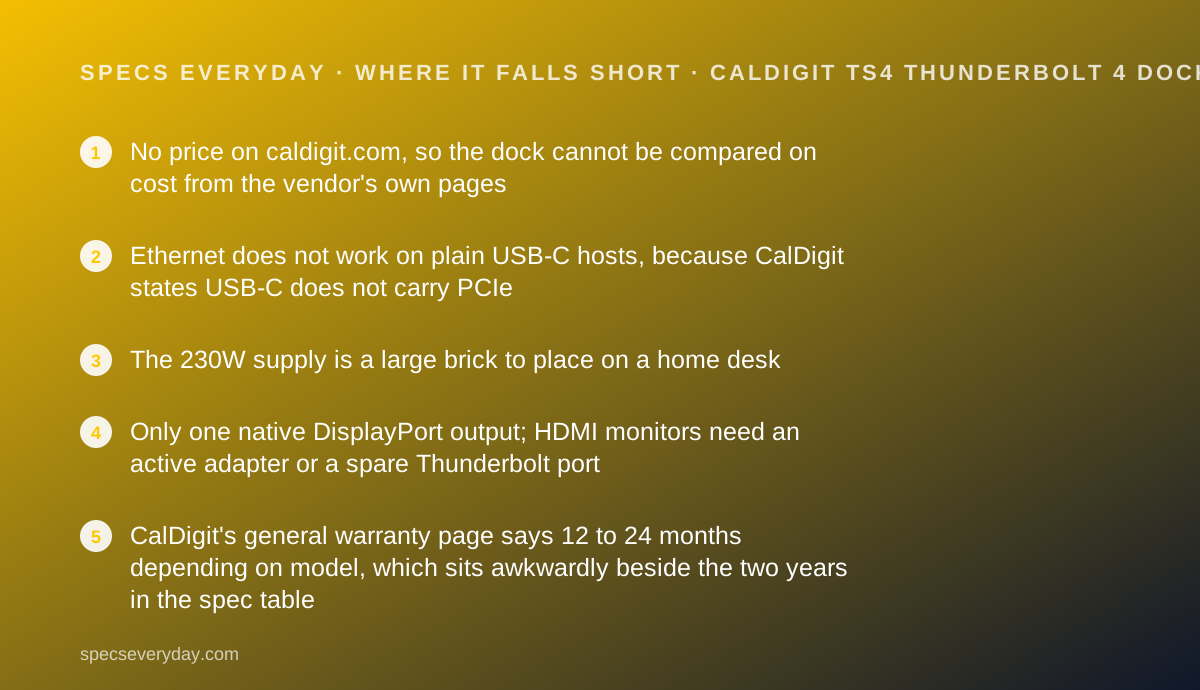
- No price on caldigit.com, so the dock cannot be compared on cost from the vendor's own pages
- Ethernet does not work on plain USB-C hosts, because CalDigit states USB-C does not carry PCIe
- The 230W supply is a large brick to place on a home desk
- Only one native DisplayPort output; HDMI monitors need an active adapter or a spare Thunderbolt port
- CalDigit's general warranty page says 12 to 24 months depending on model, which sits awkwardly beside the two years in the spec table
At a glance
| Pricing note | We could not read a list price for the TS4 on caldigit.com on October 30, 2026: neither the product page nor the shop page carries a price, and the shop page links out to retailers instead. Check the retailer at the point of purchase |
|---|---|
| Host connection | Rear Thunderbolt 4 / USB4 host port, 40Gb/s, with a 0.8 m Thunderbolt 4 cable in the box |
| Laptop charging | Up to 98W (5V, 9V, 15V/3A, 20V/4.9A), stated as sustained |
| Power supply | 230W, with DC In rated 19.5V at 11.80A |
| Thunderbolt ports | 3 x downstream Thunderbolt 4 at 40Gb/s, 15W each |
| USB ports | 3 x USB-C at 10Gb/s (one front port at 20W, the others 7.5W), 5 x USB-A at 10Gb/s at 7.5W |
| Video | 1 x DisplayPort 1.4, plus displays over the spare Thunderbolt ports |
| Displays | Single 8K or dual 6K at 60Hz, host permitting; 2 displays on Windows Thunderbolt 3 or 4 and on M1 Pro and M1 Max Macs; 1 display on USB-C hosts and on iPadOS |
| Ethernet | 1 x 2.5 Gigabit; CalDigit states it does not function on non-Thunderbolt USB-C hosts |
| Card readers | 1 x SD 4.0 (UHS-II), 1 x microSD 4.0 (UHS-II) |
| Audio | 1 x front 3.5mm combo in and out, 1 x rear 3.5mm in, 1 x rear 3.5mm out |
| Dimensions | 141.0 x 42.0 x 113.0 mm (5.55 x 1.65 x 4.46 inches), height x width x length |
| Weight | 1.41 lbs (0.64 kg) |
| Minimum system | macOS 11.4 (Big Sur) or above; Windows 10 (20H2) or above |
| In the box | TS4, 0.8 m Thunderbolt 4 cable, 2 rubber feet strips, power cord, 230W power supply |
| Warranty | 2 years, per the product specification table |
What the TS4 actually is
The TS4 is the dock people buy when they have run out of sockets. CalDigit counts 18 connectors on a box the size of a hardback book stood on its spine.
The design choice that defines it is the power supply. At 230W it is far larger than the dock needs for itself, and CalDigit uses that headroom as its main argument.
The host port sits on the back rather than the front, which CalDigit presents as a cable management decision rather than a technical one.
We read CalDigit's product page, its technical specification table and its FAQ on October 30, 2026. Nothing here was connected, timed or measured by this site.
The price is the number we could not read
This review has a hole in it, and it is better to say so in the second section than to bury it.
CalDigit's product page carries no price. Its shop page carries no price either; it links out to retailer listings. We rendered both pages fully and searched them for a currency figure on October 30, 2026 and found none.
So we print no price and no value-for-money claim built on one. The scores below treat value as a question mark rather than a strength.
For buyers that means one extra step: read the spec sheet here, then read the price at the retailer, then decide. The two USB-C docks we graded publish theirs at $179.99 and $199.99, and the Plugable Thunderbolt 4 dock at $289.99.
Who the TS4 is best for
The short version: a Thunderbolt laptop and a desk that keeps growing.
- People with eight or more things to plug in, from drives to receivers to headsets
- Anyone who wants spare Thunderbolt ports rather than only USB sockets
- Photographers and editors using UHS-II SD and microSD cards
- Households with 2.5Gbps networking gear that want the dock to match
- Audio users who want separate line in and line out on the back, not just a headset jack
- Buyers who need NDAA compliance stated, which CalDigit lists as yes
Who should skip it
Three groups should look elsewhere.
- Owners of plain USB-C laptops, whose Ethernet port will not function at all
- Anyone running two HDMI monitors, since there is no HDMI socket on the dock
- Buyers on a fixed budget, because the vendor publishes no price to budget against
The spec sheet, translated
Host side. A rear Thunderbolt 4 and USB4 port at 40Gb/s, with a 0.8 m Thunderbolt 4 cable in the box.
Power. A 230W supply, with DC In rated 19.5V at 11.80A. Up to 98W reaches the laptop.
Thunderbolt. Three downstream Thunderbolt 4 ports at 40Gb/s, 15W each, usable for drives or displays.
USB. Three USB-C at 10Gb/s, one of them a 20W front port, and five USB-A at 10Gb/s at 7.5W.
Everything else. DisplayPort 1.4, 2.5 Gigabit Ethernet, SD 4.0 and microSD 4.0 UHS-II readers, and three 3.5mm audio jacks.
Size. 141 x 42 x 113 mm and 1.41 lbs, designed to stand upright.
The 230W supply is the engineering argument
CalDigit makes an unusual claim on the page, and it is worth reading closely because it is a claim about rivals.
It states that many Thunderbolt 4 docks advertise 96W or more while including an insufficient supply, and that those docks reallocate host power as devices are attached, reducing what the laptop receives.
It then states the TS4's supply always provides the full 98W and never drops it when new devices are connected.
That is a vendor argument, not a measurement we made. What is verifiable from the page is the supply rating: 230W, where the Plugable dock we read lists 135W.
CalDigit's own comparison table on the same page claims rival docks fall to 68W and 57W under heavy load. That is its claim about other brands, and we cannot confirm it.
Our USB-C Power Delivery explainer covers why a dock's input rating and its host output are two different numbers.
The port list, in plain terms
CalDigit's technical specification table lists these 18 connectors.
- 3 x Thunderbolt 4 at 40Gb/s, 15W each
- 3 x USB-C at 10Gb/s, one at 20W and the rest at 7.5W
- 5 x USB-A at 10Gb/s at 7.5W
- 1 x DisplayPort 1.4
- 1 x SD 4.0 (UHS-II) and 1 x microSD 4.0 (UHS-II)
- 1 x 2.5 Gigabit Ethernet
- 1 x front combo audio in and out, 1 x rear audio in, 1 x rear audio out
- 1 x DC In at 19.5V and 11.80A
Five USB-A ports is the quiet advantage
Port counts are usually padded with video outputs. Here the padding is where desks actually need it.
Five USB-A sockets at 10Gb/s cover a keyboard receiver, a mouse receiver, a webcam, a printer and a backup drive without a splitter.
That is five times what the Belkin dock in this group offers, and two more than the Anker. It is the difference between a dock and a dock plus a hub.
Bluetooth peripherals reduce the need. The Logitech MX Keys S and MX Master 3S both pair wirelessly, and the Logitech Brio 500 connects over USB-C.
One DisplayPort, and what that means for monitors
There is exactly one native video socket on the TS4, and it is DisplayPort 1.4. There is no HDMI.
CalDigit lists four ways to attach a screen: a DisplayPort monitor straight into the socket, an active DisplayPort to HDMI adapter, a USB-C to HDMI adapter on a spare Thunderbolt port, or a USB-C to DisplayPort adapter on a spare Thunderbolt port.
It also warns that refresh rate suffers through an HDMI adapter and recommends USB-C to USB-C or DisplayPort to DisplayPort when a higher refresh rate is needed.
So check the back of your monitor first. The Dell UltraSharp U2724D and BenQ PD2706U both carry DisplayPort inputs, and our office monitor guide lists which panels fit which dock.
The Ethernet limit is the most important footnote
This is the line most buyers miss, and CalDigit prints it plainly.
Ethernet on the TS4 works only on Thunderbolt hosts. On a plain USB-C computer the port does not function, because USB-C does not carry PCIe, which the dock's network controller needs.
CalDigit's own advice for USB-C users is to buy a cheap USB-A to Ethernet adapter and plug it into the dock. That works, and it also tells you the dock is the wrong purchase for a non-Thunderbolt laptop.
For homes relying on wireless instead, our mesh Wi-Fi guide and the Wi-Fi 7 numbers explainer cover what to expect without a cable.
Displays: 8K on paper, host dependent in practice
CalDigit lists single 8K or dual 6K at 60Hz, then qualifies both by host.
Its compatibility table lists two external displays for Windows Thunderbolt 3 and Thunderbolt 4 machines and for M1 Pro and M1 Max Macs, one display for USB-C hosts, and one display for iPadOS.
It also states that the Apple Pro Display XDR can connect directly to a spare Thunderbolt 4 port at full 6K, and that 8K at 30Hz is possible if the computer supports it.
The pattern is familiar. The dock is rarely the limit; the laptop's graphics chip is.
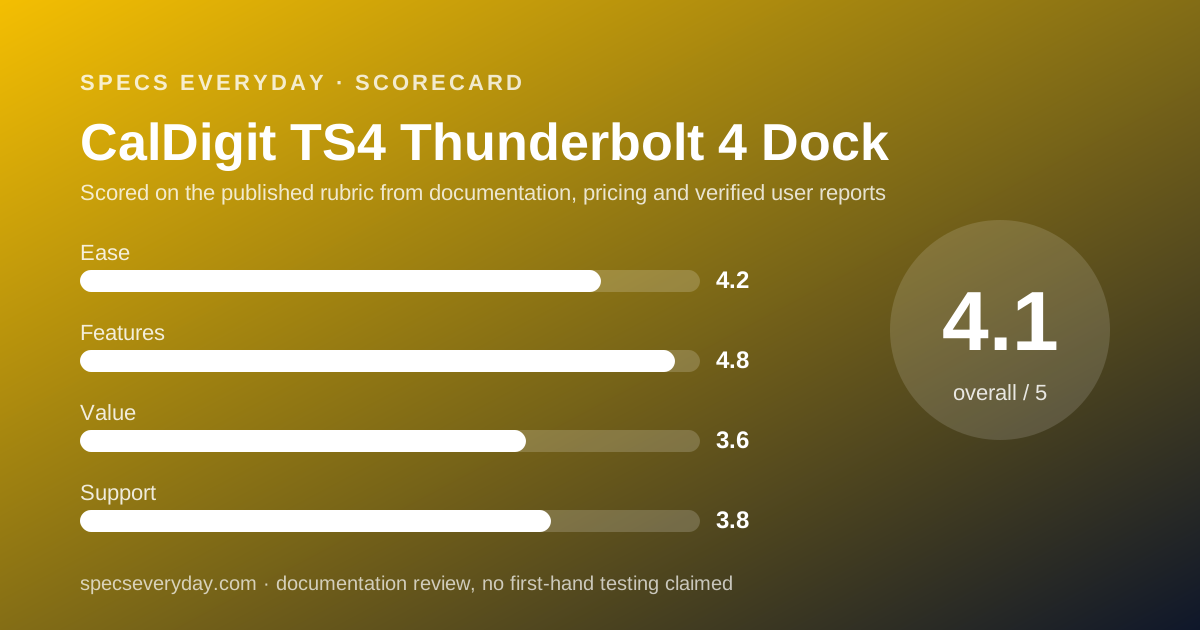
Ease of use: what the 4.2 is built from
A complete box, a rear host port for tidy cabling, broad system support from macOS 11.4 and Windows 10 20H2 onward, and a detailed FAQ earn the score.
Points come off for the single DisplayPort socket, which pushes many buyers into adapters on day one, and for the Ethernet restriction on USB-C hosts.
Features: what the 4.8 is built from
Eighteen ports, three spare Thunderbolt 4 connections, 2.5Gbps Ethernet, two UHS-II card readers and three audio jacks make this the most connected dock of the four.
The score stops short of 5 because there is no HDMI output at all, and because the Ethernet port is conditional on the host.
Value: what the 3.6 is built from
This score is deliberately cautious, because we could not read a price on CalDigit's own site on October 30, 2026.
On specification alone the TS4 is the richest dock here. Without a published price we cannot say it is good value, and we will not imply it.
Read the retailer price, then compare it against $179.99, $199.99 and $289.99, the figures the other three docks published the same day.
Support: what the 3.8 is built from
The product specification table lists a two-year warranty, and the page carries one of the clearer FAQs in this category, including driver notes for the Apple SuperDrive.
The score is held down by a contradiction: the general warranty page says 12 to 24 months depending on model, without naming models. A buyer reading only that page would not know which applies.
What CalDigit does not publish
Three things were missing from the pages we read on October 30, 2026: a price, a stated noise or thermal figure, and a firmware update process for the dock.
We rendered the product page, the shop page and the warranty page in full and searched each for a currency figure and for the word firmware. The price is absent from all three.
That is a choice rather than an oversight, since CalDigit sells through retailers. It still leaves a buyer unable to compare cost without leaving the vendor's site.
Setting it up: what the documentation implies
CalDigit's FAQ and specification table point to a checklist before the first workday.
- Check your host: Thunderbolt for Ethernet, or plan on a USB-A network adapter
- Use the 0.8 m cable in the box, or a certified 40Gb/s cable if you need 2 m
- Work out the display route: DisplayPort direct, or an active adapter
- Stand the dock upright and fit the rubber feet strips that come with it
- Keep the 20W front USB-C port for a phone rather than a drive
- Place the 230W supply before you cable anything; it is the biggest item in the box
Alternatives
A Thunderbolt 4 dock with HDMI outputs. Choose one if your monitors are HDMI and you do not want adapters. Expect fewer USB-A ports in exchange.
A USB-C dock. Choose one if your laptop has no Thunderbolt port. It costs less and publishes a price, and in this group both options list HDMI sockets the TS4 lacks.
A monitor with a hub. Choose it if your desk needs one screen, a network jack and two or three USB ports. Our Dell U2724D vs BenQ PD2706U comparison covers that route, which skips the dock entirely.
Where it fits on a finished desk
The TS4 is a dock for desks that have stopped being temporary.
It assumes a Thunderbolt laptop, and that is the first thing to confirm. Our everyday laptop guide and the MacBook Air vs XPS 13 comparison list the port counts on the machines most likely to sit beside it.
For power at the same desk, the Anker Prime Charger 100W and the UGREEN Nexode 100W cover phones and earbuds, which a dock handles slowly.
Bottom line
On specification the TS4 is the most capable dock in this group: 18 ports, three spare Thunderbolt connections, 2.5Gbps Ethernet and a 230W supply behind a sustained 98W.
Two caveats decide whether it suits you. Ethernet needs a Thunderbolt host, and monitors need DisplayPort or an adapter.
The third caveat is ours: CalDigit publishes no price, so the value question stays open until you reach a retailer.
Buy it if
- Your desk has more accessories than ports - 18 connectors, including eight USB sockets, is the widest spread in this group.
- You want Thunderbolt ports left over - three downstream Thunderbolt 4 ports at 15W each can take drives or a display.
- You want charging that does not sag - CalDigit states the 230W supply keeps 98W to the host even as devices are added.
- You work from camera cards - both readers are UHS-II, on SD 4.0 and microSD 4.0.
Skip it if
- Your laptop has USB-C but not Thunderbolt - CalDigit states the Ethernet port will not work at all on such hosts.
- You need two HDMI monitors - there is one DisplayPort and no HDMI socket, so plan on adapters.
- You want to know the price before you read the spec sheet - CalDigit publishes none on its own site.
- Desk space is tight - the 230W supply is a substantial brick.
Frequently asked
How much does the CalDigit TS4 cost?
We could not read a list price on caldigit.com on October 30, 2026. The product page carries no price, and the shop page links out to retailer listings rather than selling directly. Check the retailer page at the point of purchase.
How many ports does the CalDigit TS4 have?
Eighteen, per the technical specification table: three Thunderbolt 4 at 40Gb/s, three USB-C at 10Gb/s, five USB-A at 10Gb/s, one DisplayPort 1.4, SD and microSD readers, 2.5 Gigabit Ethernet, three audio jacks and the DC input.
How much power does the TS4 send to a laptop?
Up to 98W. CalDigit states this is sustained rather than shared, because the bundled supply is rated 230W. It also states that a laptop needing less than 98W receives only what it asks for, which is how Power Delivery works.
Does the TS4 Ethernet port work on a USB-C laptop?
No. CalDigit states that Ethernet is only supported on Thunderbolt hosts because USB-C does not support PCIe, and recommends a low-cost USB-A to Ethernet adapter plugged into the dock for USB-C users instead.
Can the TS4 drive an HDMI monitor?
Only through an adapter. The dock has one DisplayPort 1.4 socket. CalDigit lists four options: a DisplayPort monitor directly, an active DisplayPort to HDMI adapter, or a USB-C to HDMI or DisplayPort adapter on a spare Thunderbolt port.
How many displays can the TS4 run?
CalDigit lists single 8K or dual 6K at 60Hz, host permitting. Its compatibility table lists two external displays on Windows Thunderbolt 3 or 4 and on M1 Pro and M1 Max Macs, and a single display on USB-C hosts and on iPadOS.
What warranty does the CalDigit TS4 have?
The TS4 specification table lists two years. CalDigit's general warranty page is less specific, saying the warranty runs 12 to 24 months from purchase depending on the model. Both were read on October 30, 2026.
Sources
- CalDigit: Thunderbolt Station 4 product page, technical specification table and FAQ - checked October 30, 2026
- CalDigit: Warranty page (12 to 24 months depending on model) - checked October 30, 2026
- CalDigit: Shop page, checked for a list price and found to link out to retailers - checked October 30, 2026
Update history
- October 30, 2026 - First published. Figures read from CalDigit's Thunderbolt Station 4 product page, technical specification table, FAQ and warranty page on October 30, 2026. No price was readable on caldigit.com that day.
Visit CalDigit TS4 Thunderbolt 4 Dock
We have no affiliate relationship with this vendor. Link goes to the official site.