 Specs
MacBook Air 13 vs Dell XPS 13: which office laptop to buy
Short answer: the 13-inch MacBook Air with M5 is the better everyday office laptop for most people, because its $1,299 USD base model already has 16GB of memory, a 512GB SSD, MagSafe charging, a headphone jack and an 18-hour video claim with a stated test method. The Dell XPS 13 is the better buy under $1,000: its 16GB model was $999.99 USD on dell.com, it weighs 2.2 lb instead of 2.7 lb, and it has a 120 Hz touchscreen. This comparison is built from apple.com and dell.com spec pages and stores, all read October 17, 2026, not from first-hand use. Our full MacBook Air 13 review and Dell XPS 13 review have the line-by-line detail.
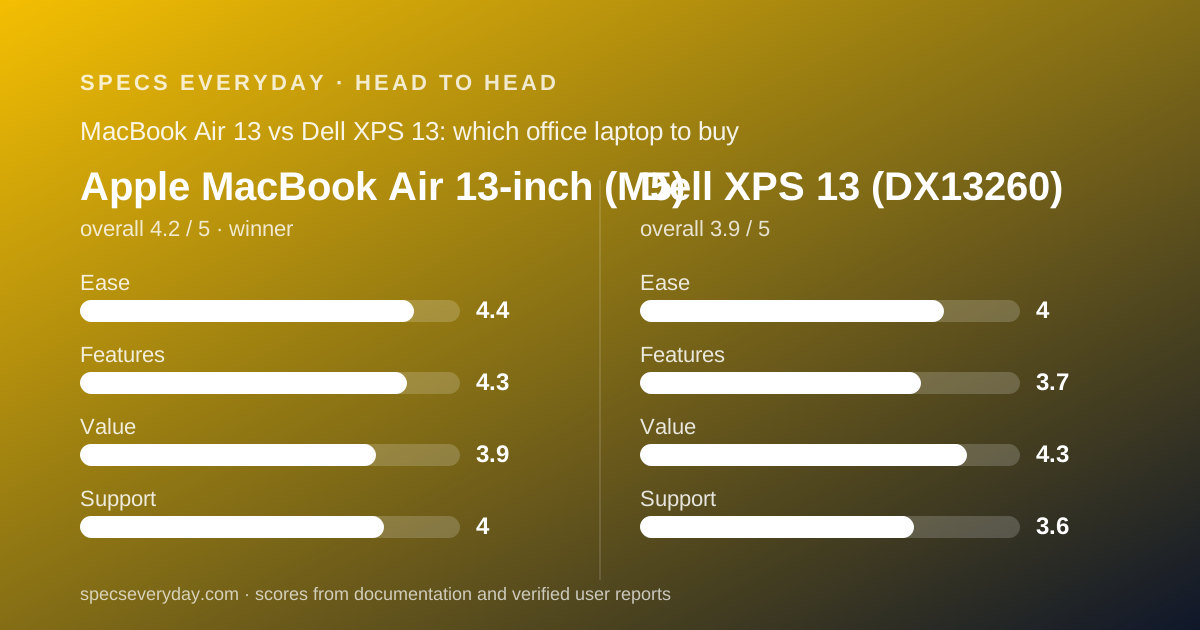
 4.2Apple MacBook Air 13-inch (M5)
 3.9Dell XPS 13 (DX13260)
Specification by specification
| Spec | Apple MacBook Air 13-inch (M5) | Dell XPS 13 (DX13260) |
|---|---|---|
| Price checked (maker US store, Oct 17, 2026) | $1,299 USD (16GB, 512GB); $1,399 with 10-core GPU | $799.99 USD (8GB, 512GB); $999.99 USD (16GB, 512GB); student from $699 |
| Processor | Apple M5, 10-core CPU, 8-core GPU (10-core optional) | Intel Core 5 320, 6 cores, up to 4.6 GHz |
| Memory | 16GB unified; 24GB or 32GB optional | 8GB or 16GB LPDDR5x |
| Storage | 512GB; up to 4TB | 512GB Gen4 QLC in all listed models |
| Display | 13.6 in IPS, 2560 x 1664, 224 ppi, 500 nits, P3; no touch | 13.4 in touch, 2560 x 1600, 30-120 Hz, 500 nits |
| Battery | 53.8 Wh; up to 18 hr video, 15 hr web (Apple tests) | 52 Wh; up to 17 hr (footnote not visible) |
| Weight | 2.7 lb (1.23 kg) | From 2.2 lb (1 kg) |
| Thickness | 0.44 in (1.13 cm) | 0.5 in (12.7 mm) |
| Ports | MagSafe 3, 2 x Thunderbolt 4, 3.5 mm jack | 2 x Thunderbolt 4 (USB-C); no jack listed |
| Charger in the box | 40W Dynamic Power Adapter with 60W Max | Wattage not listed on the page |
| External displays | Up to two (for example two 6K at 60 Hz) | DisplayPort 2.1 over both ports; count not stated |
| Camera | 12MP Center Stage, 1080p video | Not listed on the page |
| Wireless | Wi-Fi 7, Bluetooth 6 | Wi-Fi 7 (Intel BE213), Bluetooth 6.0 |
| Base warranty | One-year limited; AppleCare+ from $74.99 per year | Basic Hardware Service with Mail-In; upgrades from +$27 |
| Our overall score | 4.2 (ease 4.4, features 4.3, value 3.9, support 4.0) | 3.9 (ease 4.0, features 3.7, value 4.3, support 3.6) |
The short answer
Two small premium laptops for everyday work, $299 apart at 16GB, built around different priorities.
- The MacBook Air 13 is best for people who want the safest all-day laptop: 16GB and 512GB as standard, MagSafe plus two Thunderbolt ports, a headphone jack, support for two monitors and Apple's 18-hour video claim.
- The Dell XPS 13 is best for Windows users with a firm budget under $1,000, people who count every ounce, and anyone who wants a 120 Hz touchscreen.
- Winner for everyday office work: the MacBook Air 13, because its base model has no weak line on the spec sheet, while the Dell's base model has 8GB and its page leaves out the charger, camera and battery test details.
- Documentation disclaimer: every figure here comes from apple.com or dell.com as read on October 17, 2026. We did not use either laptop.
The Dell is cheaper; the Air includes more at its base price
On October 17, 2026, the apple.com store listed the 13-inch MacBook Air from $1,299 USD with 16GB and 512GB. Dell listed the XPS 13 at $799.99 USD with 8GB and $999.99 USD with 16GB, both with 512GB.
The fair comparison is 16GB against 16GB: $1,299 against $999.99, a $299 gap by our arithmetic. At 8GB the Dell is $500 cheaper, but 8GB is tight for a browser-heavy day.
Apple's upgrades are expensive: the 10-core GPU model started at $1,399, and memory and storage steps add more in the configurator.
The three Dell configurations listed that day all used the Core 5 320 and 512GB, so there is less to decide and less to overspend on.
Both makers run promotions. Dell's page carried offers ending October 30, 2026, and Apple lists education pricing separately. Neither is included in the figures above.
The Air has the stronger chip and memory on paper; the Dell runs a budget Intel part
The Air uses Apple's M5 with a 10-core CPU and an 8-core or 10-core GPU. The Dell uses Intel's Series 3 Core 5 320, a six-core chip that reaches 4.6 GHz, with integrated Intel graphics.
For documents, email, browsers and video calls, both are enough. The difference shows up when you stack work: dozens of tabs, a call, a spreadsheet and a PDF at once. There, memory matters more than the chip.
That is why the base model choice matters. The Air's $1,299 model has 16GB. The Dell's $799.99 model has 8GB, which we would not choose for an office laptop meant to last several years. Neither machine allows memory upgrades after purchase.
Storage is 512GB on both. Dell lists its SSD as Gen4 QLC; Apple does not list a flash type. Neither publishes drive speed figures on the pages we read.
The Dell has the better screen for touch and smoothness; the Air for colour claims
Both list 500 nits. The Dell's 13.4-inch panel is 2560 x 1600 with touch and a variable 30 to 120 Hz refresh rate. The Air's 13.6-inch panel is 2560 x 1664 at 224 ppi with P3 wide colour and True Tone, and no touch.
If you scroll long documents and like touching the screen, the Dell has the advantage: 120 Hz makes scrolling look smoother, and touch is useful for quick taps and zooming.
If you look at photos or slides with colour, the Air's P3 and True Tone claims are the more specific. Dell's product page we read did not list a colour gamut for the XPS 13 panel.
Neither supports a pen. If you need one, see the 2-in-1 laptops in our laptop guide, the Lenovo Yoga 9i and the HP OmniBook X Flip.
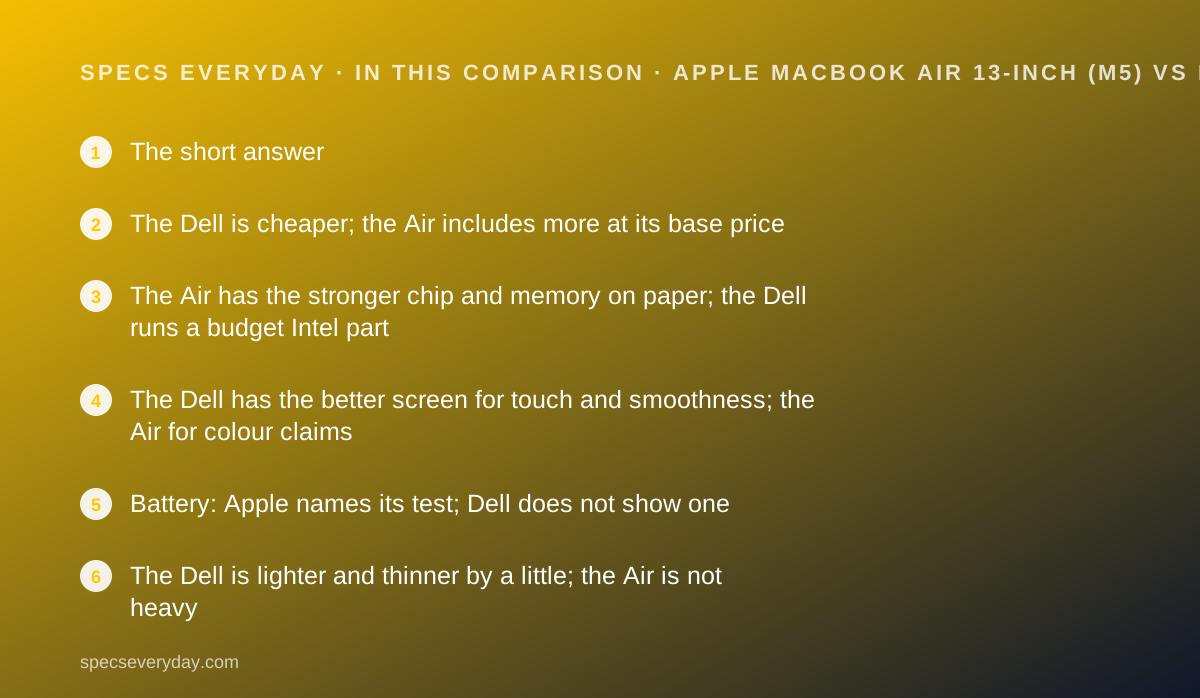
Battery: Apple names its test; Dell does not show one
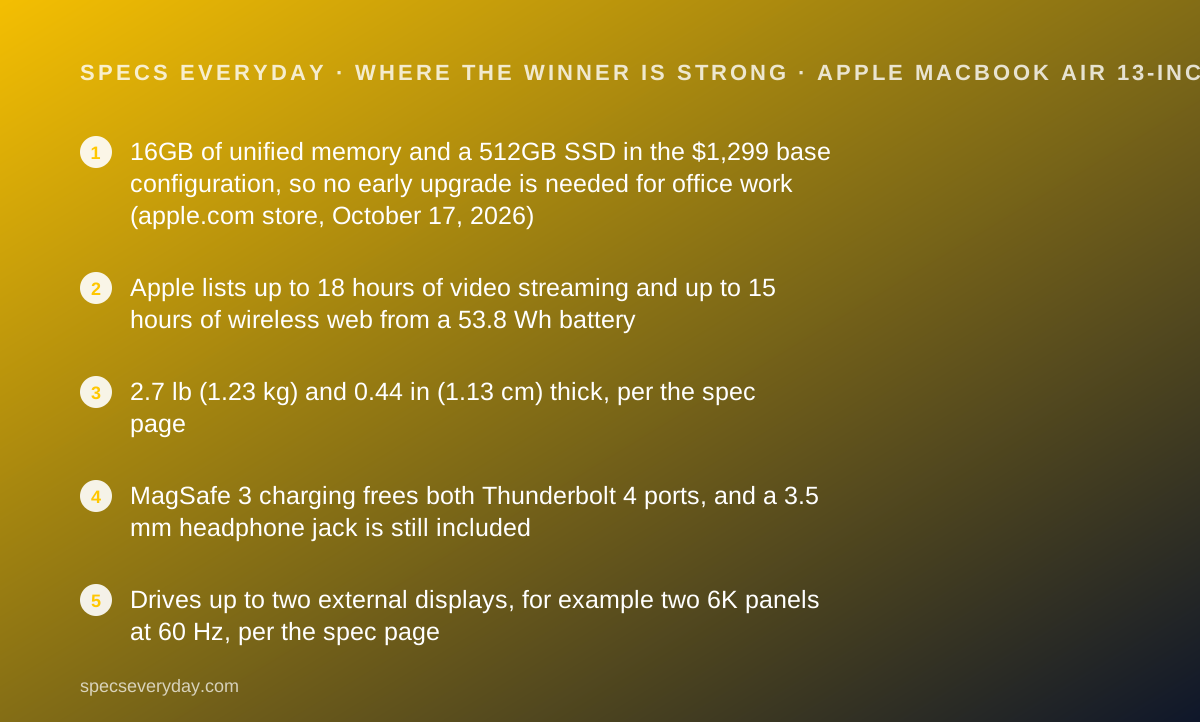
Apple lists up to 18 hours of video streaming and up to 15 hours of wireless web from a 53.8 Wh battery, with footnotes describing its own test setup.
Dell lists up to 17 hours from a 52 Wh battery. The footnote behind that asterisk was not visible on the dell.com page we read, in either a plain fetch or a rendered copy, so we cannot say what workload it reflects.
On capacity alone, the two are close: 53.8 Wh against 52 Wh. A web-browsing figure is the closer match to office work than video playback, and only Apple publishes one here.
Neither figure includes video calls with the camera on, which use more power. Plan for less than the headline numbers on a heavy meeting day.
The Dell is lighter and thinner by a little; the Air is not heavy
Dell lists a starting weight of 2.2 lb (1 kg) and a thickness of 0.5 in (12.7 mm). Apple lists 2.7 lb (1.23 kg) and 0.44 in (1.13 cm).
By our arithmetic, the Dell is 0.5 lb lighter and the Air is slightly thinner. For people who carry a laptop between meetings and on a commute every day, half a pound is noticeable over a week.
Footprints are similar: the Dell is 11.69 x 7.9 in, the Air 11.97 x 8.46 in.
Ports: the Air has three plus a jack; the Dell has two
The Air lists MagSafe 3, two Thunderbolt 4 ports at up to 40Gb/s and a 3.5 mm headphone jack. The Dell lists two Thunderbolt 4 USB-C ports with DisplayPort 2.1 and Power Delivery, no card reader, and no headphone jack.
MagSafe is the practical difference. On the Air, charging uses its own port, so both USB-C ports stay free. On the Dell, the charger takes one of two ports.
Neither has USB-A or HDMI. Both will need a small hub for USB-A sticks or HDMI projectors. Wired headphones work directly only on the Air.
For monitors, Apple lists up to two external displays. Dell lists DisplayPort 2.1 on both ports but does not state a maximum display count on the page we read.
A USB-C monitor with charging, such as the BenQ PD2706U, works as a one-cable dock for either.
Support: both start with one year of basic cover
Apple's Mac support page says most Apple products include one year of hardware coverage through the limited warranty. AppleCare+ was listed from $74.99 per year or $7.49 per month on the store page, with accidental damage repairs.
Dell lists Basic Hardware Service with Mail-In as the base warranty, with Dell Care Plus at +$27 and Dell Care Premium with accidental damage at +$78 at the default term shown in the configurator.
The practical difference is where you get help. Apple runs its own retail stores for walk-in repairs in many US cities. Dell's base cover is mail-in, with onsite service after remote diagnosis available as an upgrade.
On owner feedback, dell.com showed the XPS 13 at 4.2 out of 5 from 78 reviews on October 17, 2026.
What Dell does not list that Apple does
Three lines a buyer would normally compare were missing from the Dell page we read on October 17, 2026: the charger wattage, the webcam, and the battery test method.
Apple lists all three: a 40W Dynamic Power Adapter with 60W Max, a 12MP Center Stage camera with 1080p video, and footnoted test conditions for its battery claims.
That is not proof the Dell is weaker on those points. It is a reason our grades are more cautious on the Dell's features and support, and a reason to check the order details before you buy.
Calls and wireless: the Air lists a better camera; both list Wi-Fi 7
Video calls are a large part of office work, and the camera is where the two spec sheets differ most. Apple lists a 12MP Center Stage camera with 1080p video and Desk View. The Dell product page we read lists no camera line at all.
Center Stage keeps you framed as you move, per Apple's product page. Desk View shows the desk surface during a call. Neither feature is a reason to buy on its own, but both are listed and the Dell's camera is not.
Both laptops list Wi-Fi 7. Apple pairs it with Bluetooth 6; Dell lists an Intel BE213 2x2 card with Bluetooth 6.0. On paper the wireless sections are equal.
Audio for calls favours the Air for one simple reason: it has a headphone jack. On the Dell, a headset has to be Bluetooth or USB-C.
Operating system: macOS on the Air, Windows 11 Home on the Dell
This is often the deciding line, and it is not a spec. The Air runs macOS. Every Dell configuration we saw listed Windows 11 Home, with Dell noting that it recommends Windows 11 Pro for business.
If your employer manages laptops through Windows tools, or your job runs on Windows-only software, the Dell is the safer choice regardless of the scores above. Ask your IT team before buying either.
If you already own an iPhone, the Air has a practical edge. Apple lists iPhone Mirroring and Universal Clipboard among its continuity features, which link the phone and laptop without extra apps.
Switching costs are real in both directions. Moving from Windows to macOS means new shortcuts and possibly new versions of paid software. Budget a week of slower work either way.
Who should buy neither
Some office buyers will be better served by a different shape of laptop. By the spec sheets we read on October 17, 2026:
- Pen users and note-takers - neither laptop supports a pen. The Lenovo Yoga 9i 2-in-1 and HP OmniBook X Flip 14 list pens and fold into tablets.
- People who plug into HDMI projectors and USB-A devices every day - neither has those ports. The HP lists HDMI 2.1 and two USB-A ports.
- Anyone who needs 32GB without paying for upgrades - the Lenovo Yoga 9i Gen 11 lists 32GB in every model on PSREF.
Choose the MacBook Air 13 if
The Air is the default for most office buyers who can spend $1,299.
- You want 16GB and 512GB without choosing upgrades - both are standard at $1,299.
- You use wired headphones or want MagSafe charging - only the Air has them.
- You run two external monitors - Apple lists support for two.
- You already use an iPhone - macOS links messages, calls and files without extra apps.
Choose the Dell XPS 13 if
The Dell is the better laptop for Windows users with a firm budget.
- Your budget stops at $1,000 - the 16GB model was $999.99, $299 below the Air.
- Weight matters most - 2.2 lb against 2.7 lb.
- You want touch and a 120 Hz screen - the Air has neither.
- Your work runs on Windows - and you are buying the 16GB model, not the 8GB one.
What to set up around either laptop
Both laptops have only USB-C for accessories, so the desk setup decides how many dongles you carry. A USB-C monitor with power delivery replaces a dock; our guide to monitors for everyday office work lists which ones charge a laptop.
If your monitor has no USB-C video, such as the Dell UltraSharp U2724D, use a USB-C to DisplayPort cable from either laptop.
Both list Wi-Fi 7, which needs a Wi-Fi 7 router to matter. Our note on what Wi-Fi 7 numbers on the box mean and the mesh Wi-Fi guide cover that side.
For the Dell, which lists no headphone jack, our earbuds guide for commuting and calls helps.
Bottom line
For everyday office work, the 13-inch MacBook Air with M5 is the better laptop: 16GB and 512GB at $1,299 USD, MagSafe and a headphone jack, two-monitor support and a tested battery claim, as of October 17, 2026.
The Dell XPS 13 is the better buy if the budget stops at $1,000 or weight comes first: $999.99 USD with 16GB, 2.2 lb and a 120 Hz touchscreen. Skip its $799.99 8GB model for office use.
Both verdicts come from the makers' published specifications and prices, not from first-hand use. Prices change often; check both stores on the day you buy.
Frequently asked
Is the MacBook Air or Dell XPS 13 better for office work?
On the makers' spec sheets read October 17, 2026, the MacBook Air 13 is better for most office workers because 16GB, 512GB, MagSafe and a headphone jack are standard at $1,299. The Dell XPS 13 is better under $1,000, at $999.99 with 16GB.
Which is lighter, the MacBook Air 13 or the Dell XPS 13?
The Dell. Dell lists a starting weight of 2.2 lb (1 kg) and Apple lists 2.7 lb (1.23 kg) for the 13-inch Air, a difference of 0.5 lb by our arithmetic. The Air is slightly thinner at 0.44 in against 0.5 in.
Which has the better battery, MacBook Air 13 or Dell XPS 13?
Apple lists up to 18 hours of video and 15 hours of web browsing from 53.8 Wh. Dell lists up to 17 hours from 52 Wh, but its test footnote was not visible. Capacities are close; only Apple states its method.
Which is cheaper for a 16GB model?
The Dell XPS 13. On October 17, 2026, dell.com listed the 16GB XPS 13 at $999.99 USD and the apple.com store listed the 16GB MacBook Air 13 from $1,299 USD. That is a $299 difference before any promotions or education discounts.
Does either laptop have a touchscreen?
Only the Dell. The XPS 13 lists a 13.4-inch 2560 x 1600 touchscreen at 30 to 120 Hz. The MacBook Air's 13.6-inch Liquid Retina display is not a touchscreen. Neither lists pen support.
Sources
- Apple MacBook Air technical specifications - checked October 17, 2026
- Apple Store: Buy MacBook Air 13-inch - checked October 17, 2026
- Dell XPS 13 Laptop (DX13260) product page and tech specs - checked October 17, 2026
- Apple Mac support: warranty coverage - checked October 17, 2026
Visit Apple MacBook Air 13-inch (M5)
We have no affiliate relationship with this vendor. Link goes to the official site.
Visit Dell XPS 13 (DX13260)
We have no affiliate relationship with this vendor. Link goes to the official site.