 Specs

Anker 575 USB-C Docking Station
A 13-port USB-C docking station that charges a laptop at 85W, drives up to three screens and moves data at up to 10Gbps, for $199.99 on anker.com
Scored on the published rubric, from documentation, pricing and verified user reports.
Best for: Home desk workers with a USB-C laptop who want one cable for two or three screens, wired internet and a row of USB ports, and who do not need Thunderbolt bandwidth.
Verdict
The Anker 575 USB-C Docking Station is a 13-port desk dock that connects over plain USB-C rather than Thunderbolt. On October 30, 2026 anker.com listed it at $199.99 and in stock, with a bulk price of $136.95 each at ten units or more. The spec block lists 85W of Power Delivery to the laptop from a DC-IN barrel supply rated 20V and 6.5A, two HDMI ports, one DisplayPort, five USB ports, a 1Gbps Ethernet jack, SD and microSD readers and a 3.5mm combo audio jack at 96KHz and 24-bit. Maximum data throughput is 10Gbps. This is a documentation review built from Anker's product page, its embedded offer data and its published FAQ; this site has not plugged the dock into a laptop. The appeal is breadth at a mid price and no driver install. The limits are real and printed: dual screens drop to 4K at 30Hz, triple screens drop to 1080p, Ethernet stops at 1Gbps, and the page states no warranty term at all.
Visit Anker 575 USB-C Docking Station
We have no affiliate relationship with this vendor. Link goes to the official site.
Where it is strong
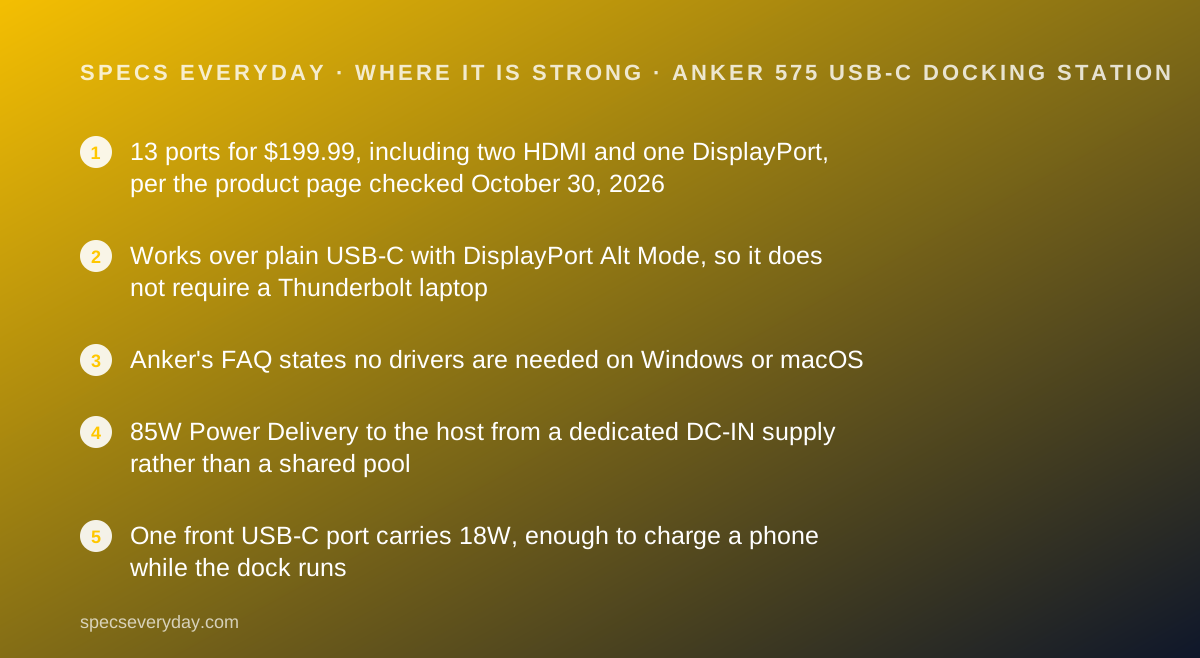
- 13 ports for $199.99, including two HDMI and one DisplayPort, per the product page checked October 30, 2026
- Works over plain USB-C with DisplayPort Alt Mode, so it does not require a Thunderbolt laptop
- Anker's FAQ states no drivers are needed on Windows or macOS
- 85W Power Delivery to the host from a dedicated DC-IN supply rather than a shared pool
- One front USB-C port carries 18W, enough to charge a phone while the dock runs
Where it falls short
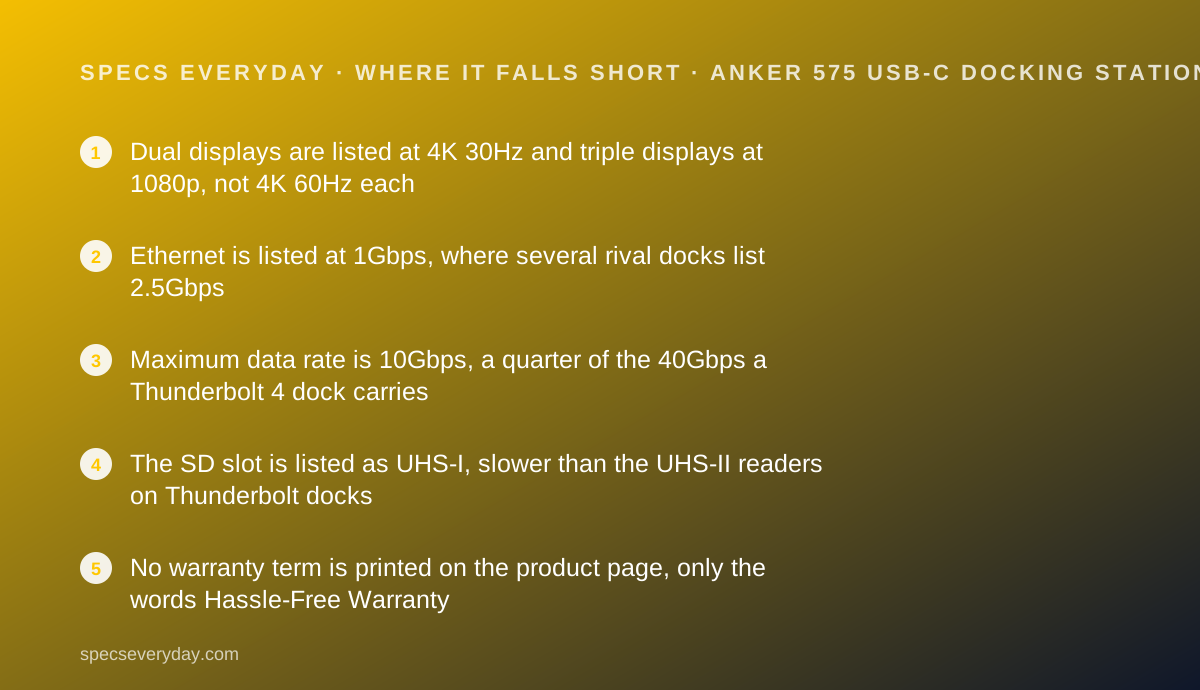
- Dual displays are listed at 4K 30Hz and triple displays at 1080p, not 4K 60Hz each
- Ethernet is listed at 1Gbps, where several rival docks list 2.5Gbps
- Maximum data rate is 10Gbps, a quarter of the 40Gbps a Thunderbolt 4 dock carries
- The SD slot is listed as UHS-I, slower than the UHS-II readers on Thunderbolt docks
- No warranty term is printed on the product page, only the words Hassle-Free Warranty
At a glance
| Host connection | USB-C with DisplayPort Alt Mode and Power Delivery; works on Thunderbolt 3 hosts but caps at 10Gbps |
|---|---|
| Laptop charging | 85W Power Delivery, from a DC-IN port rated 20V / 6.5A |
| Video ports | 2 x HDMI 2.0 (HDCP 2.2, no HDR listed), 1 x DisplayPort |
| Display modes | Single 4K at 60Hz; dual 2 x 4K at 30Hz; triple 3 x 1080p |
| USB ports | 3 x USB-A 3.1 Gen 1 (5Gbps; one at 7.5W, two at 4.5W), 1 x USB-C 3.1 Gen 2 (10Gbps, 4.5W), 1 x USB-C 3.1 Gen 2 (10Gbps, 18W) |
| Ethernet | 1 x RJ45, 1Gbps |
| Card readers | 1 x SD (UHS-I), 1 x microSD |
| Audio | 1 x 3.5mm combo in and out, 96KHz / 24-bit |
| Maximum data rate | 10Gbps |
| Dimensions | 4.95 x 3.49 x 1.64 inches (L x W x H) |
| Weight | 0.82 pounds |
| Operating systems | macOS 10.12 or later; Windows 8, 10 and 11 |
| Price | $199.99 on anker.com US, checked October 30, 2026; $136.95 each at 10 or more units |
| Pricing note | $199.99 on anker.com US, in stock; $136.95 each at 10 or more units, auto-applied at checkout (product page and embedded offer data, checked October 30, 2026) |
What the Anker 575 actually is
The Anker 575 is a desk dock, not a travel hub. It has its own power brick, sits beside a monitor and replaces a handful of cables with one USB-C lead.
The important design decision is the host connection. This dock speaks plain USB-C, not Thunderbolt. That makes it work with cheaper laptops and caps its data rate at 10Gbps.
Anker counts 13 ports. Five are USB accessory sockets, three carry video, one is Ethernet, two are card slots, one is audio and one is the Power Delivery port for the laptop.
We read Anker's product page, its specification block, its FAQ and the offer data embedded in the page on October 30, 2026. Nothing here was plugged in, timed or measured by this site.
Who the Anker 575 is best for
The short version: a USB-C laptop, two office screens, and a budget under $200.
- Home desk workers whose laptop has USB-C but no Thunderbolt port
- People who run two monitors full of text, where 30Hz is not a problem
- Anyone whose desk needs wired internet, a keyboard, a mouse and a webcam on one cable
- Households on 1Gbps internet, where the dock's Ethernet speed is not the limit
- Buyers who want HDMI ports rather than adapters, since both monitor outputs are HDMI
- Small offices buying several at once, where the page lists $136.95 per unit at ten or more
Who should skip it
Three groups will feel the ceiling quickly.
- Photographers and video editors; the SD slot is UHS-I and the bus is 10Gbps
- Anyone wanting two 4K screens at 60Hz each; the listed dual mode is 30Hz
- People on multi-gigabit home internet; the Ethernet jack is listed at 1Gbps
The spec sheet, translated
Host side. One USB-C cable to the laptop, 3 feet long and included. Anker's FAQ says a replacement must support USB 3.1 Gen 2 and 85W Power Delivery.
Power. 85W to the laptop, from a DC-IN port rated 20V at 6.5A. The dock does not borrow power from the laptop; it feeds it.
Video. Two HDMI 2.0 ports and one DisplayPort. HDCP 2.2 is listed, HDR is not.
Data. Two USB-C ports at 10Gbps and three USB-A ports at 5Gbps. The whole dock shares a 10Gbps ceiling.
Everything else. 1Gbps Ethernet, SD at UHS-I, microSD, and a 3.5mm combo jack rated 96KHz and 24-bit.
85W is the number that decides whether this dock fits
Docks are usually bought for the port count and regretted for the wattage. Check this one first.
85W covers a 13-inch or 14-inch ultraportable comfortably. A 13-inch MacBook Air ships with a far smaller charger, and the MacBook Air 13 review lists what Apple supplies in the box.
It does not cover a 16-inch workstation under load. Those laptops ship with 140W bricks, and a dock at 85W will hold the battery steady rather than fill it quickly.
Our USB-C Power Delivery explainer walks through how the laptop and the dock negotiate that number, and why a lower figure is not a fault so much as a limit.
Three displays, but read the refresh rates
Anker's display line is one of the most honest parts of the page, and it is easy to skim past.
It reads: single 4K at 60Hz, dual 2 x 4K at 30Hz, triple 3 x 1080p. One screen gets the good mode. Two screens drop to 30Hz each.
30Hz is fine for a spreadsheet and poor for a mouse pointer. Anyone who notices cursor smear should plan on one 4K screen plus one 1080p screen instead.
The monitors you attach matter as much as the dock. The Dell UltraSharp U2724D and BenQ PD2706U sit at different resolutions, and our office monitor guide covers which panel suits which dock.
The port list, in plain terms
Here is the 13 that Anker counts, grouped the way a desk uses them.
- Laptop: 1 x USB-C with 85W Power Delivery, plus the DC-IN barrel for the supply
- Screens: 2 x HDMI 2.0 and 1 x DisplayPort
- Fast accessories: 1 x USB-C 10Gbps at 4.5W and 1 x USB-C 10Gbps at 18W
- Keyboard, mouse, webcam: 3 x USB-A 5Gbps, one of them at 7.5W
- Network: 1 x Ethernet at 1Gbps
- Cameras: 1 x SD at UHS-I and 1 x microSD
- Headset: 1 x 3.5mm combo jack, 96KHz and 24-bit
The 18W front port is more useful than it sounds
One of the two USB-C ports is rated 18W. That is enough to charge a phone at a useful rate while the dock runs everything else.
It saves a wall socket. A desk that already has a dock does not also need a phone charger for daytime topping up.
If you want faster phone charging, a separate charger still wins. The Anker Prime Charger 100W and the UGREEN Nexode 100W both carry far higher per-port figures.
Ethernet is 1Gbps, and that is the dated part
The 575's declaration of conformity on the download tab is dated July 2020, and the Ethernet port shows its age.
One gigabit is still faster and steadier than most home Wi-Fi. It is also slower than the 2.5Gbps jacks on the Thunderbolt docks in the same price band.
Whether that matters depends on your router, not your dock. Our Wi-Fi 7 numbers explainer covers how those headline speeds are built, and the TP-Link Deco BE63 review lists the wired ports on a current mesh unit.
What the 10Gbps ceiling means in practice
Anker prints a maximum data transfer rate of 10Gbps for the whole dock. Every port shares it.
For a keyboard, a mouse, a webcam and a wired network connection, 10Gbps is more headroom than you will ever use.
For an external SSD and a card reader working at the same time, it is the moment you notice the dock is not Thunderbolt. Anker's own FAQ says the dock caps at 10Gbps even on a Thunderbolt 3 host.
How the pricing is structured
Anker's US site showed $199.99 and in stock on October 30, 2026, in both the visible price and the offer data embedded in the page.
The same page carried a sitewide discount banner with a code and an instalment option quoted at about $19 per month over four payments.
There is also a bulk line: $136.95 each at ten units or more, applied automatically at checkout. That is $63.04 below the single-unit price, by our arithmetic.
For comparison on the same collection page, Anker listed a 10-in-1 dock at $259.99 and a Thunderbolt 5 dock at $399.99, both read the same day.
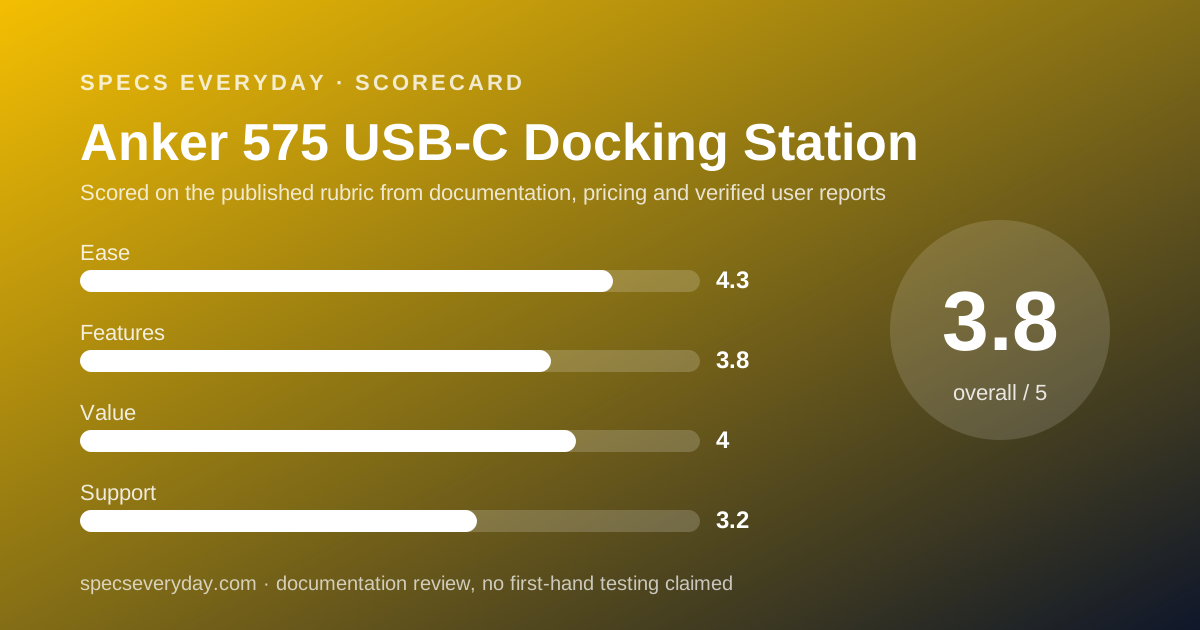
Ease of use: what the 4.3 is built from
No drivers, a cable in the box, HDMI rather than adapters, and a wide operating system list earn the score.
Points come off because the display modes need reading before purchase, and because a dock this broad sits on a 10Gbps bus that some buyers will assume is faster.
Features: what the 3.8 is built from
Thirteen ports, two video standards, an 18W charging port and a 96KHz audio jack are a complete desk.
The score stops below 4 because three of the headline numbers are a generation behind: 1Gbps Ethernet, UHS-I card reading and a 10Gbps bus.
Value: what the 4.0 is built from
At $199.99 this is the cheapest of the four docks in this group, and the only one that does not need a Thunderbolt laptop.
The bulk price of $136.95 at ten units makes it stronger again for a small office. It loses ground against the $179.99 Belkin dock, which lists 96W to the host and three-screen support.
Support: what the 3.2 is built from
Anker publishes a FAQ, a manual dated August 2020 and a declaration of conformity on the product page, which is more documentation than many rivals.
The score is held down because no warranty term appears on the page. Rivals print theirs: two years for Belkin, two years for Plugable and two years for CalDigit's TS4 in its spec table.
What owners report
The product page showed an average of 4.72 out of 5 from 153 reviews in its embedded rating data on October 30, 2026, displayed on the page as 4.7.
Two owner reviews visible in the rendered page praised the desk tidying and questioned the vertical stance, saying the weight of attached cables made it tip. We quote no further owner text and collected no sample of our own.
Treat the average as a broad signal, not as evidence about any single port.
What the product page does not list
Several figures a careful buyer would want were absent from the page we read on October 30, 2026: the warranty length in months, the wattage of the bundled power supply as a figure rather than 20V at 6.5A, and any firmware update process.
We read the fully rendered page, including its embedded offer and rating data, and found none of them. That does not mean they do not exist in Anker's support system. It means they are not on the page a buyer reads before paying.
The page does state plainly that the product uses no post-consumer recycled or bio-based materials, which is more candid than most.
Setting it up: what the documentation implies
The published spec and FAQ point to a short checklist before the first workday.
- Confirm your laptop's USB-C port supports DisplayPort Alt Mode, or you get no video
- Confirm it supports Power Delivery, or the dock runs everything except laptop charging
- Use the included 3-foot cable; a replacement needs USB 3.1 Gen 2 and 85W support
- Decide your display plan: one screen at 4K 60Hz, or two at 30Hz
- Plug the keyboard and mouse into the USB-A ports and keep the 18W USB-C port free for a phone
- If the dock does not wake with the laptop, Anker's FAQ says to unplug and replug the USB-C cable
Alternatives
Belkin Connect 11-in-1 Pro GaN Dock 150W. Choose it at $179.99, read on belkin.com the same day, if you want 96W to the laptop and a power supply built into the body.
Otherwise choose the Anker if you want three separate video outputs rather than two HDMI and one USB-C.
A Thunderbolt 4 dock. Choose one if your laptop has Thunderbolt and you work with fast external storage. Otherwise the Anker saves about $90 against the $289.99 Thunderbolt dock we also read.
A monitor with a built-in hub. Choose it if you only need one screen, a network jack and two USB ports. The BenQ PD2706U and the Dell U2724D vs BenQ PD2706U comparison cover that route, which needs no dock at all.
Where it fits on a finished desk
A dock is the middle of a desk, not the point of one. It matters because of what plugs into it.
Most buyers pair it with a keyboard, a mouse and a webcam. The Logitech MX Keys S, the MX Master 3S and the Brio 500 each list their power draw, and all three fit comfortably inside this dock's USB budget.
For the laptop end, our everyday laptop guide and the MacBook Air vs XPS 13 comparison list how many USB-C ports each machine has, which is the real reason people buy docks.
Bottom line
The Anker 575 is the sensible choice when the laptop is the limit rather than the dock. It needs no Thunderbolt, no drivers and no adapters for HDMI.
Read the display line before you buy, accept 1Gbps Ethernet and a 10Gbps bus, and treat the missing warranty term as the open question on an otherwise well documented page.
Buy it if
- Your laptop has USB-C but not Thunderbolt - the 575 needs only DisplayPort Alt Mode and Power Delivery, which many mid-range laptops have.
- You want two screens and will accept 30Hz on both - the spec block lists dual 4K at 30Hz, which is fine for documents and spreadsheets.
- Your laptop draws 85W or less - that is the ceiling Anker prints for host charging.
- You want a desk dock under $200 - $199.99 on October 30, 2026, against $289.99 for the Thunderbolt 4 dock we also graded.
Skip it if
- You move video files off camera cards every day - the SD slot is UHS-I and the bus tops out at 10Gbps.
- You have a 2.5Gbps router or switch - this dock's Ethernet port is listed at 1Gbps, so it will not use that headroom.
- You want two 4K screens at 60Hz each - the listed dual-display mode is 4K at 30Hz.
- A printed warranty term matters to you - the page shows no number, only the phrase Hassle-Free Warranty.
Frequently asked
How much does the Anker 575 USB-C Docking Station cost?
Anker's US site listed it at $199.99 and in stock on October 30, 2026, in the embedded offer data and on the page itself. A bulk line on the same page lists $136.95 each for ten units or more, applied automatically at checkout.
How many watts does the Anker 575 give a laptop?
85W. Anker's port specification lists one Power Delivery port for the laptop at 85W, fed by a DC-IN port rated 20V and 6.5A. Laptops that need more than 85W will charge slowly or not at all under load.
Can the Anker 575 run three monitors?
Yes, at reduced settings. Anker lists single 4K at 60Hz, dual 4K at 30Hz, and triple displays at 1080p. The dock has two HDMI 2.0 ports and one DisplayPort, and the host laptop must support multiple streams.
Does the Anker 575 need Thunderbolt?
No. Anker states it works with laptops whose USB-C port supports DisplayPort Alt Mode and Power Delivery. On a Thunderbolt 3 host it still works, but Anker notes the dock cannot exceed 10Gbps, so it will not reach Thunderbolt's 40Gbps.
Do you need drivers for the Anker 575?
No. Anker's own FAQ on the product page answers this question with a single word: no. The page also lists macOS 10.12 or later and Windows 8, 10 and 11 as supported operating systems, checked October 30, 2026.
How fast is the Ethernet port on the Anker 575?
One gigabit per second. Anker's port list shows one Ethernet port at 1Gbps. Docks in the same price band from Plugable and CalDigit list 2.5Gbps instead, which only helps if your router or switch also runs faster than 1Gbps.
What warranty does the Anker 575 come with?
We could not read a warranty term for this dock on anker.com on October 30, 2026. The product page shows the phrase Hassle-Free Warranty with no number of months, and the warranty policy link redirected to a different Anker product line.
Sources
- Anker US: Anker 575 USB-C Docking Station (13-in-1) product page, specification block, FAQ and embedded offer data - checked October 30, 2026
- Anker US: Docking Stations collection (price list for the surrounding range) - checked October 30, 2026
Update history
- October 30, 2026 - First published. Figures read from Anker's US product page for the 575 USB-C Docking Station, including its embedded offer and rating data, on October 30, 2026.
Visit Anker 575 USB-C Docking Station
We have no affiliate relationship with this vendor. Link goes to the official site.