 Specs

Plugable TBT4-UDZ Thunderbolt 4 Dock
A 16-port Thunderbolt 4 dock with two HDMI and two DisplayPort outputs, 98W certified host charging and 2.5Gbps Ethernet, for $289.99 on plugable.com
Scored on the published rubric, from documentation, pricing and verified user reports.
Best for: A Thunderbolt or USB4 laptop on a desk with two or more screens, where the owner wants every number published before buying.
Verdict
The Plugable TBT4-UDZ is the most thoroughly documented dock of the four we read on October 30, 2026, and the only one that publishes its chipsets. Plugable listed $289.99 in US dollars on its own store, in stock. The spec tables list 16 ports, including two HDMI 2.0, two DisplayPort 1.2, one Thunderbolt 4 host port, one USB-C at 10Gbps, six USB-A ports, UHS-II SD and microSD readers at 312 MB/s, a 3.5mm combo jack and 2.5Gbps Ethernet. Host charging is listed as up to 100W with 98W certified, from a 135W supply rated 20.0V and 6.75A. The dock weighs 646 g and measures 3.5 x 10.5 x 19.5 cm, with a vertical stand in the box. This is a documentation review built from Plugable's product page and spec tables; this site has not connected the dock to a laptop. The compromises are published too: Windows needs its internal display disabled for four screens, and base M1 and M2 Macs get one.
Visit Plugable TBT4-UDZ Thunderbolt 4 Dock
We have no affiliate relationship with this vendor. Link goes to the official site.
Where it is strong
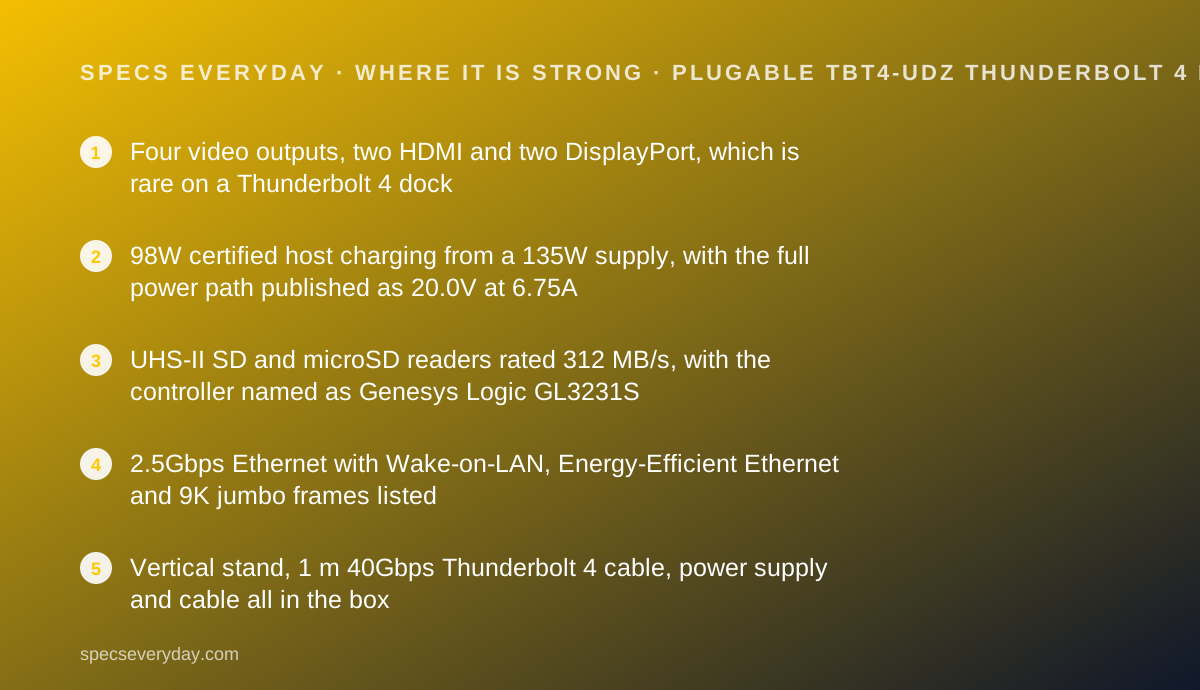
- Four video outputs, two HDMI and two DisplayPort, which is rare on a Thunderbolt 4 dock
- 98W certified host charging from a 135W supply, with the full power path published as 20.0V at 6.75A
- UHS-II SD and microSD readers rated 312 MB/s, with the controller named as Genesys Logic GL3231S
- 2.5Gbps Ethernet with Wake-on-LAN, Energy-Efficient Ethernet and 9K jumbo frames listed
- Vertical stand, 1 m 40Gbps Thunderbolt 4 cable, power supply and cable all in the box
- Two-year warranty, 30-day money back guarantee and lifetime technical support printed on the page
Where it falls short
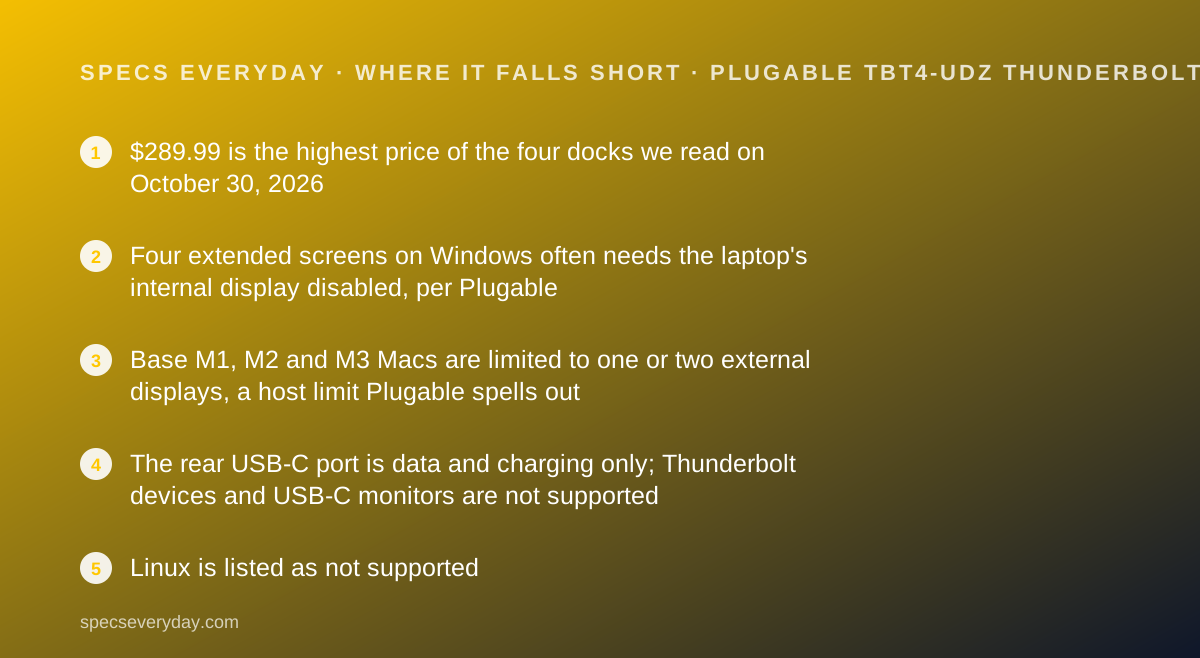
- $289.99 is the highest price of the four docks we read on October 30, 2026
- Four extended screens on Windows often needs the laptop's internal display disabled, per Plugable
- Base M1, M2 and M3 Macs are limited to one or two external displays, a host limit Plugable spells out
- The rear USB-C port is data and charging only; Thunderbolt devices and USB-C monitors are not supported
- Linux is listed as not supported
- HDMI outputs are HDMI 2.0 and DisplayPort outputs are DisplayPort 1.2, not the newest versions
At a glance
| Host connection | 1 x Thunderbolt 4 front host port, 40Gbps; also works with Thunderbolt 3, USB4 and USB-C Alt Mode hosts |
|---|---|
| Laptop charging | Up to 100W, 98W certified; power path listed as 4.9A at 98.0W |
| Power supply | Region-specific adapter, IEC C5/C6, UL 60950-1 certified, 20.0V / 6.75A / 135.0W |
| Video ports | 2 x HDMI 2.0 (max 4096 x 2160 at 60Hz) and 2 x DisplayPort 1.2 |
| Displays | Up to 4 x 4K 60Hz on Windows Thunderbolt 4 or USB4; up to 2 on Thunderbolt 3 and on Macs with M4, M5, M3 or any Pro/Max chip |
| USB ports | 3 x USB-A 10Gbps, 2 x USB-A 5Gbps, 1 x USB-A 2.0 at 7.5W, 1 x USB-C 10Gbps at 4.5W |
| Ethernet | 2.5 Gigabit (2.5GBASE-T), Realtek RTL8156B, with Wake-on-LAN and 9K jumbo frames |
| Card readers | SD and microSD, UHS-II, 312 MB/s, Genesys Logic GL3231S |
| Audio | 3.5mm TRRS combo jack, 16-bit / 48KHz, Realtek ALC4030U |
| Dimensions | 3.5 x 10.5 x 19.5 cm (1.4 x 4.1 x 7.7 inches) |
| Weight | 646 g (22.8 ounces) |
| In the box | Dock, quick start guide, power supply, power cable, vertical stand, 1.0 m 40Gbps Thunderbolt 4 cable |
| Warranty | 2 years, plus a 30-day money back guarantee and lifetime technical support |
| Price | $289.99 on plugable.com US, checked October 30, 2026 |
| Pricing note | $289.99 on plugable.com US, in stock, with free three-day continental US shipping over $35 and a 30-day money back guarantee (product page and embedded offer data, checked October 30, 2026) |
What the TBT4-UDZ actually is
This is a Thunderbolt 4 dock built for screens. Most docks give you one or two video outputs; this one gives four, split between two HDMI and two DisplayPort connectors.
It stands vertically or lies flat, with a stand in the box, and it has its own 135W power supply.
The host port is on the front, carries 40Gbps, and charges the laptop at up to 98W. Everything else hangs off the back.
We read Plugable's product page and its full specification tables on October 30, 2026. Nothing here was connected, timed or measured by this site. What makes the page unusual is how little it leaves out.
Who this dock is best for
The short version: a Thunderbolt laptop, more than two screens, and a buyer who reads spec tables.
- Windows users who want three or four extended displays from one cable
- Mac users with a Pro or Max chip, or an M3, M4 or M5, who want two extended 4K screens
- Photographers and video editors who load UHS-II cards every week
- Households with a 2.5Gbps switch who want the dock to keep up
- Anyone who wants a dock that publishes its chipsets, voltages and per-port wattages
- Buyers who value a printed two-year warranty and lifetime technical support
Who should skip it
Three groups will pay for capability they cannot use.
- Owners of plain USB-C laptops, who get a single display and no Thunderbolt bandwidth
- Linux users, since Plugable lists Linux as not supported
- Anyone whose desk needs one screen and four USB ports, where a $180 dock does the same job
The spec sheet, translated
Host side. One Thunderbolt 4 port on the front at 40Gbps, with a 1 metre 40Gbps cable in the box.
Power. A 135W supply at 20.0V and 6.75A feeds the dock. Up to 98W reaches the laptop, at 4.9A.
Video. Two HDMI 2.0 ports, maximum 4096 x 2160 at 60Hz, and two DisplayPort 1.2 ports. The host stream is DisplayPort 1.4 with Multi-Stream Transport, DSC 1.2 and HBR3.
Data. Three USB-A ports at 10Gbps, two at 5Gbps, one USB-A 2.0 for charging at 7.5W, and one rear USB-C at 10Gbps.
Everything else. 2.5Gbps Ethernet, UHS-II card readers at 312 MB/s, and a 3.5mm combo jack at 16-bit and 48KHz.
Four outputs is the reason to pay $290
Two HDMI plus two DisplayPort is an unusual combination. Most Thunderbolt docks expect you to run one or two screens over the spare Thunderbolt ports and buy adapters.
Here the sockets match what monitors actually have. A DisplayPort monitor and an HDMI monitor can both plug in directly.
The ceiling is set by your laptop, not the dock. Plugable publishes that limit in detail rather than burying it: four screens on Windows Thunderbolt 4 or USB4, two on Thunderbolt 3, two on capable Macs, one on base M1 and M2 Macs.
For what resolution and refresh figures mean on the screens themselves, our monitor specs explainer covers the numbers worth checking first.
The caveats Plugable prints about four screens
Most vendors advertise a maximum display count and stop. Plugable goes further, which is useful before you spend the money.
Its notes state that most Thunderbolt 4 Windows laptops need the internal display disabled in Windows display settings before four external screens will extend.
They also state that Windows will try to mirror new screens on first connection, and that for a four-screen setup the step of switching each one to extend may have to be repeated.
And they warn that some Thunderbolt 3 Windows machines only carry one display stream, so dual screens are not guaranteed there at all.
The port list, in plain terms
Plugable counts 16. Grouped by use, they are:
- Laptop: 1 x Thunderbolt 4 host port on the front, 40Gbps, up to 98W out
- Screens: 2 x HDMI 2.0 and 2 x DisplayPort 1.2
- Fast storage: 3 x USB-A at 10Gbps and 1 x USB-C at 10Gbps
- Keyboard, mouse, receivers: 2 x USB-A at 5Gbps
- Phone charging: 1 x USB-A 2.0 at 7.5W, with Battery Charging 1.2
- Network: 1 x 2.5 Gigabit Ethernet
- Cameras: SD and microSD, UHS-II, 312 MB/s
- Headset: 1 x 3.5mm TRRS combo jack
Card readers are where the Thunderbolt premium shows
The SD and microSD slots are UHS-II, rated 312 MB/s, on a named Genesys Logic controller.
That is the difference between a Thunderbolt dock and a USB-C dock for anyone with a camera. The USB-C docks in this group list SD 3.0 or UHS-I readers, which are several times slower on paper.
If you never touch a memory card, that premium buys you nothing, and a $180 dock is the better purchase.
What 98W certified means
Plugable lists host charging as up to 100W with 98W certified, and publishes both the supply rating and the output path.
The supply is 135W. The dock keeps some for itself and its ports and sends up to 98W onward, at 4.9A.
That phrasing is deliberate. Plugable's own knowledge base, on the same page, warns that a 100W input rating never means the computer receives 100W, and gives a sibling product that accepts 100W and passes 82W.
Our USB-C Power Delivery explainer sets out the same arithmetic, and the Anker Prime Charger 100W review shows how a dedicated charger splits power differently.
Ethernet, with the footnote attached
The Ethernet port is 2.5GBASE-T on a Realtek RTL8156B, and Plugable lists Wake-on-LAN, Energy-Efficient Ethernet and 9K jumbo frames.
The footnote matters as much as the figure: reaching 2.5Gbps needs a 2.5Gbps switch or router at the other end. Plugable even recommends Cat 6 or better for longer runs.
If your router is Gigabit, this port behaves like a Gigabit port. Our Wi-Fi 7 numbers explainer covers how home network headline speeds are built, and the TP-Link Deco BE63 review lists the wired ports on a current mesh system.
How the pricing is structured
Plugable's own store listed $289.99 in US dollars on October 30, 2026, matching the embedded offer data, with free three-day continental US shipping over $35.
The same page compared three siblings: the TBT4-UDX1 at $249.95 and out of stock, the TBT4-UD5 at $199.95, and the UD-ULTC4K at $245.99.
The cheaper siblings give up ports or outputs. The UD5 is an 11-port dock with one HDMI and an adapter; the UDZ is the 16-port, four-output model.
Plugable also lists Amazon, Walmart, Staples, B&H, CDW and others as buying options, so the direct price is a reference rather than the only price.
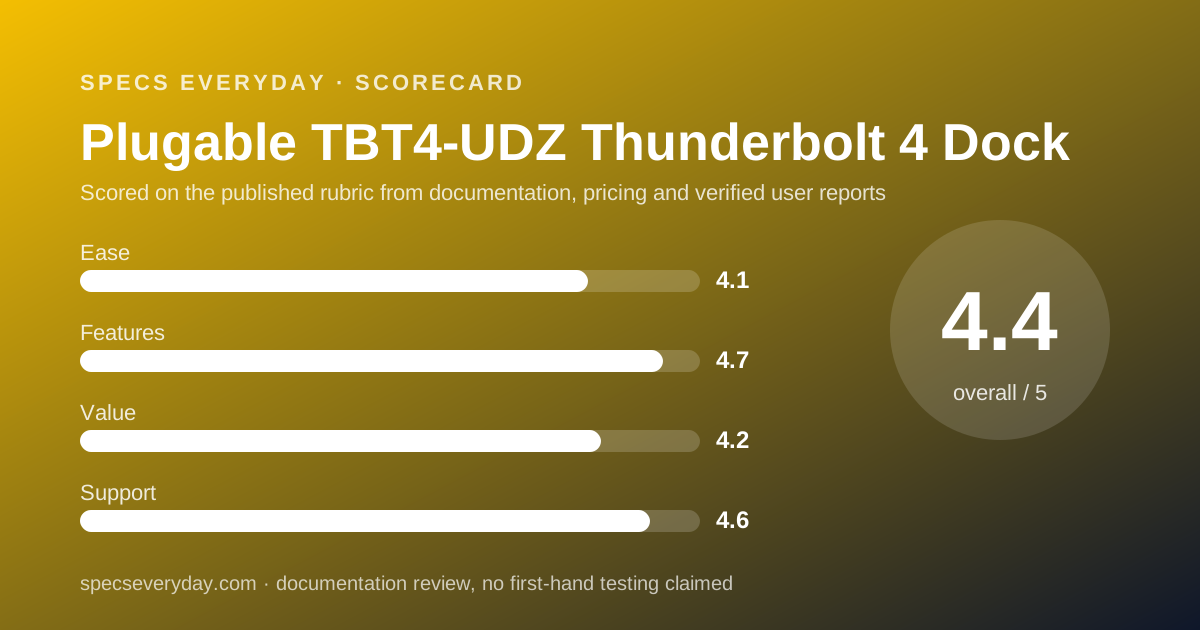
Ease of use: what the 4.1 is built from
No drivers needed on Windows or macOS, a complete box including the cable and a stand, and ports that match real monitors earn the score.
Points come off because a four-screen setup needs Windows display settings changed, and because the difference between the front Thunderbolt port and the rear USB-C port will trip people who do not read the page.
Features: what the 4.7 is built from
Sixteen ports, four video outputs, UHS-II card readers, 2.5Gbps Ethernet, 98W certified charging and a vertical stand make this the most capable dock in the group.
The score stops short of 5 because HDMI is 2.0 and DisplayPort is 1.2 rather than newer versions, and because Linux is unsupported.
Value: what the 4.2 is built from
$289.99 is $90 above the Anker USB-C dock and $110 above the Belkin, and it buys 40Gbps instead of 10Gbps, four outputs instead of three, and UHS-II card reading.
For a Thunderbolt laptop with several screens that is fair. For a single-screen desk it is money spent on headroom that never gets used.
Support: what the 4.6 is built from
A two-year warranty, a 30-day money back guarantee, lifetime technical support and a knowledge base attached to the product page are the strongest support package of the four docks we read.
The spec tables name the Ethernet, audio and card reader controllers, which is rare and makes driver questions answerable. The score is not full marks only because Linux is excluded outright.
What owners and the vendor claim
The page displayed an Amazon rating summary based on 543 reviews, read on October 30, 2026. The star value itself was rendered as an image, so we could not read the number as text and do not print one.
Plugable also prints an award claim on the page, describing the dock as Laptop Mag 2025 Dock of the Year. That is the vendor repeating a third-party award; we did not verify it with Laptop Mag.
We collected no owner reports of our own and quote none.
Setting it up: what the documentation implies
Plugable's published notes point to a checklist that is longer than most, and worth following.
- Use the included 1 metre 40Gbps Thunderbolt 4 cable; a longer cable must be certified for 40Gbps
- Decide vertical or flat before cabling; the stand is in the box
- On Windows, switch each new screen from mirrored to extended in display settings
- For four screens, expect to disable the laptop's internal display
- Use active DisplayPort adapters if you convert to HDMI, DVI or VGA; passive ones will not work
- For 2.5Gbps Ethernet, check that the switch or router supports it and use Cat 6 or better
- Keep the rear USB-C port for accessories, not for Thunderbolt devices or monitors
Alternatives
A USB-C dock. Choose one if your laptop has no Thunderbolt port, or if one screen is enough. It saves about $90 to $110 at the prices we read on October 30, 2026, and gives up 40Gbps bandwidth and UHS-II card reading.
A cheaper Plugable. Choose the TBT4-UD5 at $199.95 if two screens are your limit; the same page lists it with 11 ports and one HDMI output.
A monitor with a hub and a KVM. Choose it if you have two computers and one screen. The BenQ PD2706U lists a KVM switch, and our Dell U2724D vs BenQ PD2706U comparison covers that choice.
Where it fits on a finished desk
This dock suits a desk that has already outgrown one monitor.
It pairs with laptops that have Thunderbolt and too few ports. Our everyday laptop guide and the MacBook Air vs XPS 13 comparison list how many USB-C ports each machine has.
For the peripherals, the Logitech MX Keys S and MX Master 3S both free a USB port by pairing over Bluetooth, and the Logitech Brio 500 connects over USB-C.
For the screens, our office monitor guide covers which panels suit a multi-output dock.
Bottom line
The TBT4-UDZ is the dock to buy when the screens come first and the laptop has Thunderbolt. Four outputs, UHS-II card readers and 2.5Gbps Ethernet are all real advantages over a USB-C dock.
It is also the only one of the four whose page answers almost every question a buyer could ask, including the awkward ones about display limits. Pay the premium only if your host can use it.
Buy it if
- You run three or four screens on a Windows Thunderbolt laptop - two HDMI and two DisplayPort outputs make that possible without adapters.
- You move photos or video off UHS-II cards - the readers are rated 312 MB/s, the fastest in this group.
- You already have a 2.5Gbps switch or router - the Ethernet port can use it.
- You want every figure published before you pay - Plugable lists chipsets, voltages and per-port wattages.
Skip it if
- Your laptop has USB-C but no Thunderbolt - it will work, but only for one display and without the bandwidth you paid for.
- You use Linux - Plugable lists Linux as not supported for this dock.
- You want to chain a Thunderbolt drive off the dock - the spare USB-C port is data and charging only.
- $290 is above your budget - the two USB-C docks in this group cost $179.99 and $199.99.
Frequently asked
How much does the Plugable TBT4-UDZ cost?
Plugable listed $289.99 in US dollars on its own store on October 30, 2026, in both the visible price and the embedded offer data. The same page listed sibling docks at $249.95, $199.95 and $245.99 for comparison.
How many monitors can the TBT4-UDZ run?
Up to four 4K 60Hz screens on Windows Thunderbolt 4 or USB4 hosts, using Multi-Stream Transport. Thunderbolt 3 hosts get two. Macs with M4, M5, M3 or any Pro or Max chip get two; base M1 and M2 Macs get one.
How much power does the TBT4-UDZ send to a laptop?
Up to 100W, which Plugable describes as 98W certified. The published power path is 4.9A at 98.0W to the host, drawn from a 135W supply rated 20.0V at 6.75A. The dock supplies less if the laptop requests less.
Does the TBT4-UDZ work with a Mac?
Yes, on macOS Big Sur 11 or later over Thunderbolt 3, Thunderbolt 4 or USB4. Display counts depend on the chip: two extended 4K 60Hz screens on M4, M5, M3 or Pro and Max models, and a single screen on base M1 and M2 models.
Is the Ethernet port really 2.5Gbps?
The port is 2.5GBASE-T, built on a Realtek RTL8156B controller. Plugable adds a footnote that reaching 2.5Gbps needs a 2.5Gbps switch or router at the other end, and that actual speed depends on the operating system and the host.
Can I plug a Thunderbolt drive into the spare USB-C port?
No. Plugable states the front Thunderbolt 4 port is for the computer and the rear USB-C port is 10Gbps USB data and charging only. It does not support Thunderbolt devices, and USB-C or Thunderbolt monitors are not supported either.
What warranty does the Plugable TBT4-UDZ have?
Two years, printed on the product page alongside a 30-day money back guarantee and lifetime technical support. Plugable also offers free three-day continental US shipping on direct orders over $35, read October 30, 2026.
Sources
- Plugable: TBT4-UDZ Thunderbolt 4 and USB4 Quad Display Dock product page, specification tables and embedded offer data - checked October 30, 2026
Update history
- October 30, 2026 - First published. Figures read from Plugable's product page and specification tables for the TBT4-UDZ, including its embedded offer data, on October 30, 2026.
Visit Plugable TBT4-UDZ Thunderbolt 4 Dock
We have no affiliate relationship with this vendor. Link goes to the official site.