 Specs
Anker 575 vs Belkin 11-in-1 Pro GaN dock: which one?
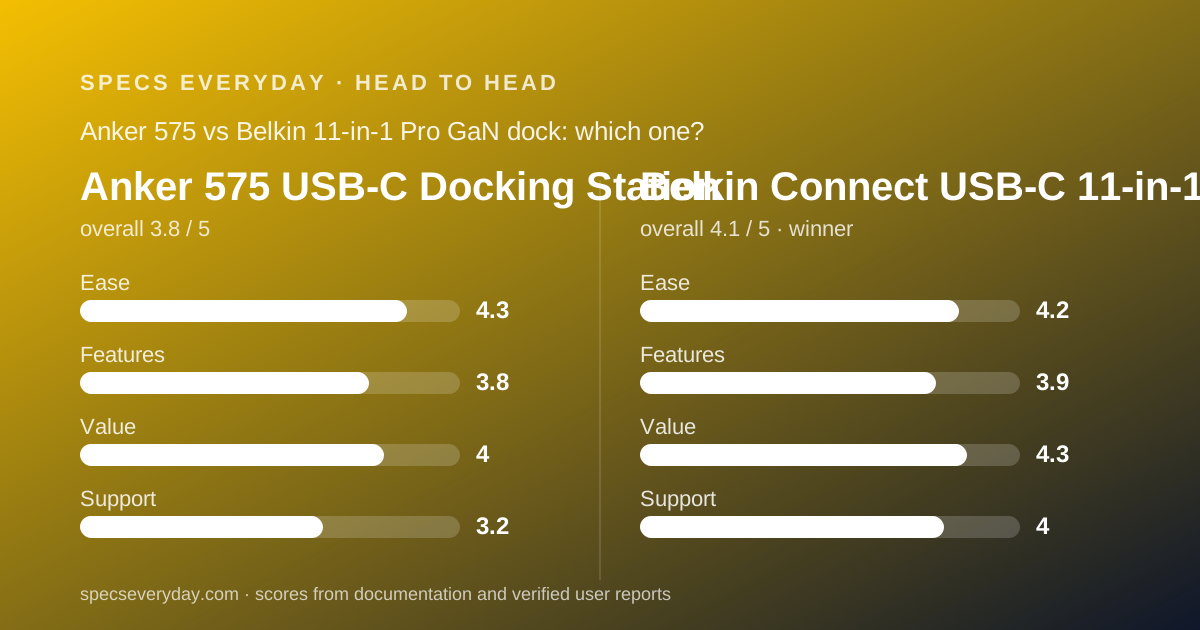
Two USB-C docks for a home desk, both under $200, both read from their maker's pages on October 30, 2026. The Belkin wins on watts and price; the Anker wins on sockets. Which matters depends on your desk, not your laptop.
 3.8Anker 575 USB-C Docking Station
 4.1Belkin Connect USB-C 11-in-1 Pro GaN Dock 150W
The short answer
One sentence each, before the detail.
- Belkin Connect 11-in-1 Pro GaN Dock 150W is best for a tidy desk with few free sockets: $179.99, 96W to the laptop, 50W for accessories, and no power brick to place.
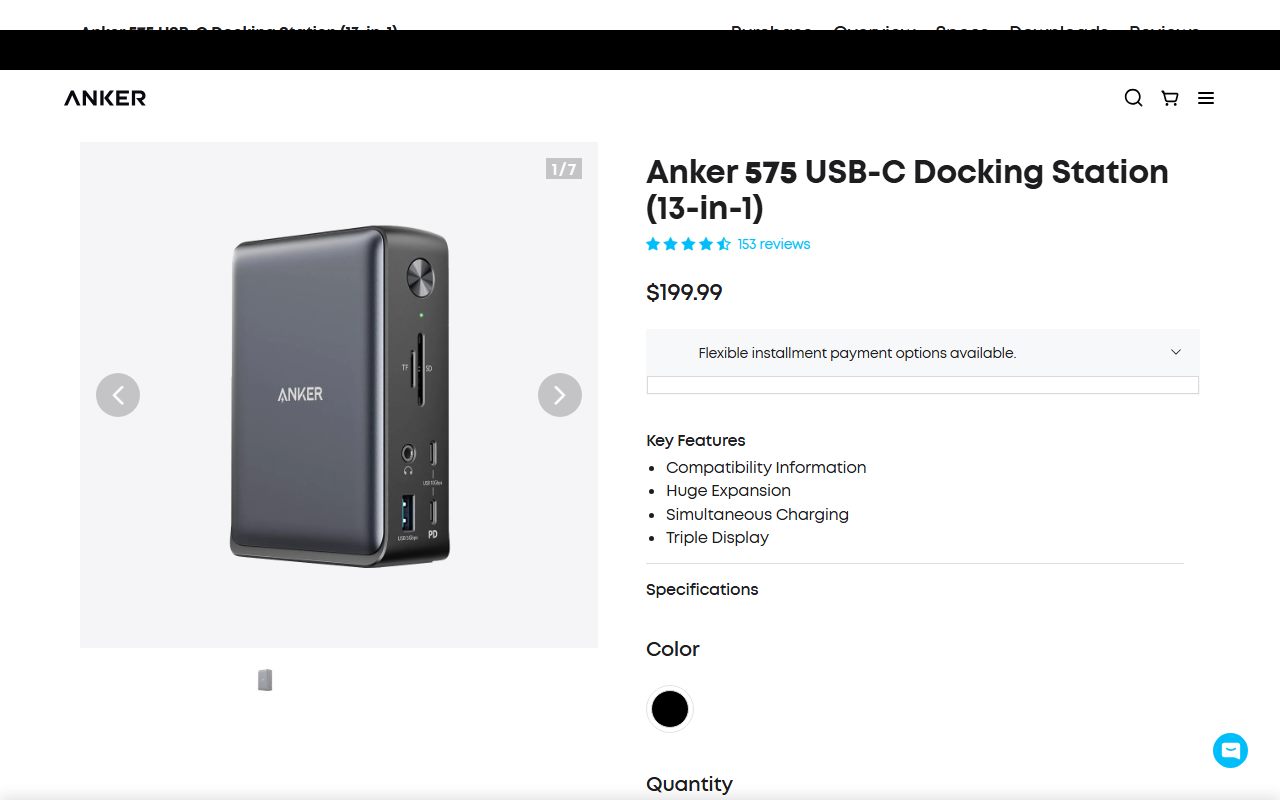
- Anker 575 USB-C Docking Station is best for a desk with a lot to plug in: $199.99, 13 ports including five USB sockets, two HDMI outputs and one DisplayPort.
- Winner on the numbers: the Belkin, because it costs $20 less and delivers 11 more watts to the host from a smaller footprint.
- Both are documentation reviews. Every figure here comes from the makers' own pages, read on October 30, 2026. Neither dock was connected to a laptop by this site.
The spec sheets, side by side
Each line below is the Anker figure first, then the Belkin figure, as published on October 30, 2026.
- Price: $199.99 against $179.99
- Host charging: 85W against up to 96W
- Total power budget: not published as a single figure against 146W, of which 50W is reserved for accessories
- Power supply: external DC-IN brick, 20V at 6.5A, against a 150W supply built into the dock
- Port count: 13 against 11
- Video sockets: 2 x HDMI 2.0 plus 1 x DisplayPort against 2 x HDMI 2.0 plus 1 x USB-C DisplayPort Alt Mode
- Single display: 4K at 60Hz against 8K at 30Hz or 4K at 120Hz
- Two displays: 2 x 4K at 30Hz against a page that says both 4K at 120Hz and 4K at 60Hz
- Three displays: 3 x 1080p against 3 x 4K at 60Hz on Windows
- USB-A ports: 3 against 1
- USB-C accessory ports: 2, one at 18W, against 2, one at 20W
- Ethernet: 1Gbps against Gigabit
- Card readers: SD UHS-I and microSD against SD 3.0 and microSD 3.0
- Audio: 3.5mm combo at 96KHz and 24-bit against 3.5mm in and out, no sample rate published
- Maximum data rate: 10Gbps against 10Gbps
- Warranty: no term printed on the page against 2 years
The Belkin sends more power to the laptop and asks for less desk
This is the clearest gap between the two, and it decides most purchases.
Belkin lists 146W of total Power Delivery: up to 96W to the host and up to 50W to accessories, from a 150W supply built into the housing.
Anker lists 85W to the host, from a separate brick fed by a DC-IN port rated 20V at 6.5A. It does not publish a total budget for the dock as one figure.
Eleven watts sounds small. On a 14-inch laptop working hard it is the difference between a battery that slowly fills and one that slowly empties.
The second half of the difference is physical. The Belkin needs one AC lead; the Anker needs an AC lead plus somewhere to put a brick. Our USB-C Power Delivery explainer covers why these two numbers are negotiated rather than fixed.
The Anker has more sockets, and that is its real argument
Port counts are marketing until you count the type you need. Here the split is lopsided.
The Anker lists three USB-A ports. The Belkin lists one. Most desk peripherals still arrive with USB-A plugs, including wireless receivers, printers and older webcams.
The Anker also gives three separate video sockets, two HDMI and one DisplayPort, where the Belkin's third output is a USB-C port running DisplayPort Alt Mode. That is not worse, but it needs a USB-C monitor or an adapter.
So a desk with a keyboard receiver, a mouse receiver, a printer and a USB-A webcam fits on the Anker and needs a splitter on the Belkin.
Bluetooth peripherals close the gap. The Logitech MX Keys S and the MX Master 3S both pair wirelessly, and the Logitech Brio 500 is a USB-C webcam.
On two screens, the Anker is the honest one and the loser
Both pages describe multi-monitor support, and they describe it very differently.
Anker is unambiguous and modest: single 4K at 60Hz, dual 2 x 4K at 30Hz, triple 3 x 1080p. Read that line before buying; 30Hz is visible on a moving mouse pointer.
Belkin is more generous and less consistent. Its at-a-glance list says dual display up to 4K at 120Hz. A feature block on the same page says dual displays up to 4K at 60Hz. Both were live on October 30, 2026.
Either Belkin figure beats Anker's 30Hz. A buyer who needs certainty should treat 4K at 60Hz as the number and ask Belkin before paying if 120Hz is the reason for the purchase.
On macOS, Belkin adds a limit of its own: only one additional monitor extends, and the second mirrors. The MacBook Air 13 review lists what that machine supports on its own, which is the first thing to check.
For what refresh rate and resolution actually change on screen, our monitor specs explainer covers the figures worth comparing.
Neither dock is fast, and both say so
Both list a maximum data rate of 10Gbps, shared across the dock. That is the USB 3.2 Gen 2 ceiling.
For a keyboard, a mouse, a webcam and a wired network connection it is far more headroom than needed.
For an external SSD plus a card reader working together, it is the moment a Thunderbolt dock would pull ahead with 40Gbps.
Card readers show the same ceiling. Anker lists SD at UHS-I; Belkin lists SD 3.0 and microSD 3.0. Neither is UHS-II, which is what the Thunderbolt docks in this category carry.
Anker adds a useful note: on a Thunderbolt 3 host the dock still caps at 10Gbps. Buying a USB-C dock for a Thunderbolt laptop leaves bandwidth unused.
Ethernet is a tie, and a dated one
Anker lists 1Gbps. Belkin lists Gigabit. Same thing, same generation.
Both are slower than the 2.5Gbps jacks on Thunderbolt docks at the same desk. Whether that matters depends on the router, not the dock.
For most homes, a Gigabit cable is still steadier than wireless. Our mesh Wi-Fi guide and the Wi-Fi 7 numbers explainer cover what the radio side gives you, and the TP-Link Deco BE63 review lists the wired ports on a current mesh unit.
Belkin prints a warranty; Anker prints a slogan
On documentation the two pages are close, with one clear exception.
Belkin states a two-year warranty twice on the product page, adds a 30-day money back guarantee, and says buying direct registers the product automatically.
Anker's page shows the phrase Hassle-Free Warranty with no number of months. We followed the warranty link and reached a different Anker product line, so we could not read a term for this dock on October 30, 2026.
Anker's page is stronger elsewhere. It publishes per-port wattages, a dated manual, a declaration of conformity, and a plain statement that the product uses no recycled or bio-based materials.
Belkin's page is weaker in a different way: it contradicts itself on dual-display refresh rate and on its own dimensions, listing 3.6 x 2.1 x 5.2 inches in the spec table and 5.4 x 6.3 x 4 with no units in its structured data.
Price: the Belkin is cheaper at one unit, the Anker at ten
Belkin listed $179.99 and in stock on October 30, 2026, with a buy-one-get-one 30% banner dated to end October 31.
Anker listed $199.99 and in stock the same day, with a sitewide discount code shown on the page.
The switch comes with volume. Anker's page lists $136.95 each at ten units or more, applied automatically at checkout. Belkin's page carried no equivalent bulk line.
So a single home desk pays less for the Belkin; a small office fitting out ten desks pays less per unit for the Anker, by our arithmetic on the published figures.
Choose the Anker 575 if
Four conditions point this way.
- You need three or more USB-A sockets - the Anker has three, the Belkin one.
- You want three plain video sockets - two HDMI and one DisplayPort, with no USB-C monitor or adapter needed.
- Your laptop is happy at 85W - most 13-inch and 14-inch ultraportables are.
- You are buying ten or more - the page lists $136.95 each at that volume.
Choose the Belkin 11-in-1 Pro GaN Dock if
Four conditions point the other way.
- Your desk has no room for a power brick - the 150W supply is inside the dock.
- Your laptop wants more than 85W - Belkin lists up to 96W to the host.
- You also charge a phone or tablet at the desk - up to 50W is set aside for accessories.
- You want a stated warranty - two years, printed, with automatic registration on direct purchases.
What each maker publishes about materials and safety
Both pages make environmental and safety claims, and they are worth reading as published statements rather than as verified facts.
Belkin states the housing is made of a minimum 75% post-consumer recycled plastic and that packaging is 100% plastic free. It also lists a six-point safety system covering over-current, over-temperature, over-voltage, short circuit, overload and fire-resistant materials.
Anker takes the opposite approach and says so in one line: this product uses no post-consumer recycled materials or bio-based materials. That is unusually direct, and it is the kind of statement most vendors leave out.
Neither claim changes how the dock works. Both are the maker's own declarations, read on October 30, 2026, and neither was independently checked by this site.
What neither dock publishes
Three figures were missing from both pages, and they are the same three on each.
Neither page states a fan or noise figure, because neither dock appears to have a fan; neither says so in writing either.
Neither publishes a firmware update process or version, which matters for docks that occasionally need one.
And neither publishes a measured temperature under load, which is the figure a buyer with a wooden desk might actually want.
Anker also leaves out a warranty term, and Belkin leaves out a weight in a stated unit. We rendered both pages in full, including their embedded product data, before writing that.
Also compared
Two Thunderbolt 4 docks sat in the same research batch and were set aside for this pairing, because both need a Thunderbolt laptop and cost more.
The Plugable TBT4-UDZ lists 16 ports, four video outputs, 2.5Gbps Ethernet, UHS-II card readers and 98W certified charging, at $289.99 read on October 30, 2026.
The CalDigit TS4 lists 18 ports and a 230W supply behind a sustained 98W, but publishes no price on its own site, so we could not compare it on cost.
Both deliver 40Gbps where these two deliver 10Gbps. Neither is worth buying for a laptop without a Thunderbolt port.
How to decide in two minutes
Start with the laptop, not the dock.
Check whether its USB-C port supports DisplayPort Alt Mode and Power Delivery. Both docks need both. Without Alt Mode you get no video; without Power Delivery you keep using the laptop's charger.
Then check the charger your laptop shipped with. If it is 100W or more, neither dock will fill the battery at full speed under load.
Then count your USB-A plugs. Three or more points to the Anker. One or two, or all-Bluetooth peripherals, points to the Belkin.
Finally, look at your desk. If there is nowhere for a brick, that decides it on its own.
Our everyday laptop guide and the MacBook Air vs XPS 13 comparison list the port counts and charger wattages for the machines most likely to be at the other end of the cable.
Bottom line
The Belkin Connect 11-in-1 Pro GaN Dock 150W wins this pairing: $20 cheaper, 11 more watts to the laptop, a printed two-year warranty and no brick to place.
The Anker 575 earns its place when sockets matter more than watts. Three USB-A ports and three plain video outputs solve a crowded desk that the Belkin cannot, and its page publishes more of its own limits.
If your laptop has Thunderbolt and you run more than two screens, neither of these is the right dock; read the Thunderbolt pair instead.
Frequently asked
Which dock charges a laptop faster, the Anker 575 or the Belkin 11-in-1?
The Belkin. Its page lists up to 96W to the host from a built-in 150W supply, against 85W for the Anker from an external brick. Both were read on October 30, 2026, and both supply less if the laptop requests less.
Which is cheaper?
The Belkin at a single unit: $179.99 against $199.99 on October 30, 2026. At ten units or more the Anker page lists $136.95 each, applied automatically at checkout, and Belkin's page carried no comparable bulk price.
Do either of these docks need a Thunderbolt laptop?
No. Both connect over USB-C and need only DisplayPort Alt Mode for video and Power Delivery for charging. Anker notes that on a Thunderbolt 3 host its dock still caps at 10Gbps, so Thunderbolt owners gain nothing from either.
Which runs two 4K monitors better?
The Belkin. Anker lists dual displays at 4K 30Hz each. Belkin's page lists dual displays at 4K 60Hz in one block and 4K 120Hz in another, both read October 30, 2026. On macOS, Belkin says only one screen extends and the second mirrors.
Can I plug a USB-A keyboard, mouse and webcam into the Belkin dock?
Not all three directly. Belkin lists one USB-A port, plus two USB-C ports. The Anker lists three USB-A ports. Bluetooth keyboards and mice, or a USB-C webcam, remove the problem on either dock.
Does either dock have 2.5Gbps Ethernet?
No. Both list Gigabit Ethernet. The Thunderbolt docks in this category list 2.5Gbps instead, which only helps if the router or switch at the other end also runs faster than 1Gbps.
Sources
- Anker US: Anker 575 USB-C Docking Station (13-in-1) product page, specification block and embedded offer data - checked October 30, 2026
- Belkin US: Connect USB-C 11-in-1 Pro GaN Dock 150W (INC020) product page and specification tabs - checked October 30, 2026
Visit Anker 575 USB-C Docking Station
We have no affiliate relationship with this vendor. Link goes to the official site.
Visit Belkin Connect USB-C 11-in-1 Pro GaN Dock 150W
We have no affiliate relationship with this vendor. Link goes to the official site.